12
HARDI CONTROLLER 5500
1
MAIN MENU
Daily settings
Menu numberMenu number
Menu numberMenu number
Menu number
(blinking)(blinking)
(blinking)(blinking)
(blinking)
Present menuPresent menu
Present menuPresent menu
Present menu
ChoiceChoice
ChoiceChoice
Choice
1.2
DAILY SETTINGS
Tank contents
“2” blinking“2” blinking
“2” blinking“2” blinking
“2” blinking
1.2
TANK CONTENTS
XXXX L
BlinkingBlinking
BlinkingBlinking
Blinking
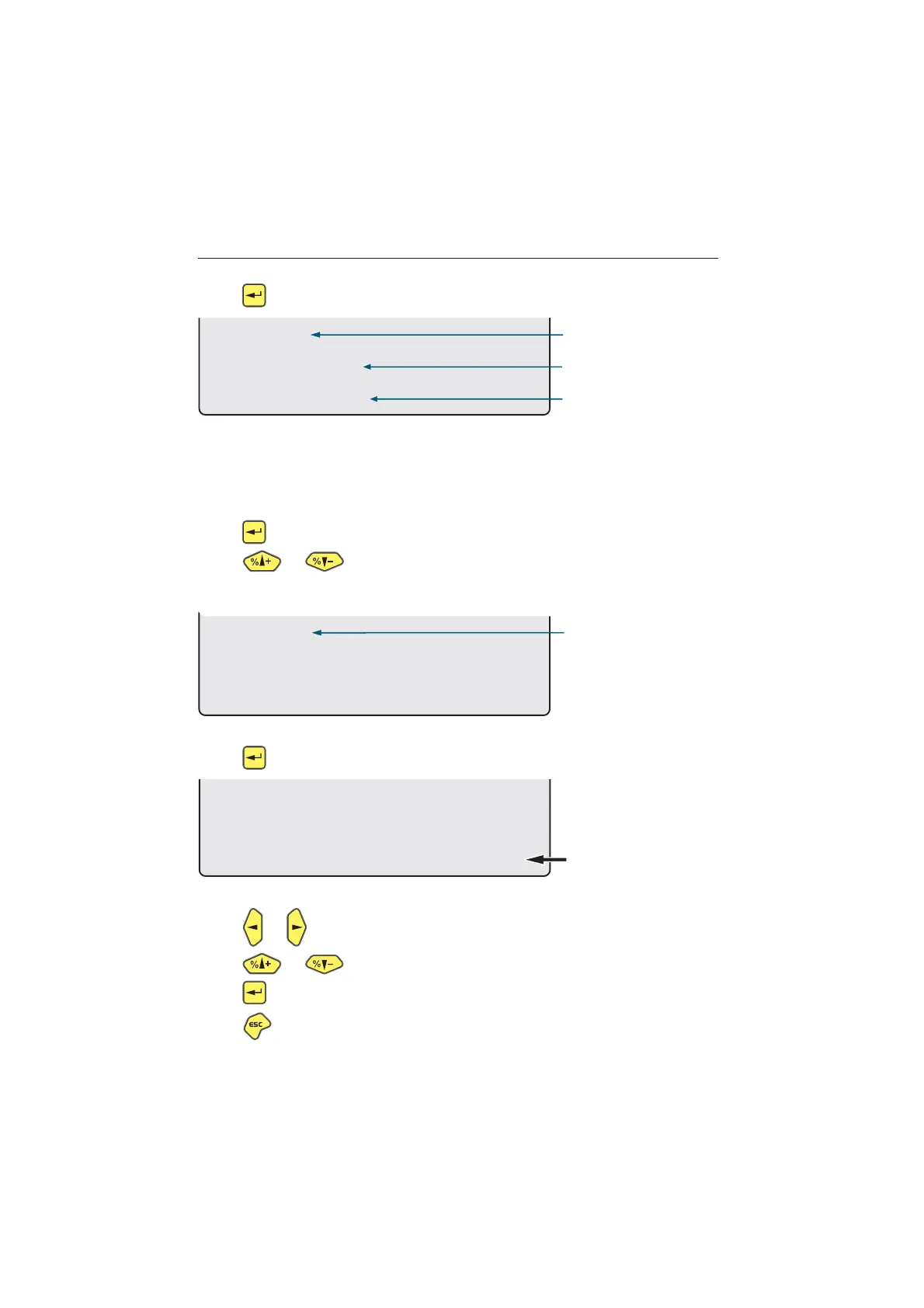
Press to enter the menu system [1 MAIN MENU].
The 2
nd
line will show the menu number.
The 3
rd
line will read the present menu.
The 4
th
line will show a choice.
Note the menu number [1] is blinking.
Press to enter menu [1.1 Daily settings].
Press or to scroll to [1.2 Tank contents].
Note the last digit of the menu number [1.2] is blinking.
Press to enter [1.2 TANK CONTENTS].
Note the value that can be changed is blinking.
Press or to move the cursor.
Press or to set the desired value.
Press to confirm.
Press and hold, to exit the menu system.



 To Next Page