56 ODROID C2 USER MANUAL
can be reloaded and used anytime, as long as the C2’s ip-address and
hostname remain the same. Click on the Open button to start a session.
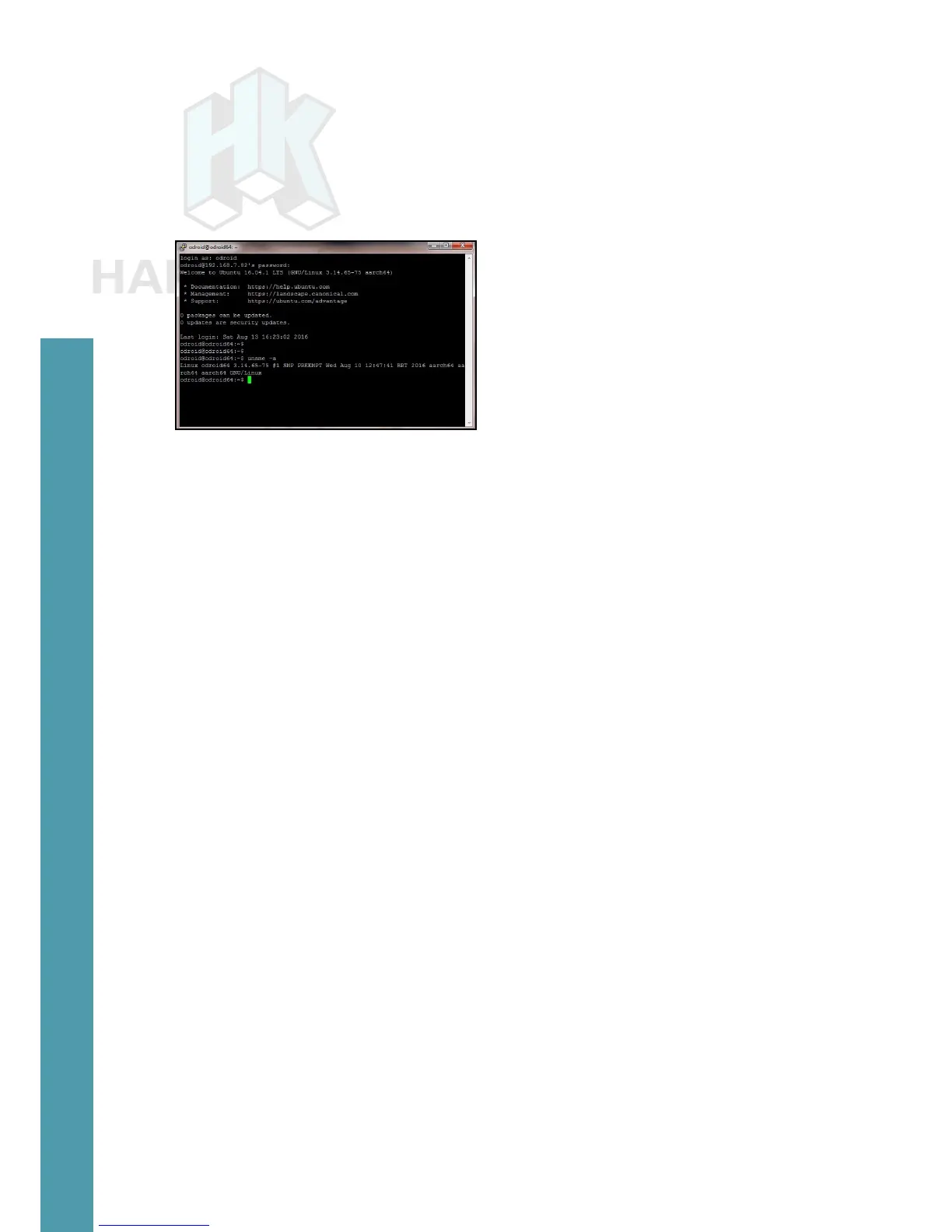
Reboot the C2, and you will then be prompted for the user’s ID
and password, which are typically “odroid” and “odroid”. You will see
a screen presented as shown in the image below.
PuTTY SSH console
You can access the C2 system as if you had locally opened a
terminal window. While you cannot view the boot log in real-time, you
can run a large number of Linux commands (including dmesg) from
this ssh session.
So far, we’ve addressed the case where the host PC system is
a Windows 7+ system. Next, we present information on the use of a
Ubuntu desktop Linux host system. Most of the steps apply to a host
system running any Linux version, including a server OS. The steps
do not address the use of Linux hosted in a virtual environment, such
as VirtualBox.
Linux Host Setup
Access the Linux desktop of the host system and launch a termi-
nal session. Attach the USB cable from the USB / UART setup to the
host system. The following commands can be used to verify proper
installation:
$ lsusb
...
Bus 004 Device 003: ID 10c4:ea60 Cygnal Integrated Products, Inc.
CP210x UART Bridge / myAVR mySmartUSB light
...
Using the output above, you get obtain additional details of the USB /
UART module, using the command:
$ sudo lsusb -D /dev/bus/usb/004/003
Device: ID 10c4:ea60 Cygnal Integrated Products, Inc. CP210x UART
Bridge / myAVR mySmartUSB light
Chapter 4



 To Next Page