60 ODROID C2 USER MANUAL
check the presence of the Bluetooth device, which is useful for con-
nection conguration later:
$ hcitool dev
Devices:
hci0 00:1A:7D:DA:71:13
$ hcicong
hci0: Type: BR/EDR Bus: USB
BD Address: 00:1A:7D:DA:71:13 ACL MTU: 310:10 SCO MTU: 64:8
UP RUNNING PSCAN
RX bytes:636 acl:0 sco:0 events:41 errors:0
TX bytes:1224 acl:0 sco:0 commands:41 errors:0
$ sudo rfkill list all
0: hci0: Bluetooth
Soft blocked: no
Hard blocked: no
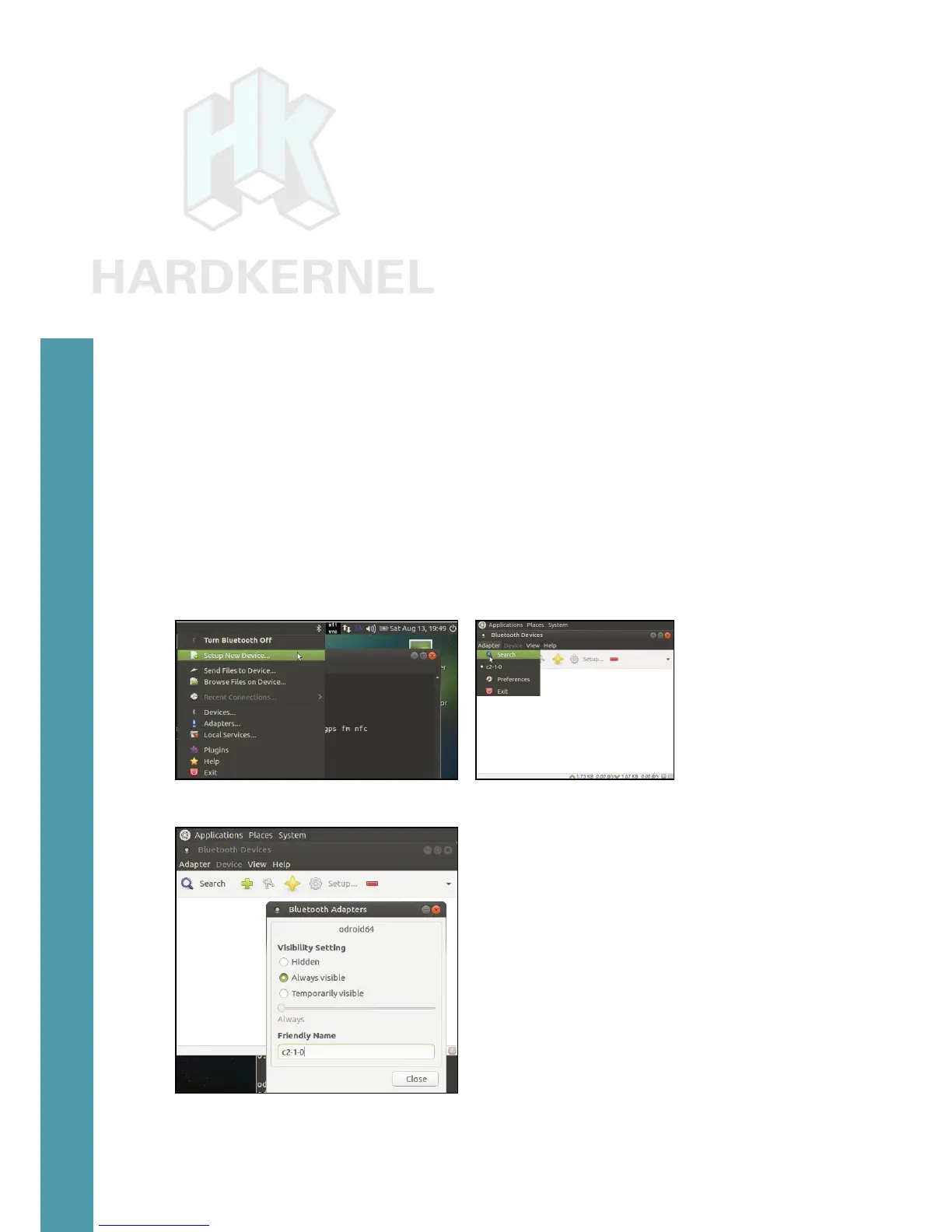
To congure the adapter from the Ubuntu desktop, click on the
Bluetooth icon on the top left, then select the Adapter -> Preferences
menu item to congure the application. Rename the adapter using a
friendly-name such as c2-1-0. You can make the device always visible
when other bluetooth devices scan for this adapter.
Launch Bluetooth Manager Bluetooth Manager conguration
Bluetooth Manager cong update
If there is a need to test/debug issues related to the adapter, you
Chapter 4



 To Next Page