HI 6600 Series Modular Sensor System User Guide
Page | 22
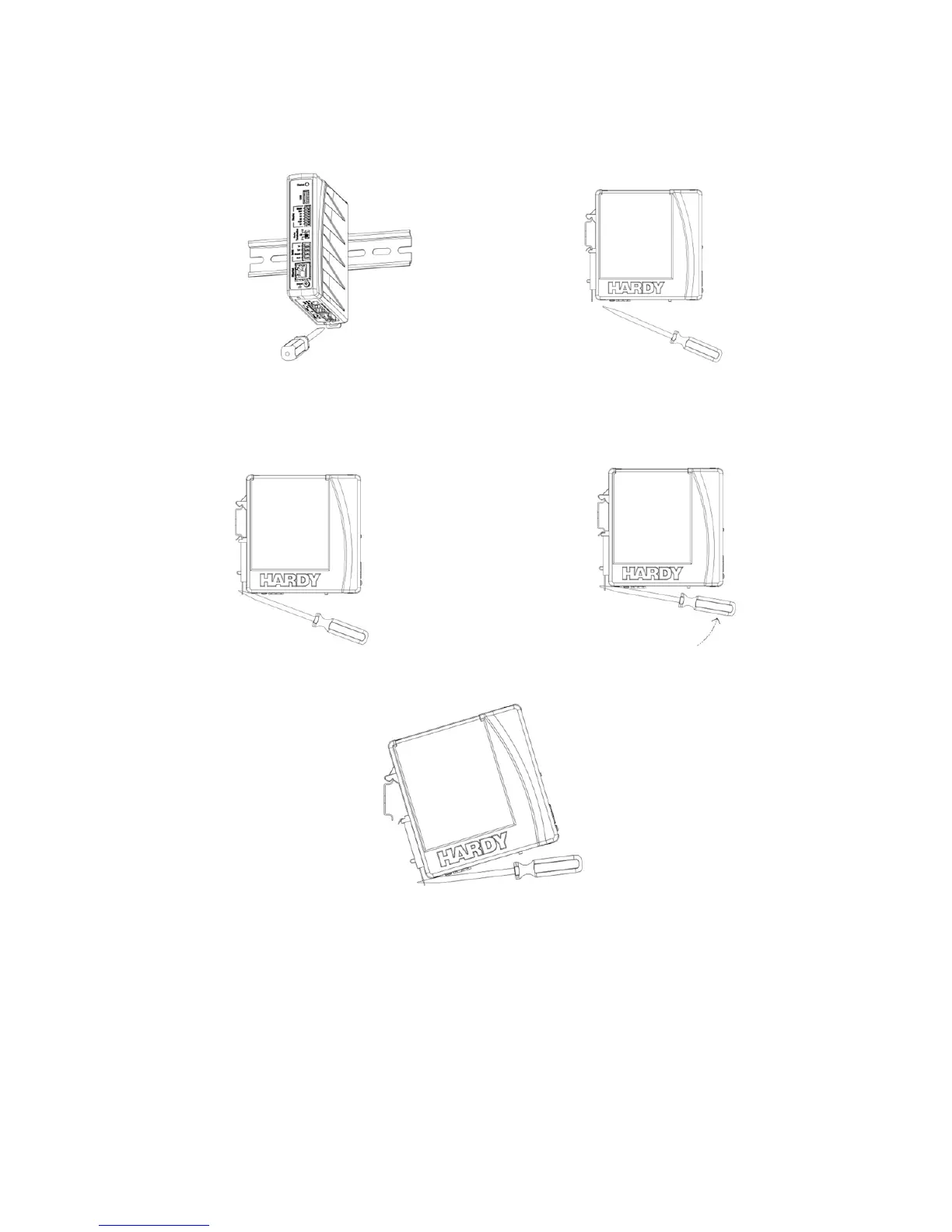
To remove:
1) Disconnect all wiring on the underside of the module to expose the spring-clip slot.
Spring Clip Slot
2) Insert a flat-blade screw driver into spring-clip slot then gently lift up on the screwdriver handle, using
the back corner of the module to assist in prying the spring-clip in a downward direction.
3) Once the spring-clip is disengaged from the DIN rail, the module will easily lift off the DIN rail.
Cabling the Units Together
Once the units are all placed on a DIN rail, connect them together in a series using the RJ45 ports on the
bottom of the units and Cat5e cable.
The Cat5e cabling carries communications between the modules and distributes power from the Hardy
Gateway Module to the Weigh Processing Modules.


 To Next Page