HI 6600 Series Modular Sensor System User Guide
Page | 83
The Keypad Lock
While the keypad lock is enabled the Mode, Zero, Tare, and Configuration buttons are
disabled regardless of the configuration
lock setting.
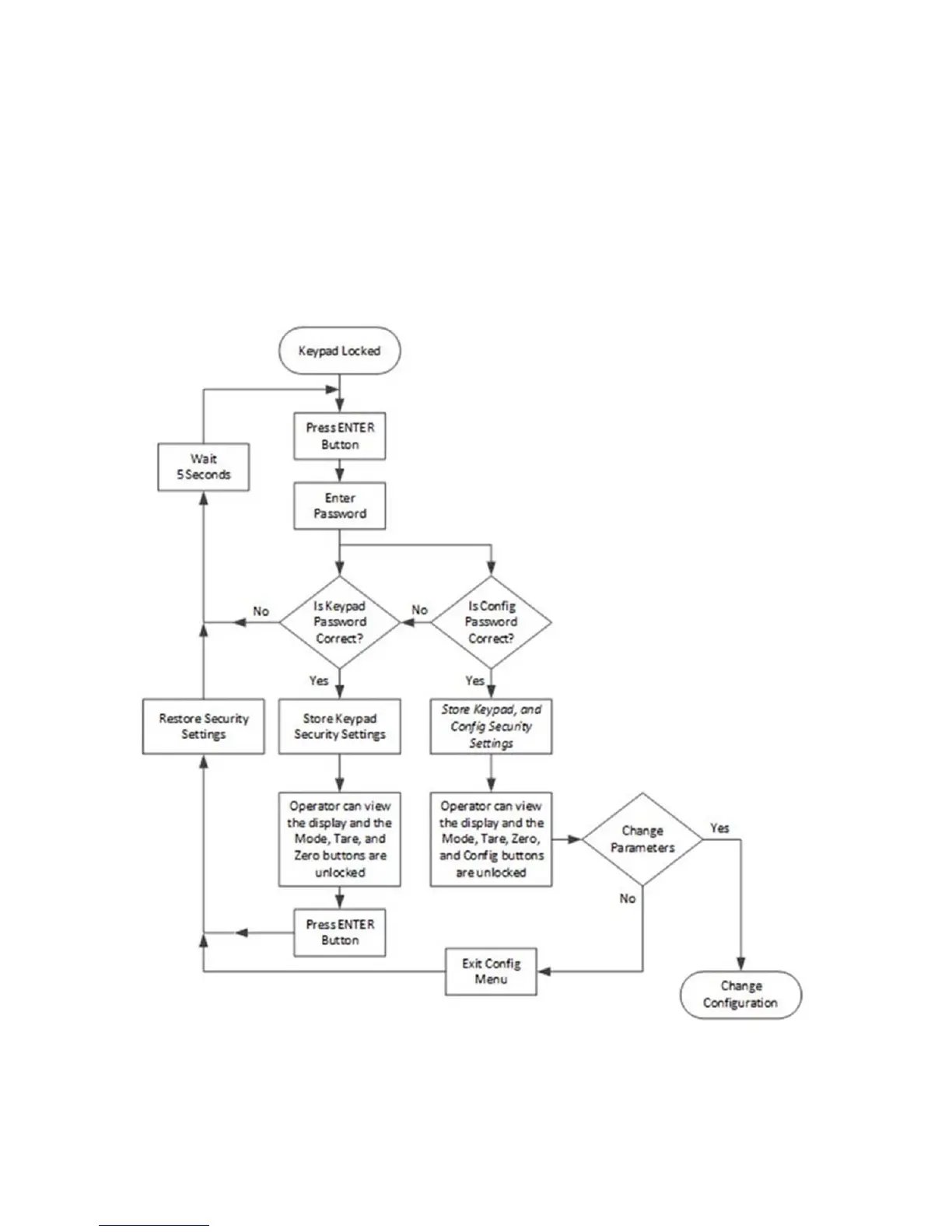
If the ENTER button is pressed the “Enter Password” page will appear on the display. At
this level of security the operator can
enter one of two possible passwords for the keypad
lock or the configuration lock.
The keypad lock flowchart below shows the options and features when the keypad lock is
enabled.
Figure 2: Keypad Lock Flowchart


 To Next Page