HI 6600 Series Modular Sensor System User Guide
Page | 57
5) Click on Change Adapter Settings in the left-hand column.
6) Right click on Local Area Connection and select Properties.
7) Click on Internet Protocol Version 4 (TCP/IPV4)
8) Click the Properties button to open the Internet Properties (TCP/IP)
Properties
dialog.
9) If the ‘Use the Following IP Address’ box is already checked, then write
down the
displayed IP Address and jump to the Direct Connect
Configuration – HI 6600
section below.
10) Click in the ‘Use the Following IP Address’ checkbox; then enter the
following
into the TCP/IP Properties dialog.
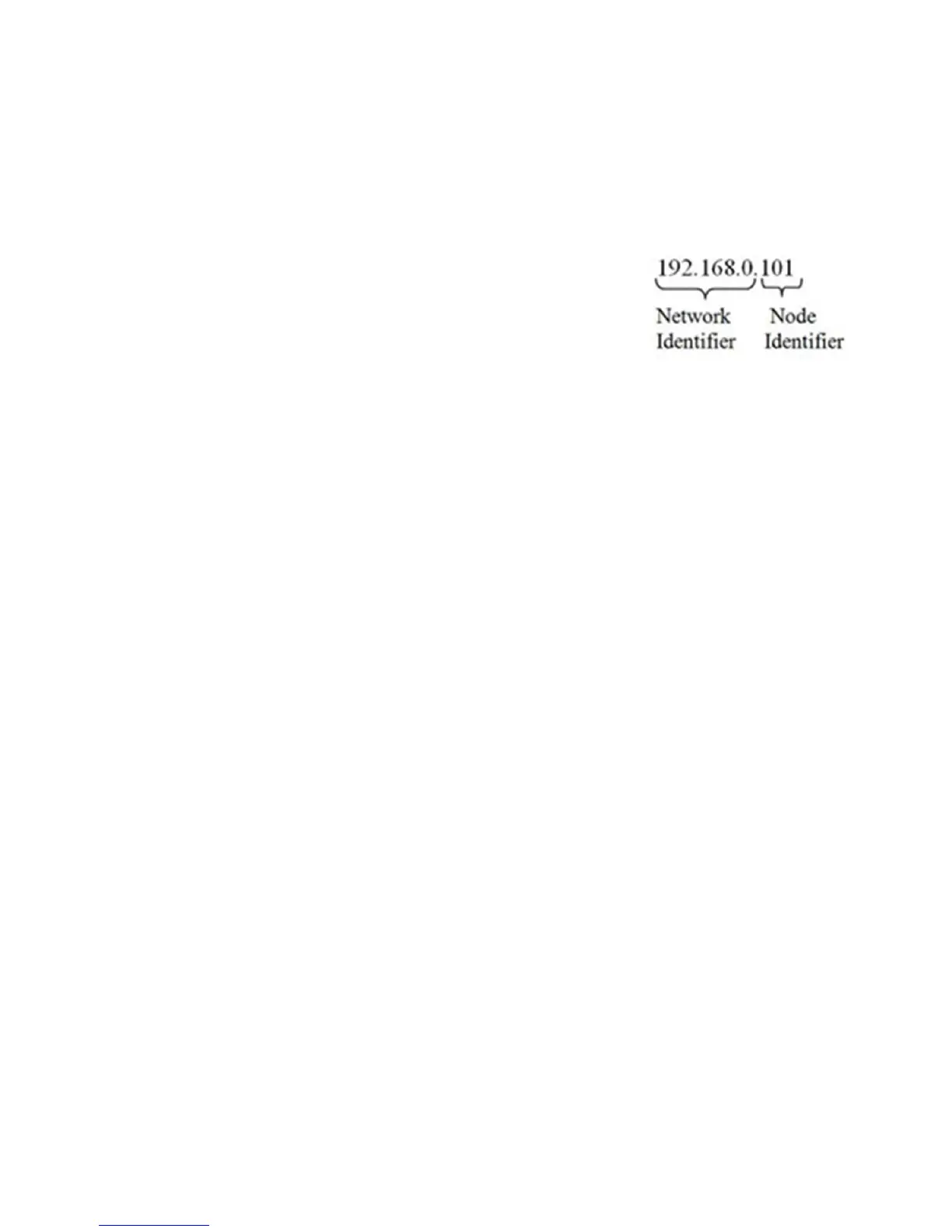
IP Address = 192.168.0.101
Subnet Mask = 255.255.255.000
11) Select OK in the TCP/IP Properties dialog box. The computer is now fully
configured.
12) To return the computer to the original network settings, return to the Internet Properties (TCP/IP) dialog
, select ‘Obtain an IP address automatically,’ and click OK.
Direct Connect Configuration - HI 6600 HGM
The HI 6600 gateway module must now be assigned a unique IP address that will connect
to the Windows PC. There are two
simple rules for the IP Address:
It must have the same network identifier as the computer
It must have a different node identifier than the computer.
If your Windows PC already had an IP address assigned, simply increment by one the Node Identifier field of the IP
Address you wrote down in the Windows PC configuration steps above.
If your Windows PC was originally set to automatically obtain an IP address (DHCP), use 192.168.100.50 for the HI
6600 IP address.
EtherNet/IP
®
EtherNet/IP, short for Ethernet Industrial Protocol, is an open industrial networking standard that takes advantage of
commercial, off-the-shelf Ethernet communication chips and media. Ethernet technology enables the user to access
device-level data from the Internet. The EtherNet/IP networking standard supports both implicit messaging (real-time I/O
messaging) and explicit messaging (message exchange). EtherNet/IP is an open network that takes advantage of
Commercial technology that already exists. EtherNet/IP is a registered trademark of ODVA.
IP is the transport and network layer protocol of the Internet and is commonly linked with all Ethernet installations and
the business world. IP provides a set of services that any two devices can use to share data.
Once you have the Ethernet TCP/IP setup, there is no other configuration needed through either the web page or the
Optional Front Panel for the Ethernet/IP setup in the HI 6600.


 To Next Page