HI 6600 Series Modular Sensor System User Guide
Page | 27
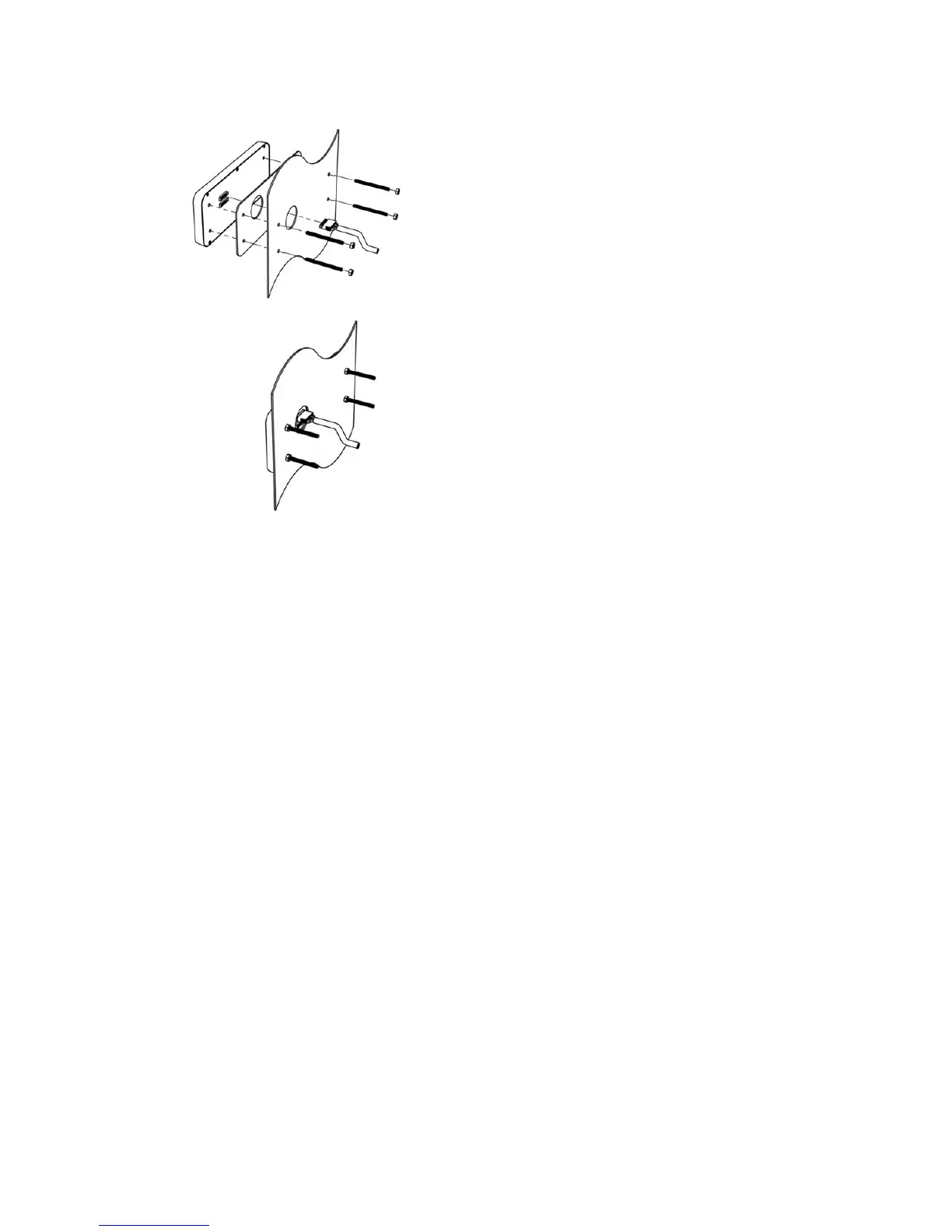
i) Connect and hand-tighten the four screw rods into the Optional Front Panel display.
ii) Place the gasket over the screw rods then slide the screw rods through the panel until flush with the
surface.
iii) Place washer and nut onto the screw rods sticking through the panel. Tighten nuts so that the gasket is
fully compressed and that the metal bezel of the display is in contact with the panel. Nuts should be
torqued to 20 inch-lbs to ensure the seal required for an IP-66 rating.
iv) Remove the terminal connectors from the cable assembly provided and replace the original cable with the
desired cable length. See instructions above for Making Longer Display Interface Cables below.
v) Connect the display cable to the back of the display and to the Display Port located on the front of the
Hardy Gateway Module


 To Next Page