HI 6600 Series Modular Sensor System User Guide
Page | 85
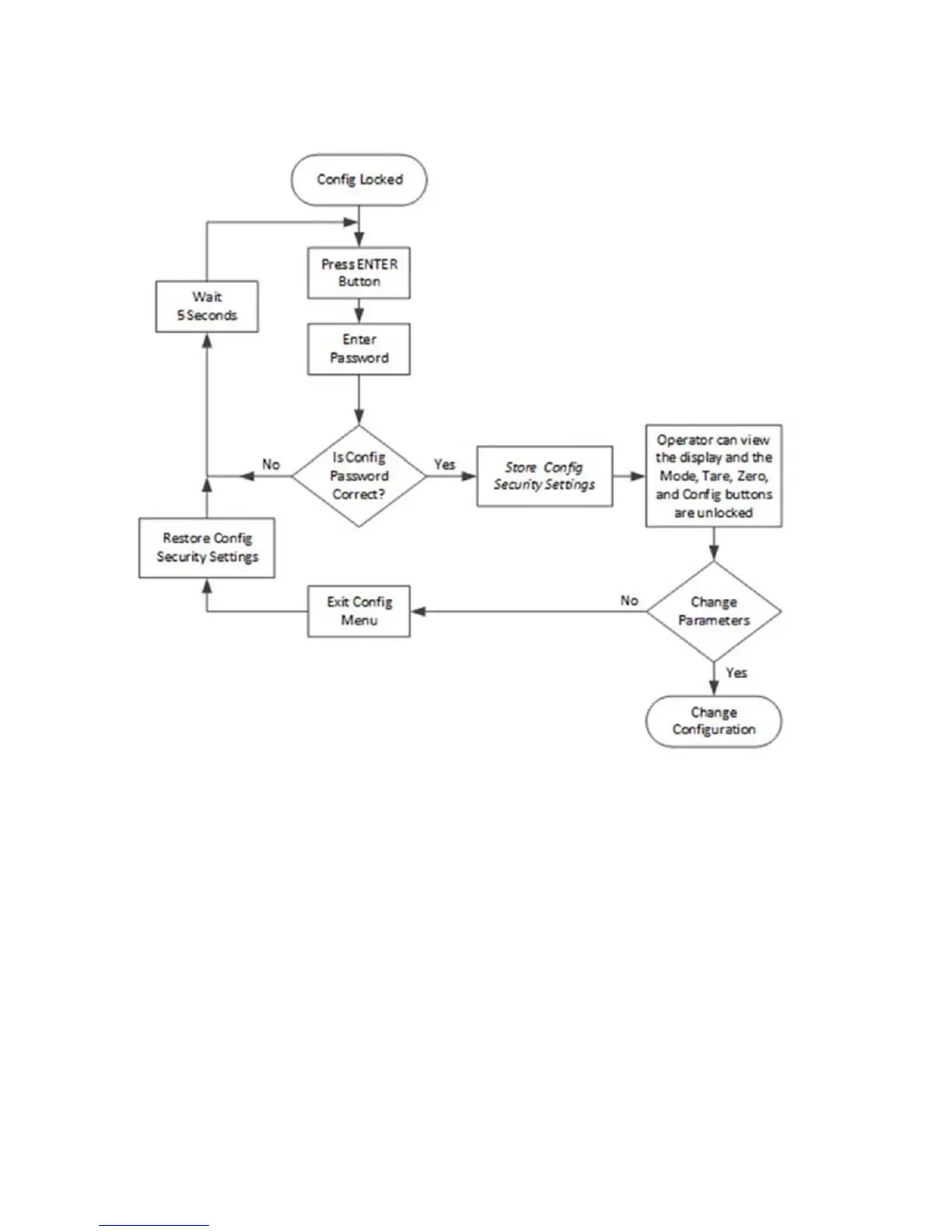
Figure 3: Configuration Lock Flowchart
The following list explains the operation and features available if the correct 4 alphanumeric character password is
entered by the operator.
Configuration Password:
The current configuration lock setting is saved.
The CONFIG button is also enabled allowing the operator to open the
configuration menus.
When the operator exits the configuration menu, if no changes to the
configuration lock or password
parameters were made the configuration lock
is set to its original lock settings; otherwise the latest
configuration security
settings is used.


 To Next Page