113
INFOTAINMENT SYSTEM APPS ANDROID AUTO
Anytime during active Android auto
session, you can also enable Google
Assistant by doing a LP on the
Steering Wheel control element.
You can click the icon to go to the
Android Auto Home screen from any
other Android Auto screens.
A
CCESS GOOGLE MAPS
To access Google Maps and its navigation support features
from Android Auto on the infotainment system:
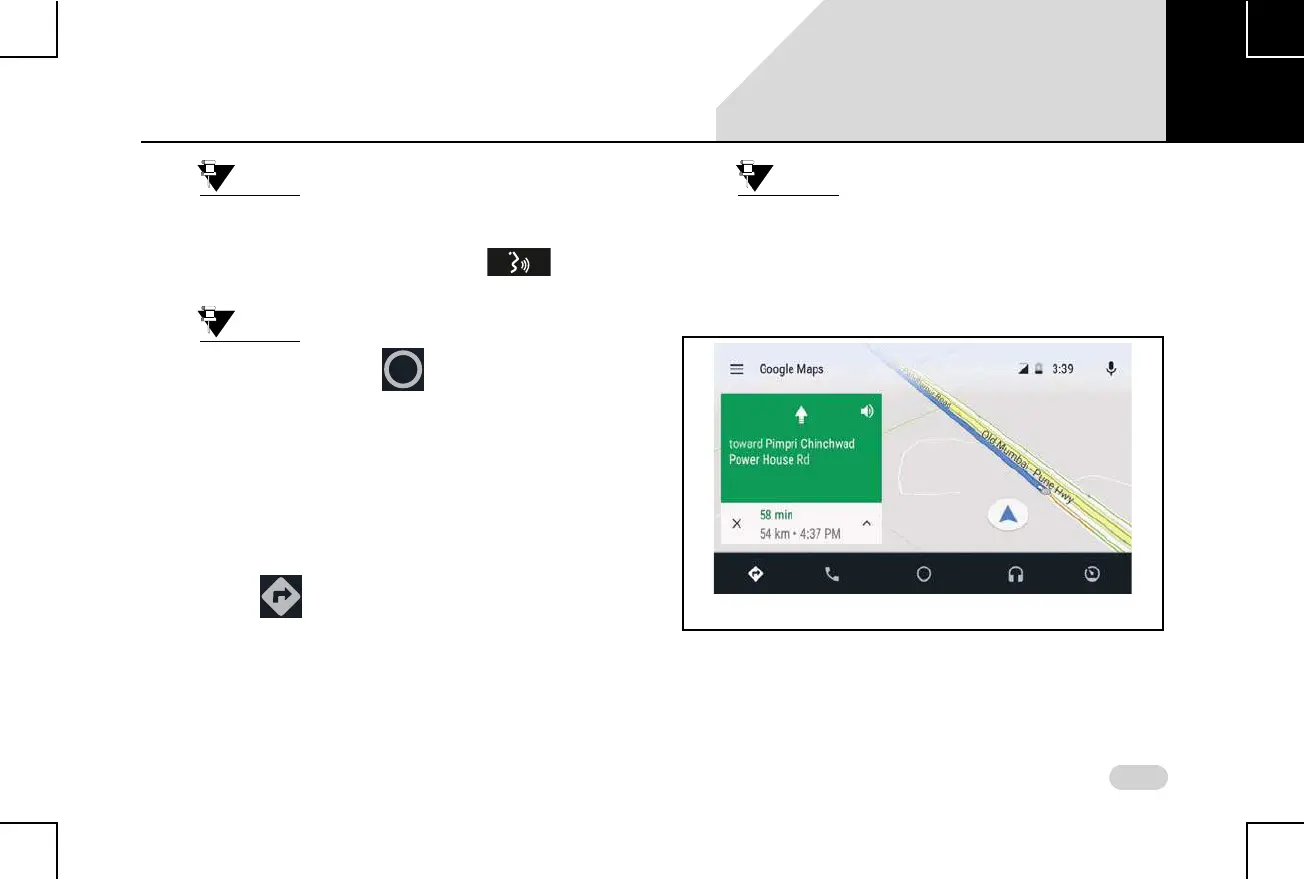
1. Tap the icon on the Android Auto Home screen
on the infotainment system. The Google Maps screen
is displayed. You can now initiate and use the various
features of Google Maps from the infotainment
system, as you handle it from your Android
smartphone.
Ensure you have enabled your Location in
the Phone settings. If the location is not
enabled, you will be unable to use
Android Auto Google Map navigation.
A
CCESS GOOGLE PLAY MUSIC
To access Google Play Music and its other functions from
Android Auto on the infotainment system:
Figure 63: Android Auto Google Maps Screen
07



 To Next Page