47
H4D
Introduction
The captured image is temporarily stored internally on a CF card or externally, via a
FireWire connection onto a computer hard disk. When tethered to a computer you can
control the camera using Phocus (see the separate Phocus manual for further details).
As the H4D is a purely electronic device, attention to power supply is vital. When work-
ing untethered it is therefore important to plan battery loading / battery replacement
to ensure continued work ow. Likewise, image storage is limited and appropriate steps
should also be taken when planning a shoot.
•
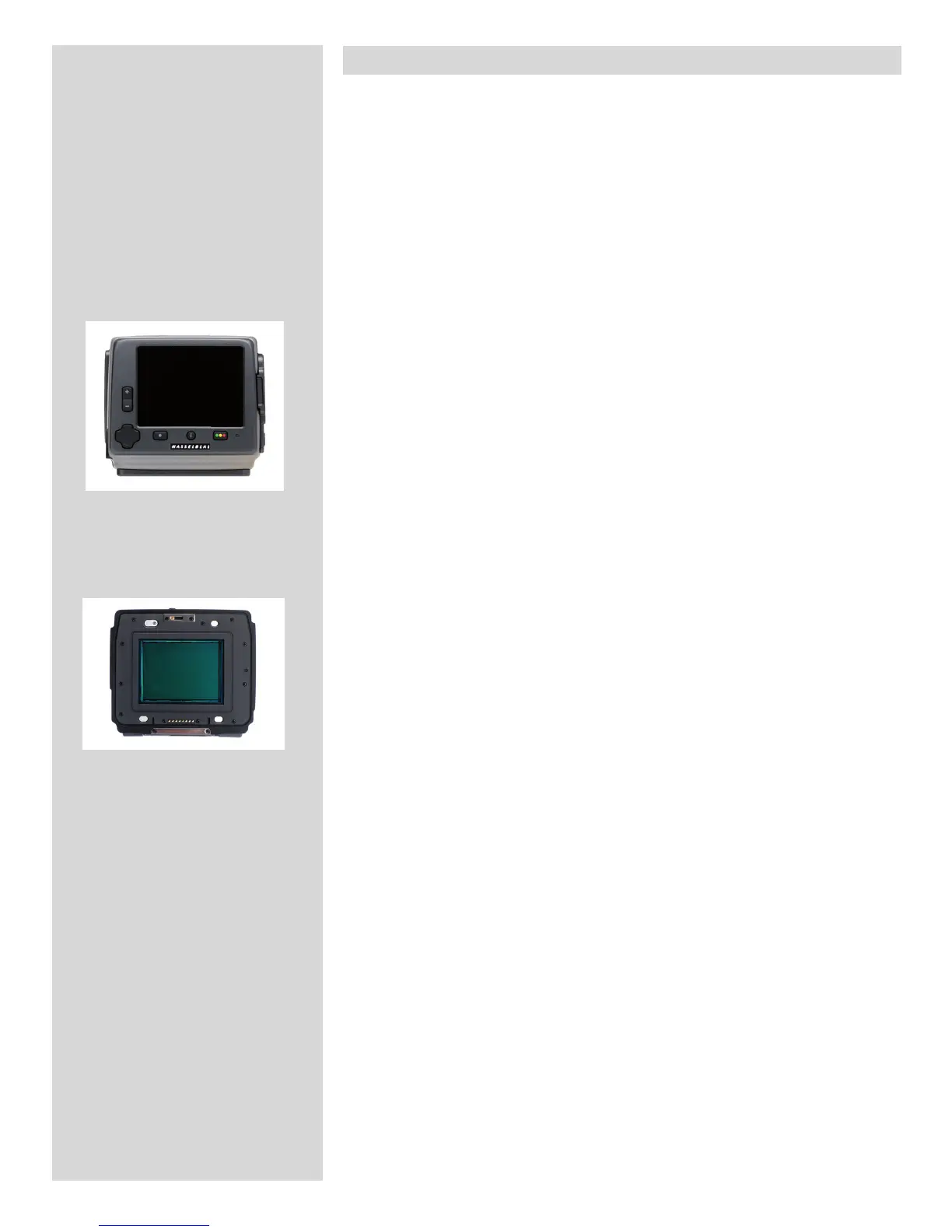
When attaching and removing the digital capture unit, pay particular attention to the
image sensor area. The sensor itself is covered and protected by a glass IR lter but take
great care when handling. If you need to clean the lter, see later section for speci c
details. When storing separated from the camera, always ensure you have replaced the
protective cover.
If you scratch or mark the lter in any way, it will show up on every shot. Replacements
are expensive so treat the glass surface with at least as much care as you would a lens.
The sensor itself is not accessible for any kind of cleaning or maintenance by a user. Do
not attempt any such action as you will almost certainly damage it irreparably. As is the
case with all electronic devices pay extra care when working in damp en vironments and
avoid damp conditions for storage.
•
In keeping with Hasselblad’s modular design philosophy, the digital capture unit is an
independent component of the H4D. In this way it can be used with view/large format
cameras to optimize its use (see later section for details).
As a result when mounted on an H4D body, user information is spread across the three
displays - the digital capture unit display, the grip display and the HV view nder display.
For example, exposure controls are visible on the grip display in the view nder display
and in Phocus when tethered, but not on the digital capture unit display Storage infor-
mation is visible on the digital capture unit display, but not the grip display. However,
there are certain settings which are not only visible on both the grip and digital capture
unit but can also be changed from the grip or digital capture unit (note that navigation
through the digital capture unit menu is either by the zoom controls on the unit or the
control wheels on the grip). Please note, therefore, that various tasks are divided and
shared.
With untethered use, the management of captures is handled by the unit. Tasks such as
storage and rating are therefore visible on the unit display. In tethered use, captures are
handled and stored by the computer and are visually checked in Phocus. Check the ap-
propriate sections in this user manual and the Phocus user manual for details.
It is advisable to adopt a method that suits you for checking settings before each shoot.
It is easy to forget small adjustments you might have made the time before. A checklist
would naturally re ect how you normally work but generally, ISO and White Balance
would probably be at the top followed by browse and le storage. Items such as ex-
posure compensation, for example, will appear in the view nder and on the grip as a
reminder but can be easily overlooked. You might want to consider using the pro le
function to make a one-button-press resetting of important functions for your particular
regular situations.
There are other features such as the visual and audio signals for IAA rating for example,
that you might nd invaluable and therefore include them as part of your routine set-
tings. All of these issues are covered in the later sections of this manual.












 To Next Page