To Use
126
5.15 VIDEO RECORDING
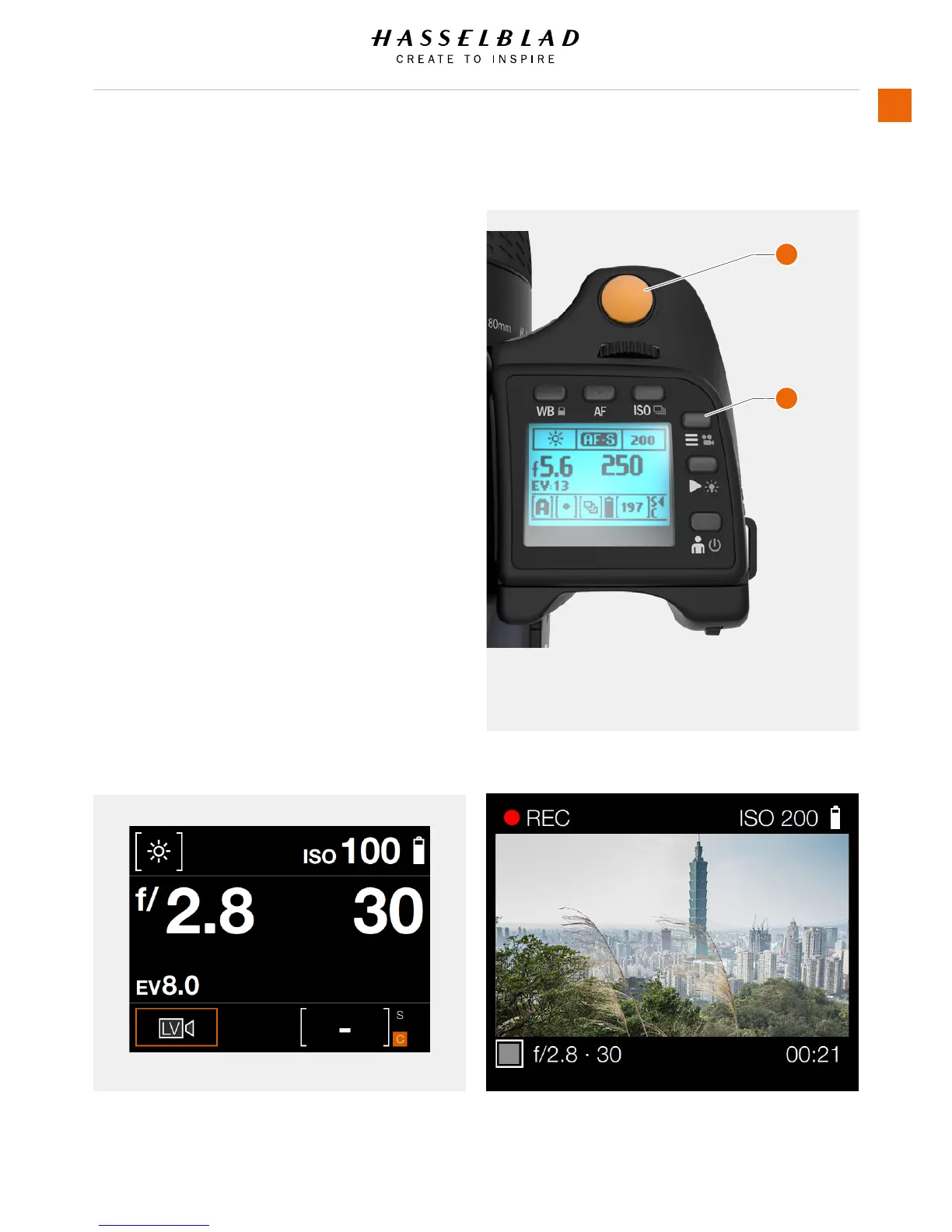
To Record Video
1 Enter Video mode by a long press
on the Video icon (1) on the Grip
Display.
2 The Video Control Screen is
displayed.
3 Start the Live Video Stream by
pressing the Live Video icon.
4 The Video Stream is displayed on
the Sensor Unit Display.
5 Start Recording by pressing the
Exposure Trigger Button (2) or by
pressing the red recording icon on
the sensor unit display.
6 Stop the Recording by pressing
the Exposure Trigger Button (2) or
by pressing the stop icon on the
sensor unit display.
Video Display when capturing videoVideo Control Screen
1 Video Mode Button
2 Exposure Trigger Button
1
2














 To Next Page