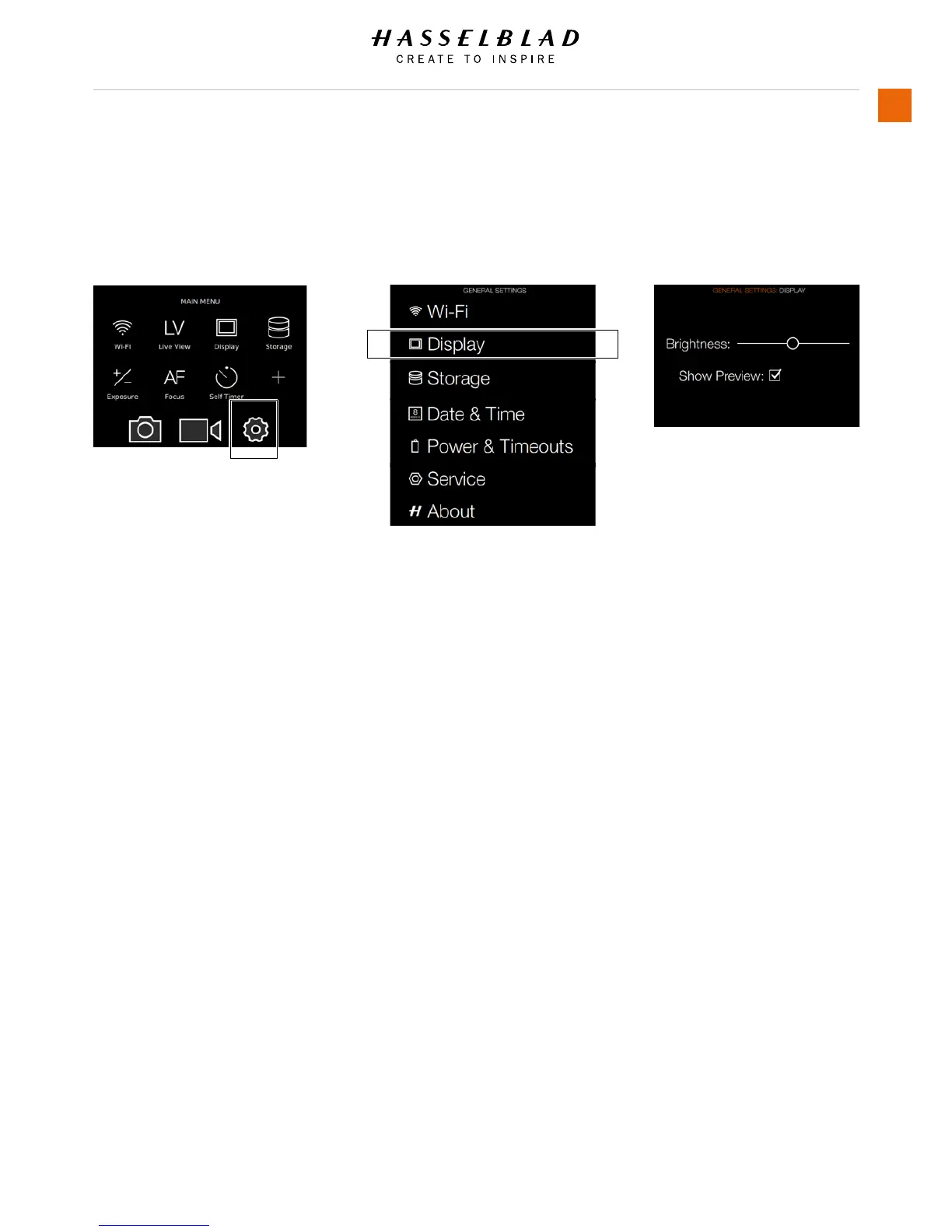
4.7 SET BRIGHTNESS OF THE
DISPLAY
Main Menu
General
Settings icon
Set Display Brightness
1 Press the Settings icon on the Sensor
Unit Display.
2 The General Settings Menu will
appear.
3 Select Display.
Swipe right or press Menu / EXIT button
to get back to Main Menu.
Display Menu Settings
Brightness
Slide Left or Right to change
Brightness.
Show Preview
Select On / Off. On displays a preview
of the capture after every exposure.
General Settings Menu
Display Menu
MAIN MENU > GENERAL SETTINGS > DISPLAY
H6D www.hasselblad.com














 To Next Page