To Use
130
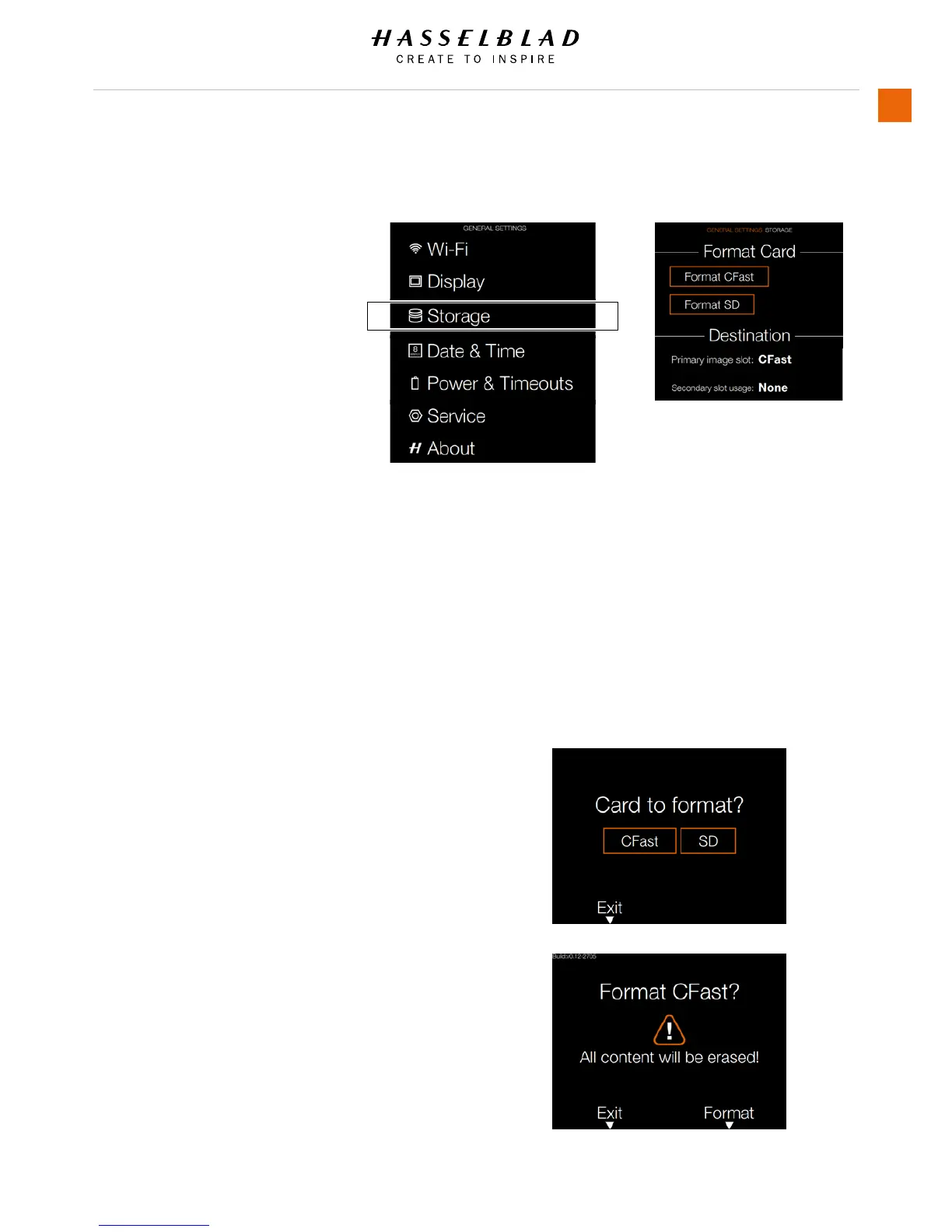
5.18 GENERAL SETTINGS STORAGE
MAIN MENU > GENERAL SETTINGS >
STORAGE
1 Press the Settings icon on the
Sensor unit display.
2 The General Settings Menu will
appear.
3 Press the General Settings Storage
icon.
Swipe right or press Menu / EXIT
button to get back to Main Menu.
Storage Menu Settings
Format Card
- Format CFast.
- Format SD.
Image Destination
- Primary slot: CFast or SD.
- Secondary slot usage.
Format Card
Select Card to Format. CFast or SD
Card.
Select Exit to Exit without formatting.
Format CFast Card Dialogue
Select Format to Format CFast Card.
All content will be erased.
Select Exit to Exit without formatting.
Storage Menu
General Settings Menu














 To Next Page