20
(4.3.5) Renaming a Rig
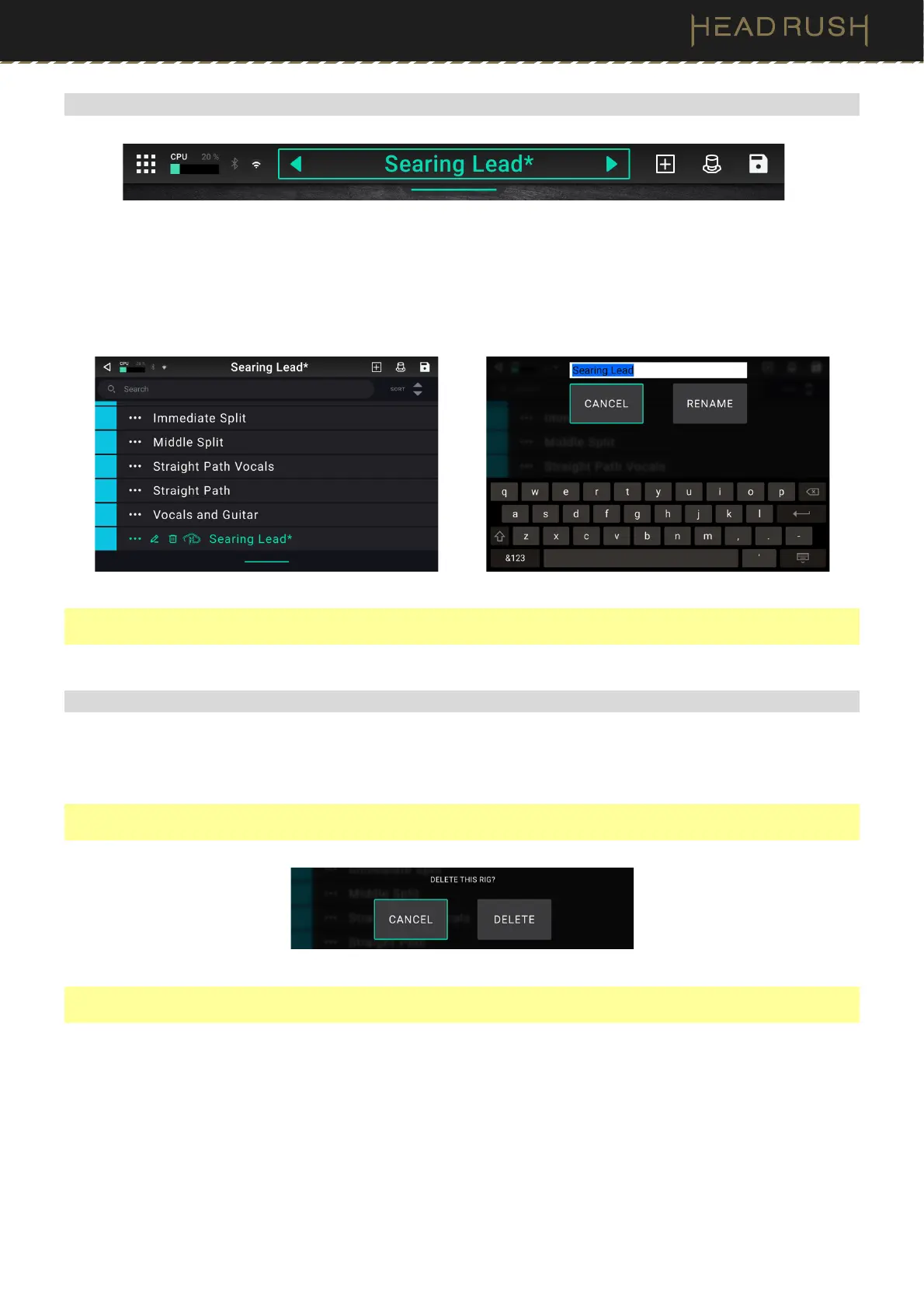
To quickly rename a rig that you are currently editing, double tap the Rig Name in the top bar. Use the virtual
keyboard that appears to type the new name, and then tap Rename.
To rename a rig that you are not currently editing, tap and drag the bar below the Rig Name to show the list of
rigs on your HeadRush Core. Then, tap the button next to the name of the rig you would like to rename, and
tap the pencil icon that appears. Finally, use the virtual keyboard to type the new rig name, and then tap Rename.
Note: You can also rename rigs using HeadRush Core’s built-in File Browser. See the (4.8) File Browser section
of this manual for more information.
(4.3.6) Deleting a Rig
To delete a Rig, tap and drag the bar below the Rig Name to show the list of rigs on your HeadRush Core. Then,
tap the button next to the name of the rig you would like to delete, tap the trash can icon that appears, and
then confirm that you would like to delete the rig.
Note: You can only delete a rig if you are in the “All Rigs” setlist. If you are in a user created setlist, this option will
be replaced by an option to delete the rig from the setlist only.
Note: You can also delete rigs using HeadRush Core’s built-in File Browser. See the (4.8) File Browser section of
this manual for more information.



 To Next Page