36
(4.7) Hands-Free Mode
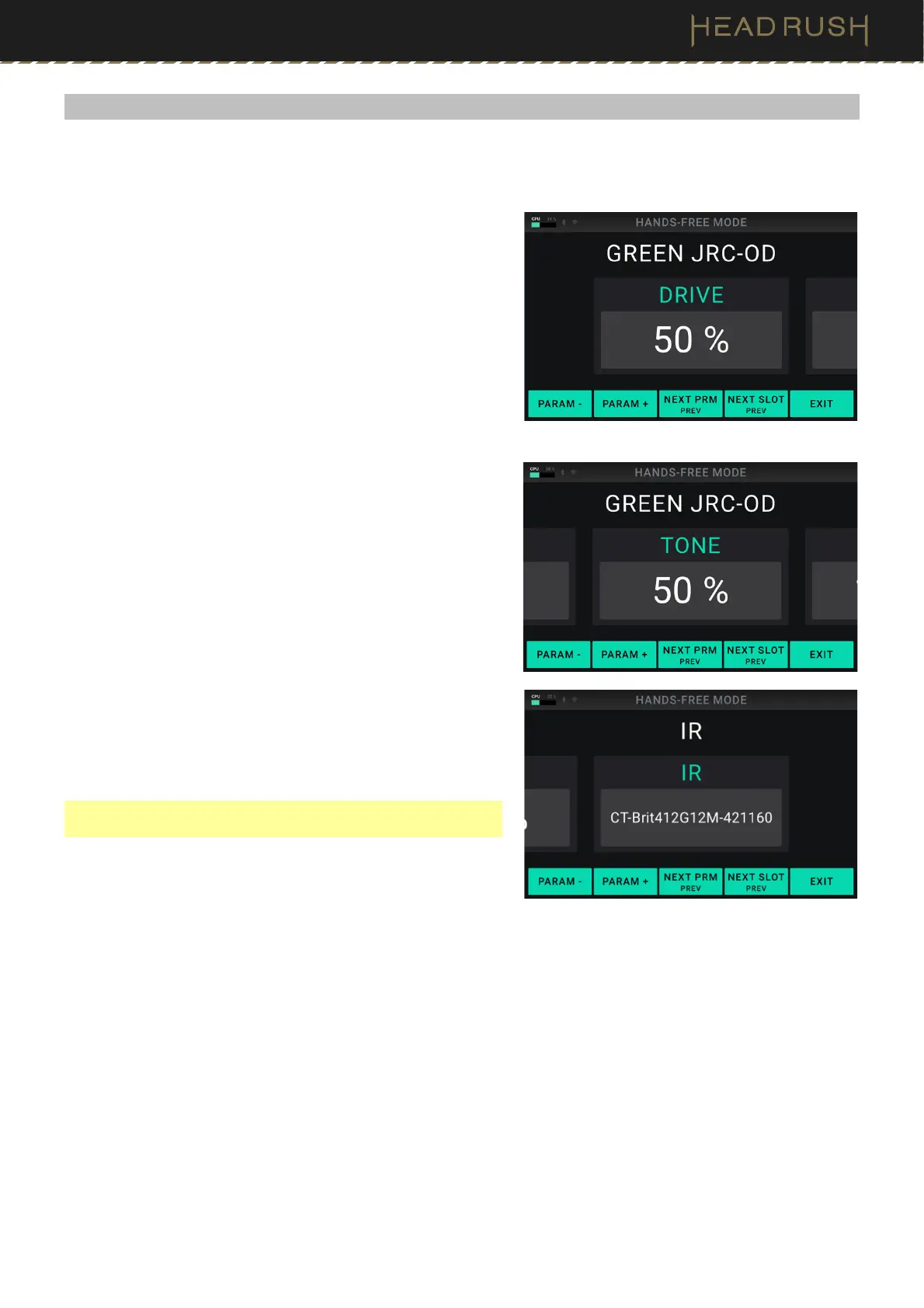
Hands-Free Mode enables you to adjust any of the settings on your blocks by using just the footswitches and an
optional external expression pedal.
To enter Hands-Free Mode, Press and hold the third
footswitch (labeled “—HANDS-FREE”). While in Hands-Free
Mode, the screen will show a single parameter and its value,
and the footswitches enable you to edit the parameter,
change to a different parameter, or change to a different slot
to edit a different block.
To change the value of a parameter, press footswitch 1 or
footswitch 2 (PARAM – or PARAM +) or move the external
expression pedal.
To show the next parameter, press footswitch 3 (NEXT PRM).
To show the previous parameter, press and hold footswitch
3 (PREV).
To change to the next block in your signal chain, press
footswitch 4 (NEXT SLOT).
To change to the previous block in your signal chain, press
and hold footswitch 4 (PREV).
To exit Hands-Free Mode, press the fifth footswitch (EXIT).
To quickly change and audition IR files, select the IR block,
and then use footswitch 1 or footswitch 2 (PARAM – or
PARAM +) to change between them.
Note: This option is only available when editing an IR in Hands-
Free Mode.



 To Next Page