57
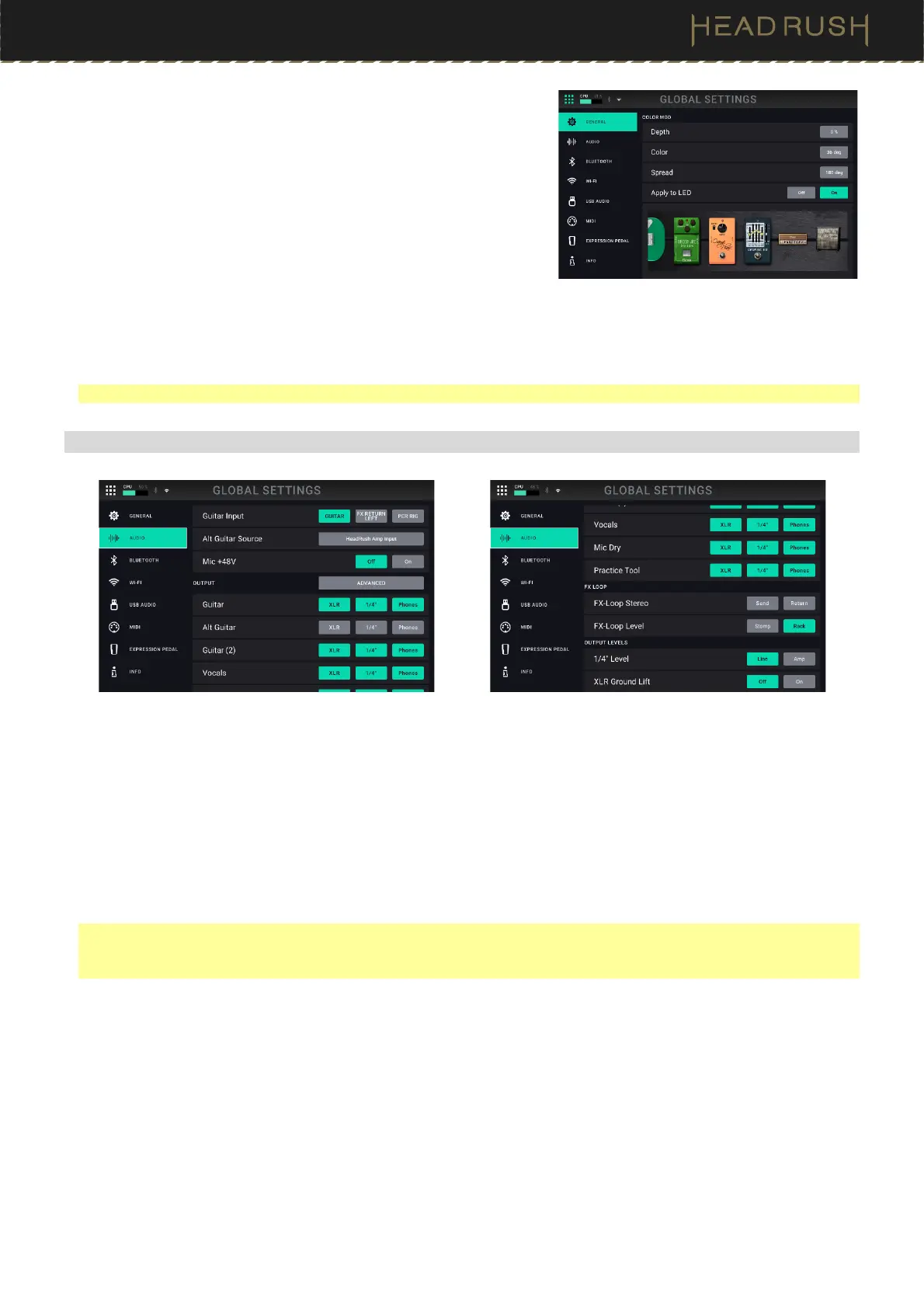
Color Mod: If you have trouble distinguishing certain colors on your
HeadRush Core’s display, or if you just want to further customize
the color scheme, you can use the color mod parameters to adjust
their default settings.
If that sounds complicated to you, don’t worry! It is best to learn
simply by experimenting with the settings. While you experiment, a
sample of your adjustments will be shown in real time. See the
example below:
If you want to return to the default color scheme, the default
settings are as follows:
• Depth: 0%
• Color: 36 DEG
• Spread: 180 DEG
Note: The Color Mod feature is disabled when the Lock Screen feature is enabled.
(4.20.2) Audio
Guitar Input: This setting determines whether each rig’s input signal is taken from the guitar input (Guitar), or the
right (R) return input (FX Ret R). When set to Per Rig, the source is determined by the Rig Input setting of each
rig (see (4.4.2) Adjusting Settings > Parameters > In to learn about this). When set to FX Ret R or Per Rig, the
FX-Loop Stereo Return setting will be disabled; the signal will be mono.
Alt Guitar Source: This setting determines the point in the signal path from which the alternate output signal is
taken: Rig Input, Amp Input (the default setting), Amp Output, Cab Input, Cab Output, IR Input, IR 1024 In,
Amp 2 Input, Amp 2 Output, Cab 2 Input, Cab 2 Output, IR 2 Input, or IR 1024 2 In.
Mic +48V: This setting determines whether phantom power (+48V) is enabled (On) or disabled (Off) for the Combo
XLR+1/4” microphone input.
Important: Only enable phantom power if your microphone requires it. Most dynamic microphones and ribbon
microphones do not require phantom power, while most condenser microphones do. Consult your microphone's
documentation to find out whether it needs phantom power.
Output:
Guitar: This setting determines where the top guitar path from a rig’s output signal is sent to. Choose XLR to
send the signal to HeadRush Core’s XLR outputs, 1/4” to send the signal to the 1/4” outputs, and Phones to
send the signal to the 1/8” headphones output.
Alt Guitar: This setting determines where the signal from the Alt Guitar is sent to. Choose XLR to send the signal
to HeadRush Core’s XLR outputs, 1/4” to send the signal to the 1/4” outputs, and Phones to send the signal
to the 1/8” headphones output.
Guitar (2): This setting determines where the bottom guitar path from a rig’s output signal is sent to. Choose XLR
to send the signal to HeadRush Core’s XLR outputs, 1/4” to send the signal to the 1/4” outputs, and Phones
to send the signal to the 1/8” headphones output.



 To Next Page