29
(4.5) Footswitch Modes
The five footswitches can be used to activate or bypass blocks (amps, impulse responses, clones, cabs, or effects)
as well as select scenes, rigs, and setlists. The footswitches can be used in one of five modes: Stomp Mode, 5-
Rig Mode, 3-Rig Mode, Hybrid Mode, or Setlist Mode. The mode you are in when you power off HeadRush Core
will be the mode you are in when you power it back on.
To change the mode:
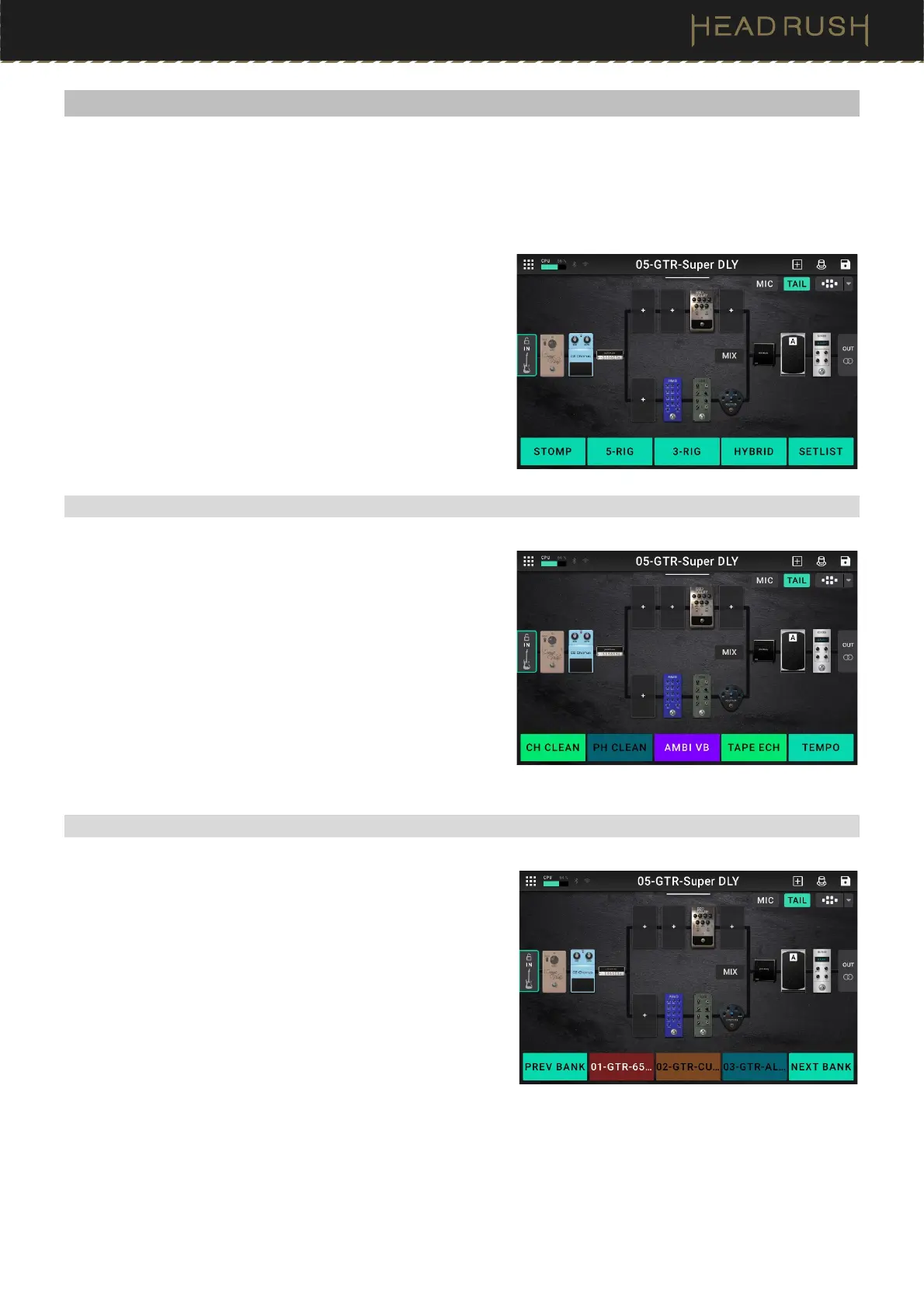
1. Press and hold the second footswitch (labeled “—VIEW”)
until the available modes appears on the bottom of the
screen on the virtual OLEDs. The adjacent five
footswitches now correspond to the five modes: Stomp,
5-Rig, 3-Rig, Hybrid, or Setlist.
2. Press a footswitch to enter the corresponding mode.
(4.5.1) Stomp Mode
In Stomp Mode, the five footswitches correspond to blocks or
scenes in your rig. Press a footswitch to activate or deactivate
its block.
To show a second bank of 5 stomps, press and hold the first
footswitch (labeled “—BANK A/B”)
To load the previous rig, press footswitches 2 and 3 ()
simultaneously.
To load the next rig, press footswitches 3 and 4 ()
simultaneously.
(4.5.2) 3-Rig Mode
In 3-Rig Mode, the middle three footswitches correspond to rigs
you have saved. Press a footswitch to load its rig.
To show the previous three rigs, press footswitch 1.
To show the next three rigs, press footswitch 5.



 To Next Page