15
(4.3.2) Signal Path
The signal path is the direction that the audio signal follows from your
guitar, through your 14 available blocks, and ends at the outputs of
HeadRush Core. You can easily reconfigure your signal path to best
suit your needs, especially when it comes to creating more complex
rigs.
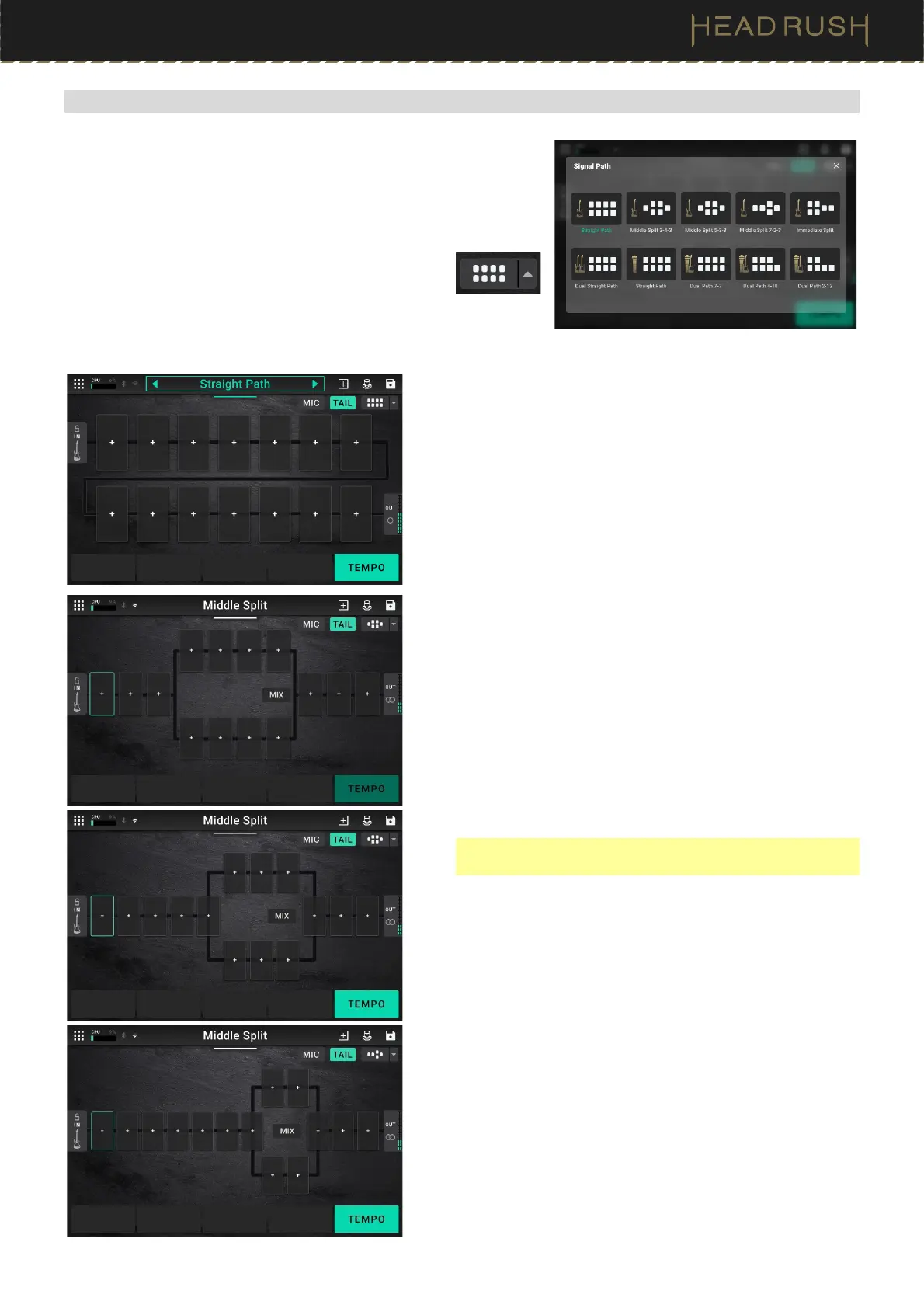
To reconfigure the signal path, tap the arrow next
to the signal path button, located at the bottom of
the Main screen. An overlay with your available
signal chain routings will appear.
The following signal path options are available:
Guitar: Straight Path
This straight signal path is the default and the most common
for users that are creating non-complex guitar tones.
Guitar: Middle Split
This signal path splits in the middle and rejoins near the end.
This configuration is useful for using two types of effects (or
chains of effects) but want to keep their signals separate.
There are three separate Middle Split options:
• Middle Split 3-4-3 features three slots after the Input, an
eight-slot split Mix section, and then three slots before the
Output.
• Middle Split 5-3-3 features five slots after the Input, a six-
slot split Mix section, and then three slots before the
Output.
Note: Middle Splits 3-4-3 and 5-3-3 use the same singal
path icon shape.
• Middle Split 7-2-3 features seven slots after the Input, a
two-slot split Mix section, and then three slots before the
Output.
See (4.4.2) Adjusting Settings > Parameters > Mix to learn
how to mix the split paths together.



 To Next Page