26
In (Guitar / Vocal)
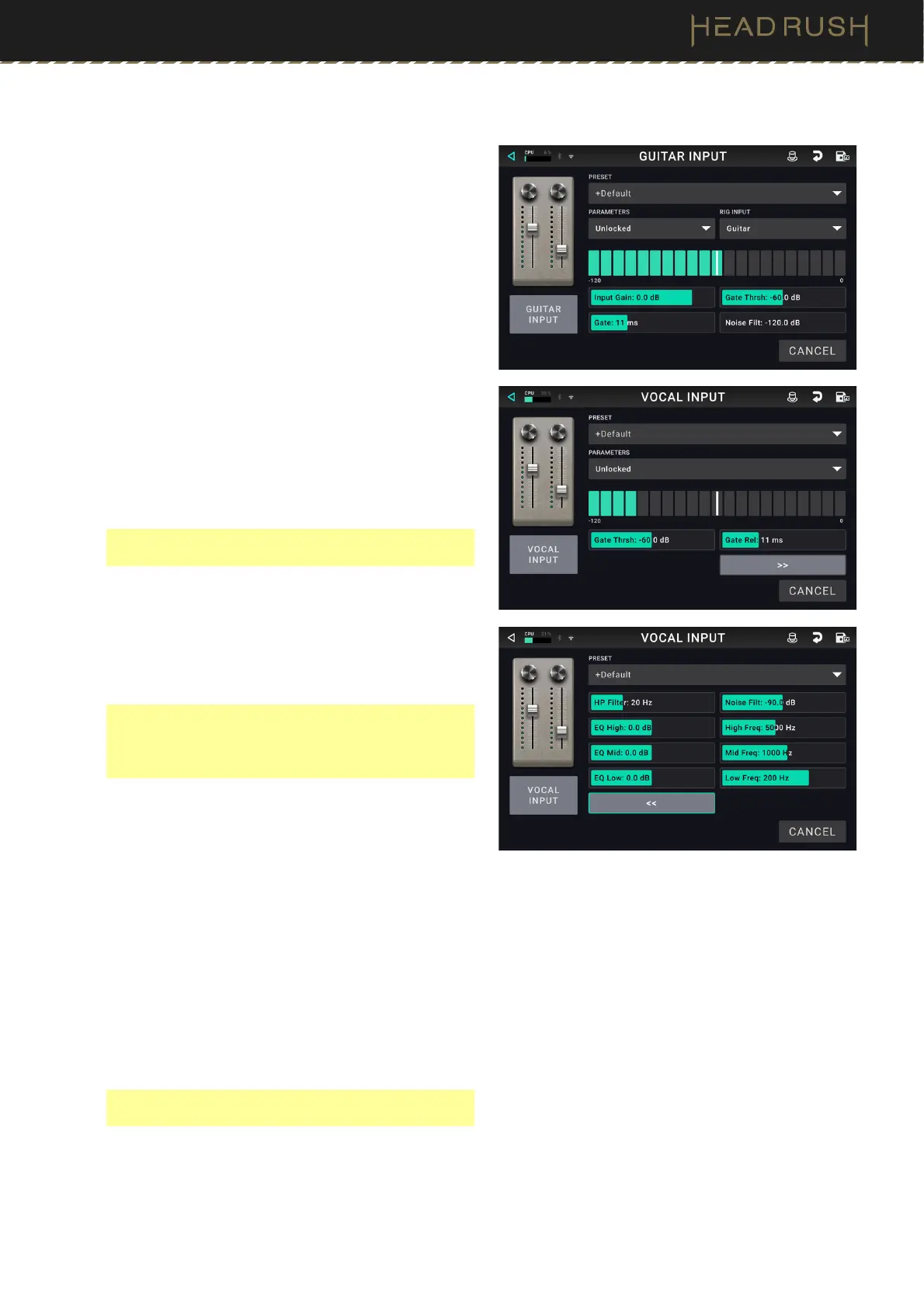
These input settings control the signal sent through the
models of your rig:
Preset: This is the current input preset, which includes
all its settings and its locked/unlocked state.
Parameters: This menu determines whether these
input settings are locked or unlocked.
• When unlocked, the settings will change to the
new rig’s input settings each time you load a new
rig. The lock icon on the main screen will be gray.
• When locked, the settings will be retained as
“global” input settings, regardless of the rig. The
lock icon on the main screen will be red.
Rig Input: This setting determines whether the rig’s
input signal is taken from the guitar input (Guitar), or
the right (R) return input (FX Ret R). This menu is
shown only when Rig Input is set to Per Rig (in the
global settings (see (4.20.2) Global Settings > Audio
to learn about this).
Note: The Rig Input parameter is available on Guitar
In blocks only.
Input Level Meter: This level meter indicates the
current level of your input signal before the input
controls shown on this screen.
Input Gain: This setting controls the gain level of the
signal sent from your guitar into your rig. The
available range is -60.0 to 12.0 dB.
Note: The Input Gain parameter is available on
Guitar In blocks only. To control the Input Gain for a
Vocal In block, use the Mic Input Gain knob on the
rear panel of HeadRush Core.
Gate Thrsh (Threshold): This setting controls the signal
level required to open the noise gate, enabling the
guitar signal to be sent to the rig. The available range
is -120.0 to 0.0 dB. The threshold is represented by
a white line on the input level meter.
Gate Rel (Release): This setting controls the amount of
time it will take for the noise gate to close once the
incoming guitar signal stops. The available range is
1–3000 ms.
HP Filter, Noise Filter, EQ (Vocal Only): There are
additional settings for a high-pass filter, noise filter,
and EQ on the input block to help refine your
microphone’s sound before any effects are applied.
These parameters are available on Vocal In blocks
only.
Note: The HP Filter, Noise Filter, and EQ parameters
are available on Vocal In blocks only.



 To Next Page