27
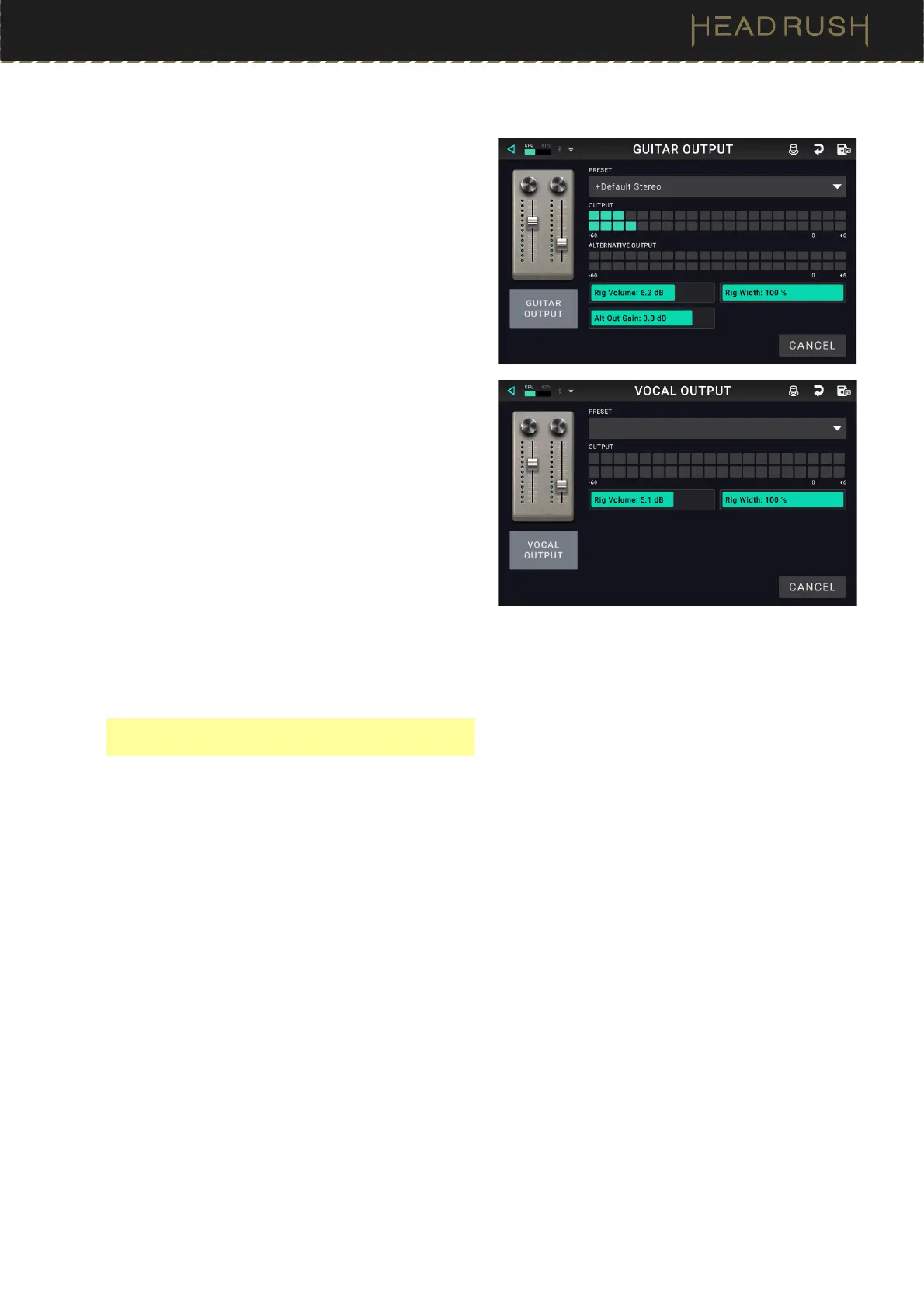
Out (Guitar / Vocal)
These output settings control the signal sent to HeadRush
Core’s outputs:
Preset: This is the current output preset, which
includes all its settings.
Output: This level meter indicates the current level of
your output signal after the output controls shown
on this screen. You can set which outputs will send
this signal in the Global Settings screen. See (4.20.2)
Global Settings > Audio to learn about this.
Rig Vol (Volume): This setting controls the level of the
audio signal sent from the outputs. The available
range is -60.0 to 36.0 dB.
Rig Width: This setting controls how much of the
stereo field the output signal uses. 100% uses the full
stereo field, while 0% produces a mono signal. This
affects stereo signals only, not mono signals.
Alternate Output: This level meter indicates the
current level of your output signal. You can set which
outputs will send this signal in the Global Settings
screen. The To Amp Gain setting controls the level
of this signal unless the Alternate Output source is
set to Rig Input. See (4.20.2) Global Settings >
Audio to learn about this.
Alt (Alternate) Out Gain: This setting controls the gain
level of the signal of the Alternate Output unless the
Alternate Output source is set to Rig Input (see
(4.20.2) Global Settings > Audio to learn about this).
The available range is -60.0 to 12.0 dB.
Note: The Alternate Output and Alt Out Gain,
parameters are available on Guitar Out block only.



 To Next Page