24
Out
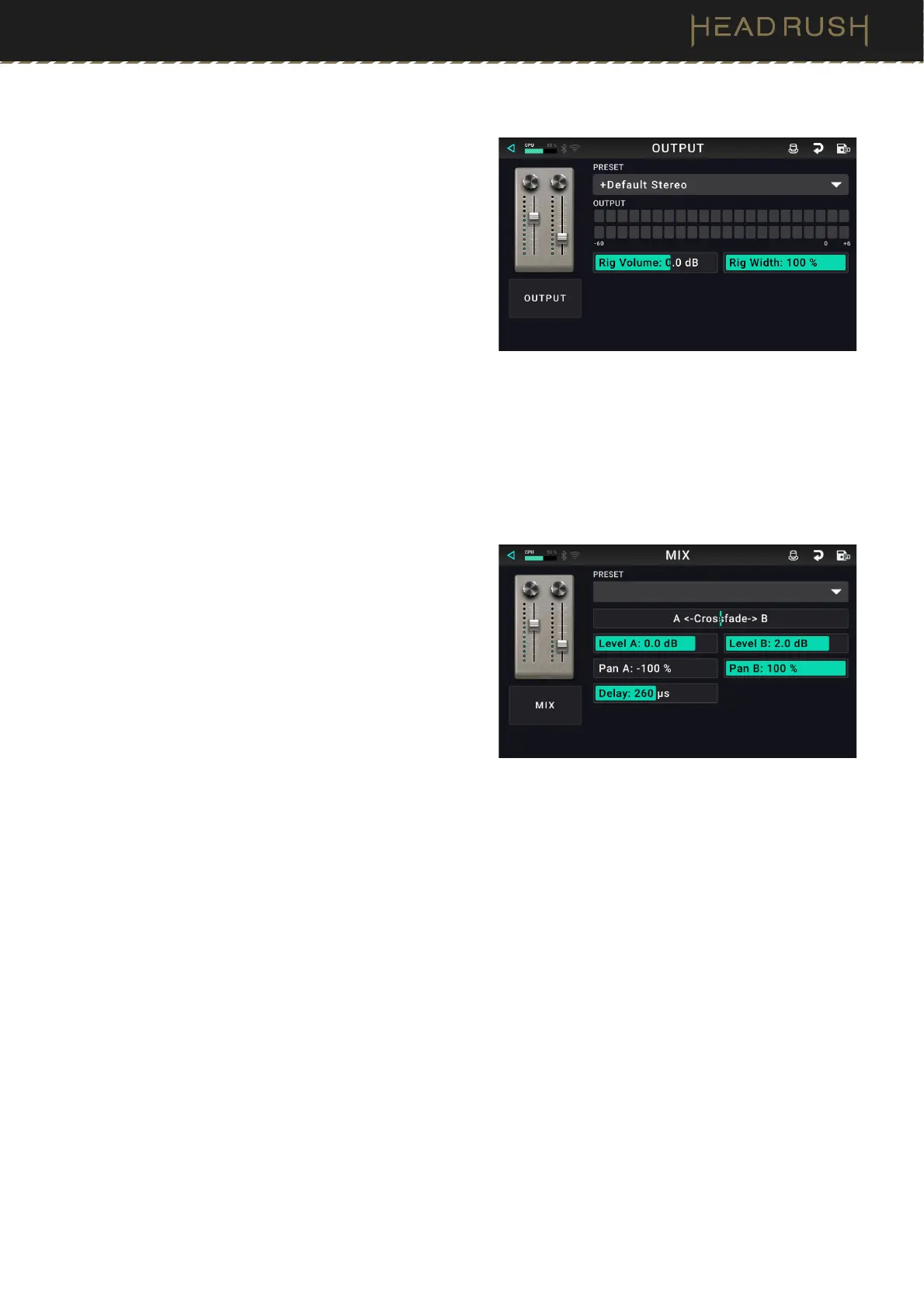
These output settings control the signal sent to Flex Prime’s
outputs:
Preset: This is the current output preset, which includes
all its settings.
Output: This level meter indicates the current level of
your output signal after the output controls shown
on this screen.
Rig Vol (Volume): This setting controls the level of the
audio signal sent from the outputs. The available
range is -60.0 to 36.0 dB.
Rig Width: This setting controls how much of the
stereo field the output signal uses. 100% uses the full
stereo field, while 0% produces a mono signal. This
affects stereo signals only, not mono signals.
Mix
These settings control mix of a split signal path. This is
available only for rigs with split signal paths (see (4.3.2) Rigs
> Signal Path to learn more):
Preset: This is the current mix preset, which includes
its settings on the right edge of the display.
Crossfade A / B: This setting controls the mix between
the A and B signal paths.
Level A / B: These settings control the volume levels
the upper (A) and lower (B) branches of the signal
path. The range is -60.0 dB to +12.0 dB.
Pan A / B: These settings control the panning (position
in the stereo field) the upper (A) and lower (B)
branches of the signal path. The range is -100% to
+100%.
Delay: This setting controls a timing offset between the
upper (A) and lower (B) branches of the signal path.
The range is -30000μs to +30000μs. If the value is
negative (-), the A branch is delayed. If the value is
positive (+), the B branch is delayed.



 To Next Page