31
(4.6.3) Expression Pedal
Flex Prime’s internal expression pedal can control two parameters (in Classic Mode) or two sets of parameters (in
Advanced Mode). Use the toe switch to switch between them—Expression Pedal A or B.
To activate the toe switch, move the “toe end” of the expression pedal so it touches the Flex Prime, and then
press down.
Note: When you save your rig, the current selected Expression Pedal state (A or B) will be saved and then recalled
when you load the rig again.
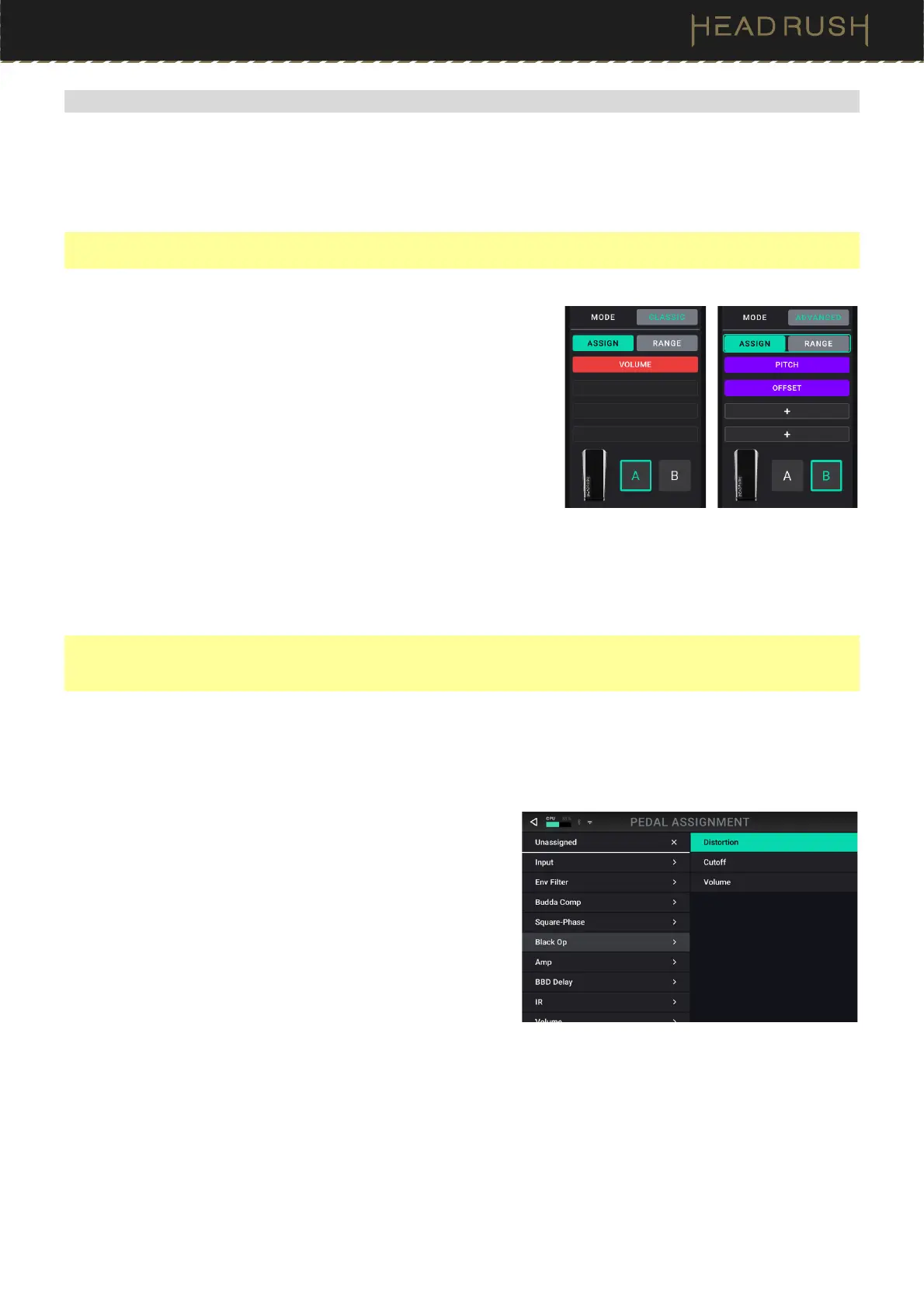
The column of four boxes represents the expression pedal settings.
You can assign one or more continuously adjustable parameters (ones
with a range of values) to the expression pedal.
To set the expression pedal mode, tap the button above Range
in the upper-right corner to select Classic or Advanced.
• Classic: You can assign one parameter to each expression
pedal (A and B). Using the toe switch will select the other
expression pedal and deactivate (bypass) the current
expression pedal’s parameter. For instance, if you assign a
wah pedal to Expression Pedal A and a volume pedal to
Expression Pedal B, only one of them will be active at any
time; when you are controlling the wah pedal, the volume
pedal will be bypassed, and vice versa.
• Advanced: You can assign up to four parameters to each expression pedal (A and B). Moving the pedal
will adjust all its assigned parameters simultaneously. Using the toe switch will select the other
expression pedal and leave the current pedal’s parameters active and at their maximum values.
Important: You cannot edit any parameters assigned to the expression pedal in Classic Mode (they will show a lock
icon and be grayed out in other screens to indicate this). You can edit any parameters assigned to the expression
pedal in Advanced Mode (they will show a pedal icon in other screens to indicate this).
To assign a parameter to the expression pedal:
1. If the Assign button is not on, tap it.
2. Tap a box under the Assign button. indicates an empty box.
3. In the list that appears, tap the block with the parameter you
want to assign.
4. In the list that appears, tap the parameter you want to
assign.
Tap Unassigned to unassign that box.
To swap two assignments (while in Advanced Mode), tap and drag one of
them over the other, and then release it.



 To Next Page