42
(4.13.1) Additional Looper Settings
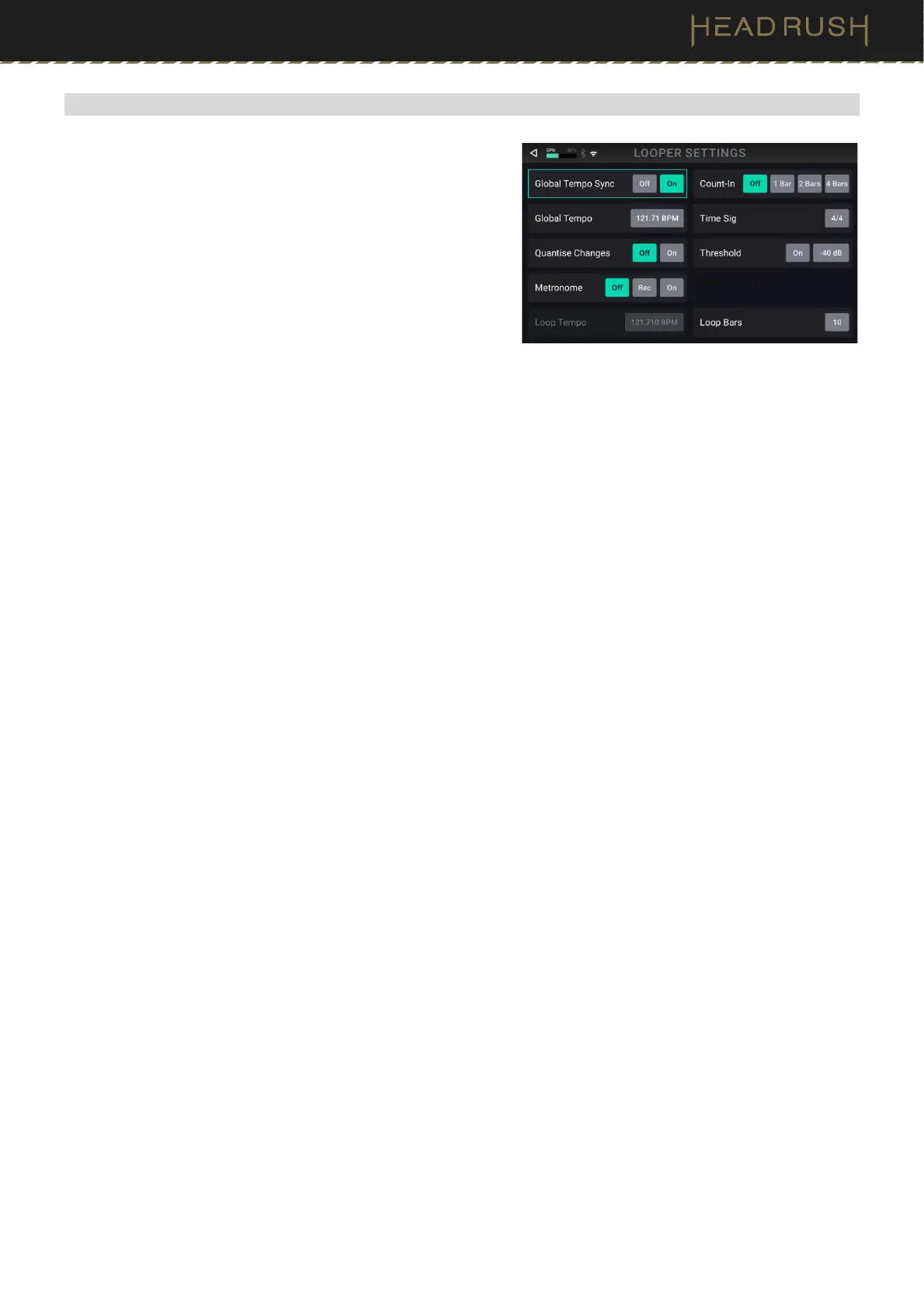
To access additional looper settings, tap the settings icon in
the top right of the looper screen.
The following parameters are available on this screen:
• Global Tempo Sync: Set this parameter to On to set the
Looper to sync to Flex Prime’s Global Tempo. This is the
same tempo used for any effects that are set to “Sync,” as
well as the Metronome feature. Set this parameter to Off to
desync the Looper tempo from the global tempo.
• Global Tempo: Use this parameter to manually set the global tempo of Flex Prime using the main encoder.
You can alternately set this tempo by using the tap tempo footswitch.
• Quantize Changes: When Global Tempo Sync is set to On, the tempo of the loop will sync to the current
internal global tempo, or the received MIDI tempo when enabled in the Global Settings.
• Metronome: Set this parameter to Rec (record) to have the metronome only play while the initial layer of the
loop is being recorded. Set this parameter to On to have the metronome play while the loop is recording,
playing, and overdubbing a layer. Set this parameter to Off to disable the metronome.
• Count-In: Use this parameter to determine a 1–4 Bar count-in before a loop begins recording the initial loop
layer. Set this parameter to Off to disable to the count-in bar and begin recording the initial loop layer instantly.
• Time Sig: Use this parameter to determine the time signature of the count-in.
• Threshold: Tap the On button to enable looper recording to only begin when the audio signal has reached a
certain threshold. Use the field next to this to set the threshold level, from -60 to 0 dB.
• Loop Tempo: When Global Tempo Sync is set to On, this displays the estimated tempo of the current loop.
• Loop Bars: When Global Tempo Sync is set to On, this displays the estimated loop length in bars.



 To Next Page