41
To halve or double the speed of the looper, use the Speed field.
Tip: Use this to create low bass lines or ultra-high guitar parts that you couldn’t ordinarily play.
To reverse looper playback, set the Playback field to Reverse.
Tip: Create eerie effects by recording layers in reverse then switching back to normal playback.
To set the looper’s location, use the Source field. You can place it before (Pre) or after (Post) the signal chain.
Moving the looper to the Pre position enables you to edit your rig without having to play the same riff over and
over again.
Tip: Use this feature to create different effect configurations (adjust parameters, activate/deactivate blocks, etc.)
for each layer, creating a multi-textured performance. You can also switch rigs while using the looper and use a
different rig for each layer.
To create a new loop, tap the + icon in the top right corner. Tap Yes to clear the current loop and create a new
one or Cancel to return to the Looper screen.
To save a loop, tap the disk icon in the top right corner. Enter a name for your loop, and then tap OK to confirm
or Cancel to return to the Looper screen without saving.
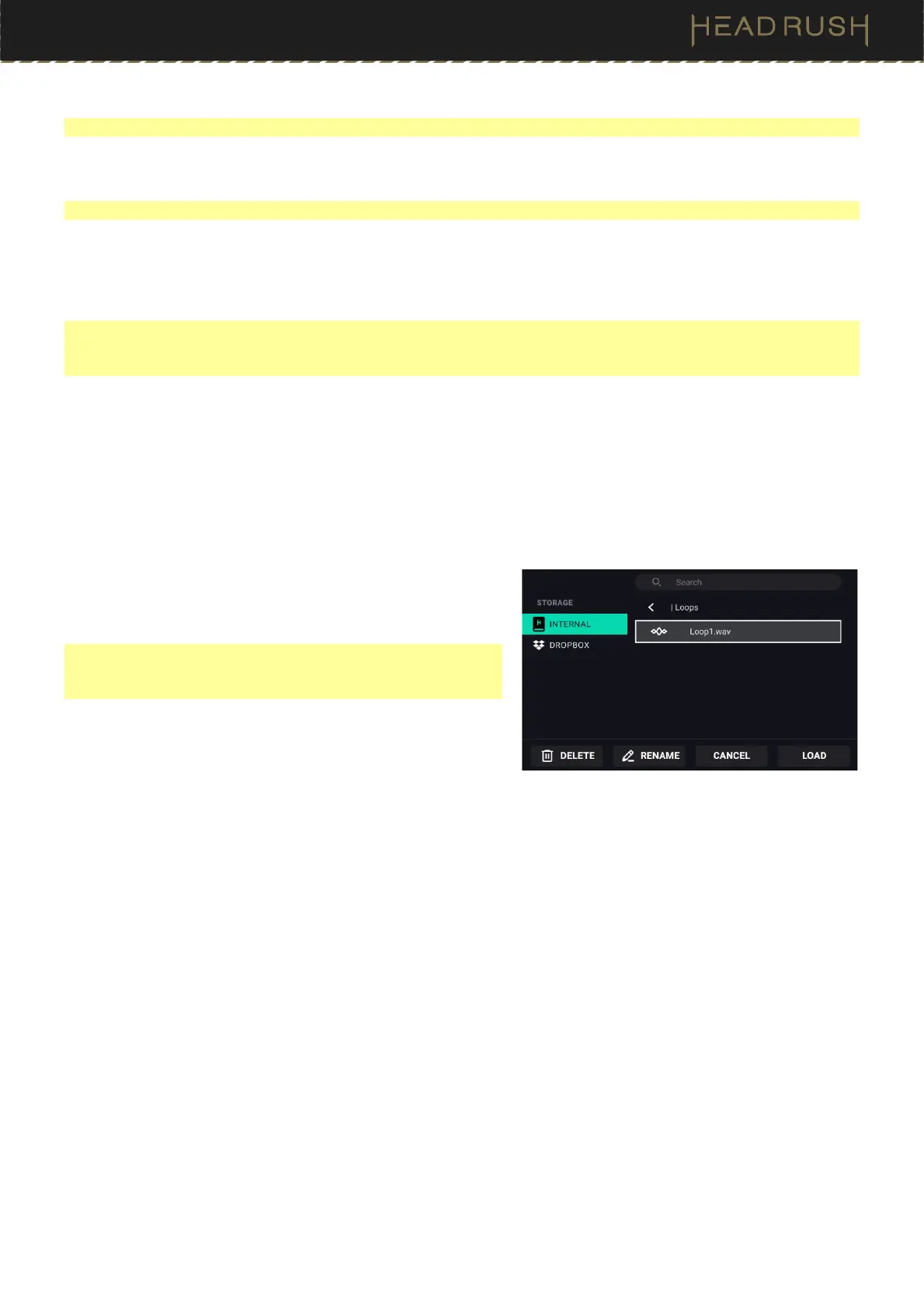
To load a loop, tap the folder icon in the top right corner. When
the file browser appears, select the loop to load, and then tap
Load to load the loop or Cancel to return to the Looper
screen.
Tip: While using the USB Transfer feature, you can import .WAV
and .MP3 audio files for the Looper by placing the files in Flex
Primes’s /LOOPS/ directory.
To edit a loop’s name, tap the folder icon in the top right corner
to access the file browser, locate the loop, and then tap
RENAME. Use the virtual keyboard to type a new name, and
then tap Rename to confirm the new name or Cancel to
return to the Looper Browser screen.
To delete a loop, tap the folder icon in the top right corner to access the file browser, locate the loop, and then tap
DELETE. Tap Yes to confirm the deletion or Cancel to return to the Looper screen without deleting.
To exit the looper and return to the main screen, press and hold footswitch 3 (or tap and hold Exit). If the looper
is playing, playback will continue.
To re-enter the looper, press and hold footswitch 2 again.



 To Next Page