57
Depending on the size or rotation of your screen, the rig list may be shown when initially loading the editor. If it is
not shown, tap the icon shown above to open it.
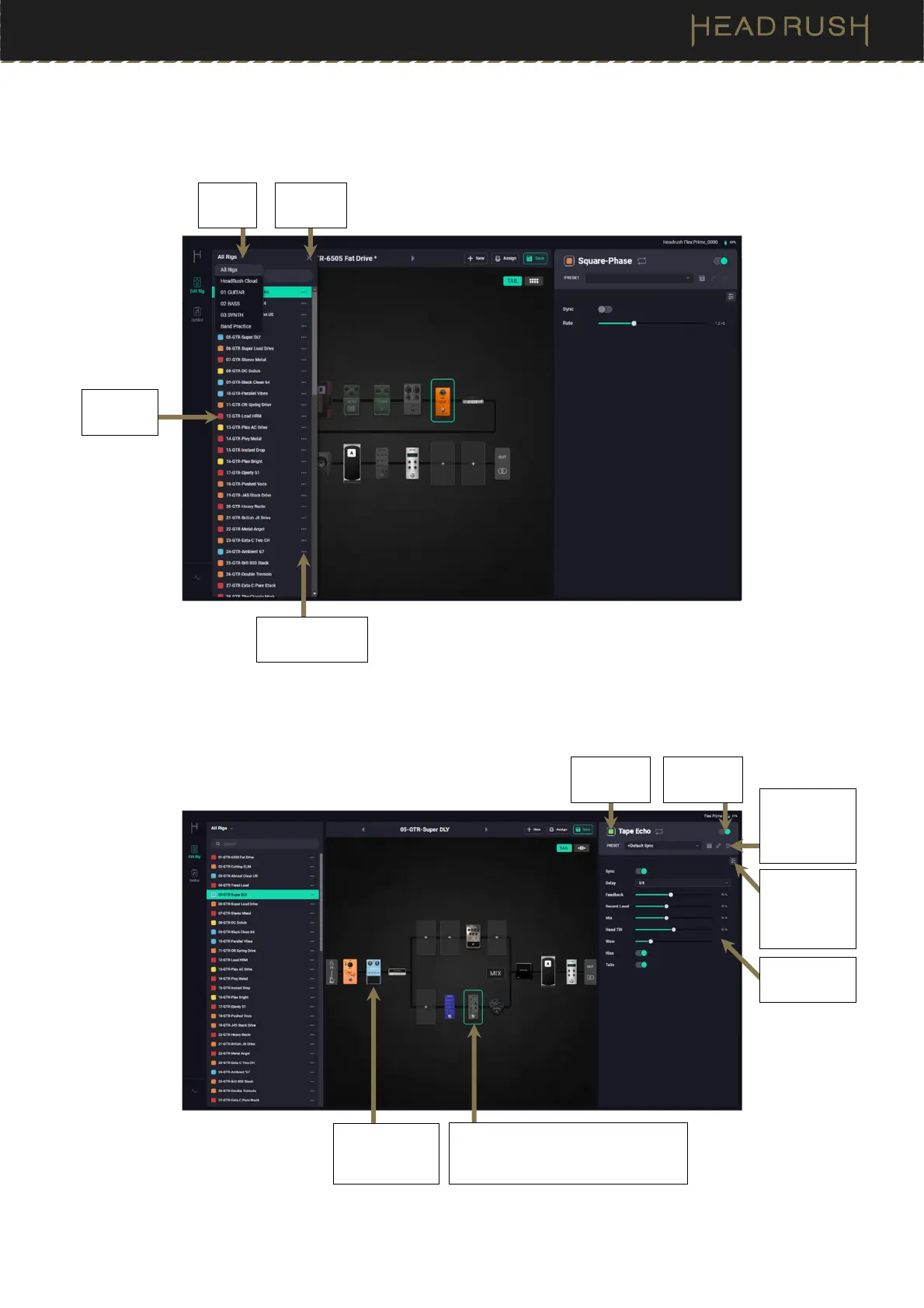
When the Rig List is opened on the left side of the screen, you can browse and edit rigs in your setlists.
When a block is selected, use the onscreen controls on the right side to edit block parameters.
See (4.4) Adjusting Settings to learn more about adjusting block settings.
Click to select a block, input, or
output to view its Detailed Settings
on the right side of the screen.
Save,
Rename, or
Delete a
block Preset.
Open the
advanced
block edit
page.
Adjust block
settings.
Edit block
LED color.
Turn block
on/off.
Select
Setlist.
Close the
Rig List.
Click to
load a rig.
Click to delete
or rename a rig.
Click and drag
to reorder
blocks.



 To Next Page