S321 User Guide Chapter 3
Setup and Configuration Page 48 of 65
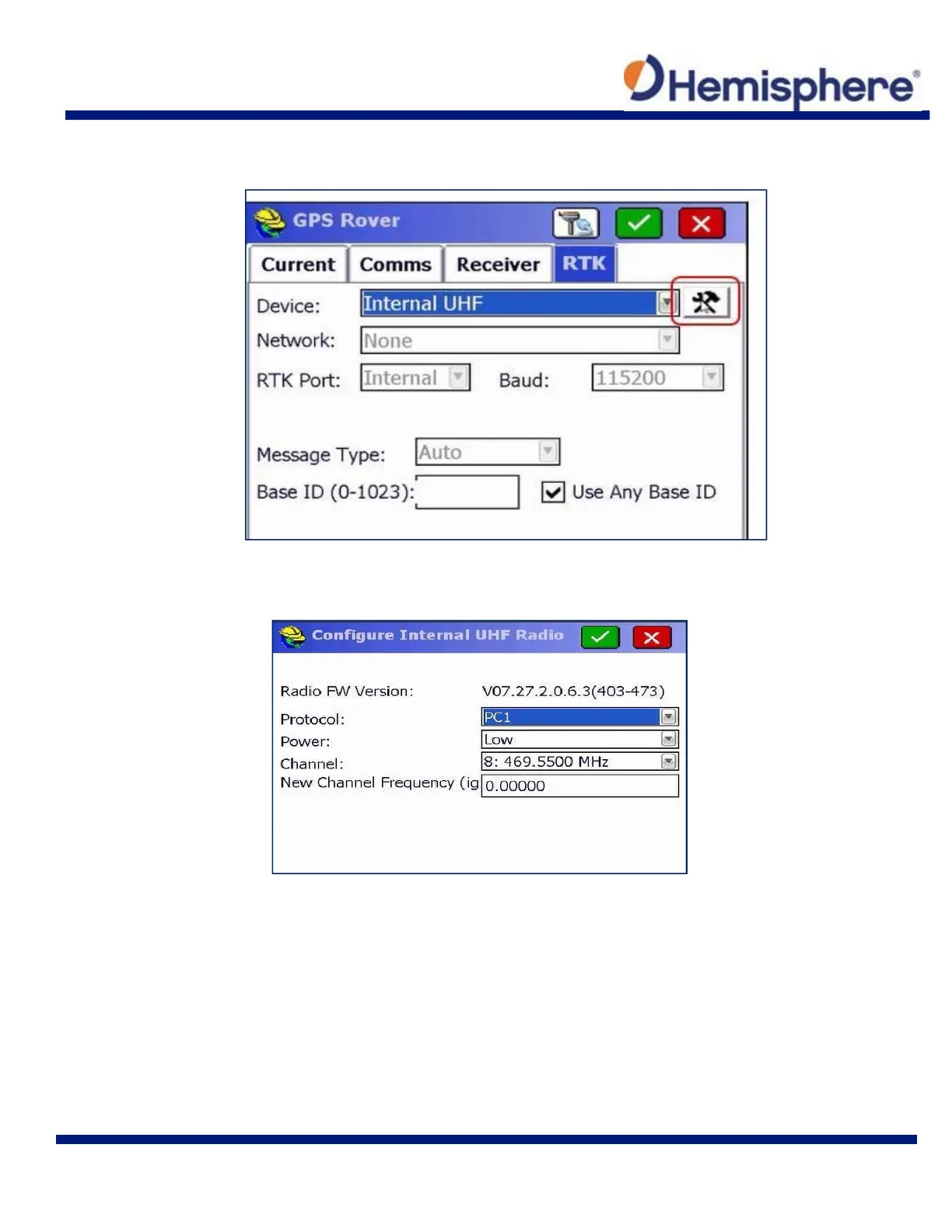
Tap the RTK tab. Under Device, select “Internal UHF” from the drop‐down list. Tap the wrench
and hammer icon.
The “Configure Internal UHF Radio” menu allows you to set your rover to your desired protocol
required to connect to a local base.
When your desired protocol has been selected, tap the green checkmark at the top of the screen.



 To Next Page