S321 User Guide Chapter 3
Setup and Configuration Page 47 of 65
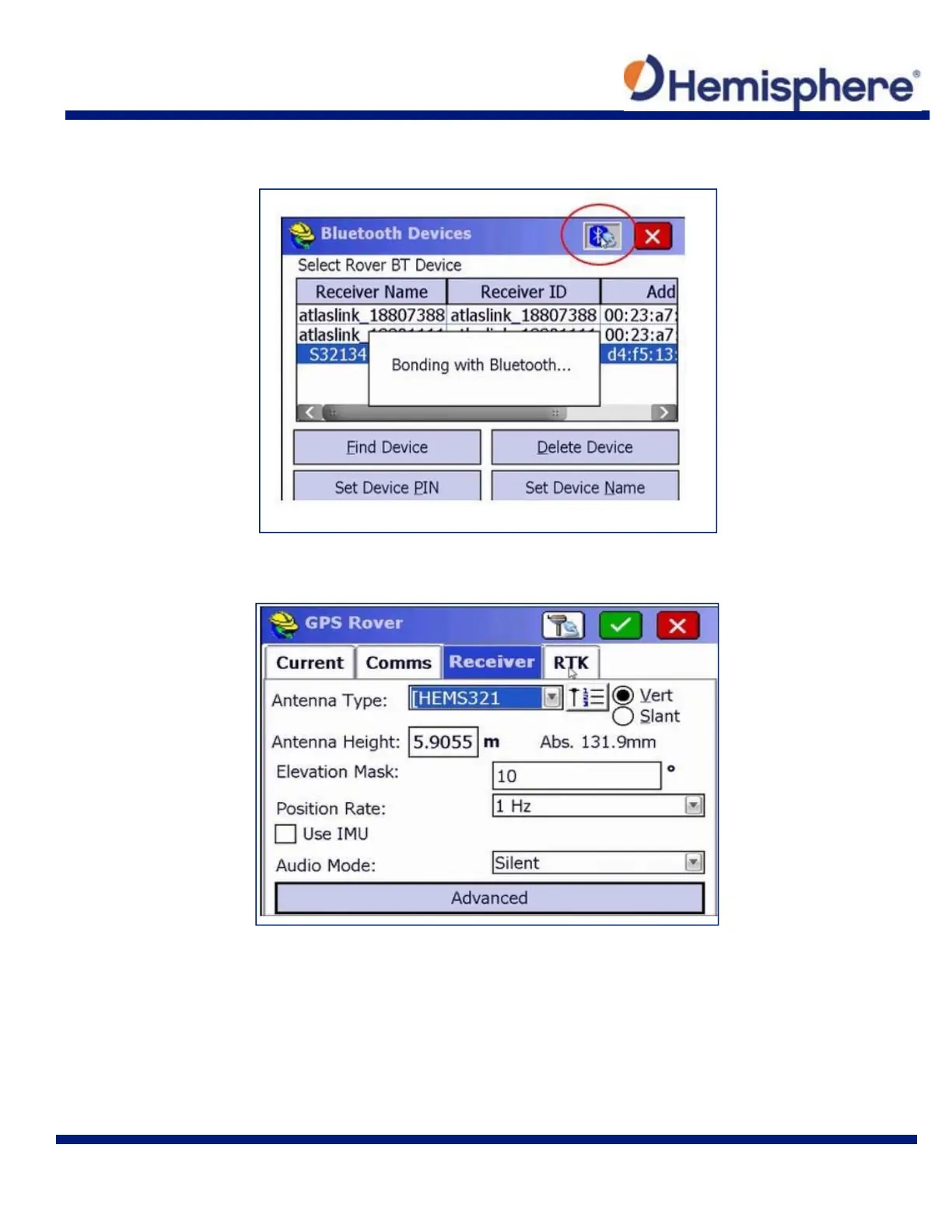
When you see your device on the list, tap the device name to highlight it. Then press the
Bluetooth Connect icon at the top right of the screen.
Once Bluetooth has bonded with your device, tap the Receiver tab. Under Antenna Type,
ensure HEMS321 is selected from the drop‐down list.



 To Next Page