S321 User Guide Chapter 3
Setup and Configuration Page 46 of 65
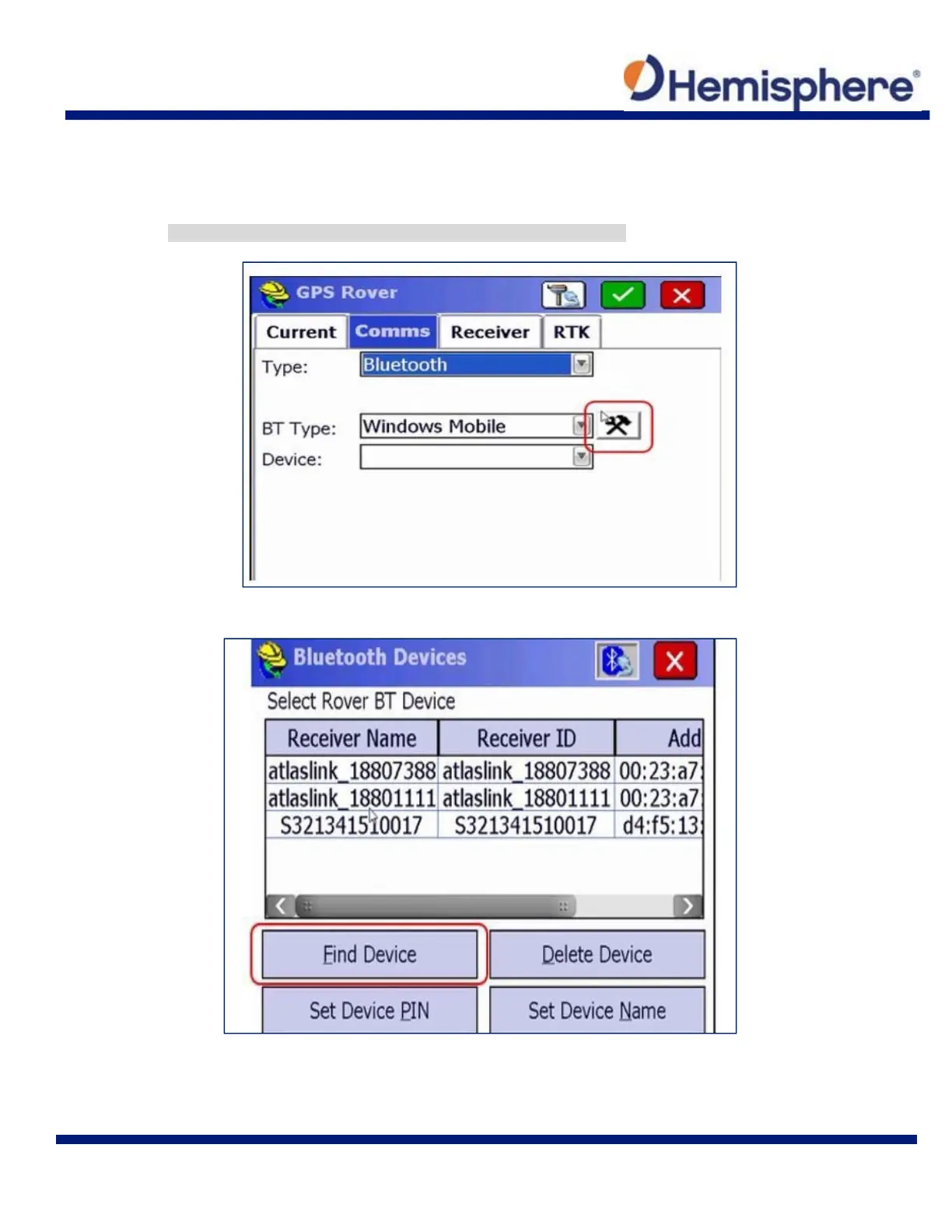
On the Comms tab, select Bluetooth from the Type drop‐down list. Select the “Windows
Mobile” BT Type.
Tap the wrench and hammer icon.
Note: Click the wrench and hammer icon to find your S321 device.
Tap the Find Device button and wait for a complete list of devices to generate.



 To Next Page