S321 User Guide Chapter 3
Setup and Configuration Page 45 of 65
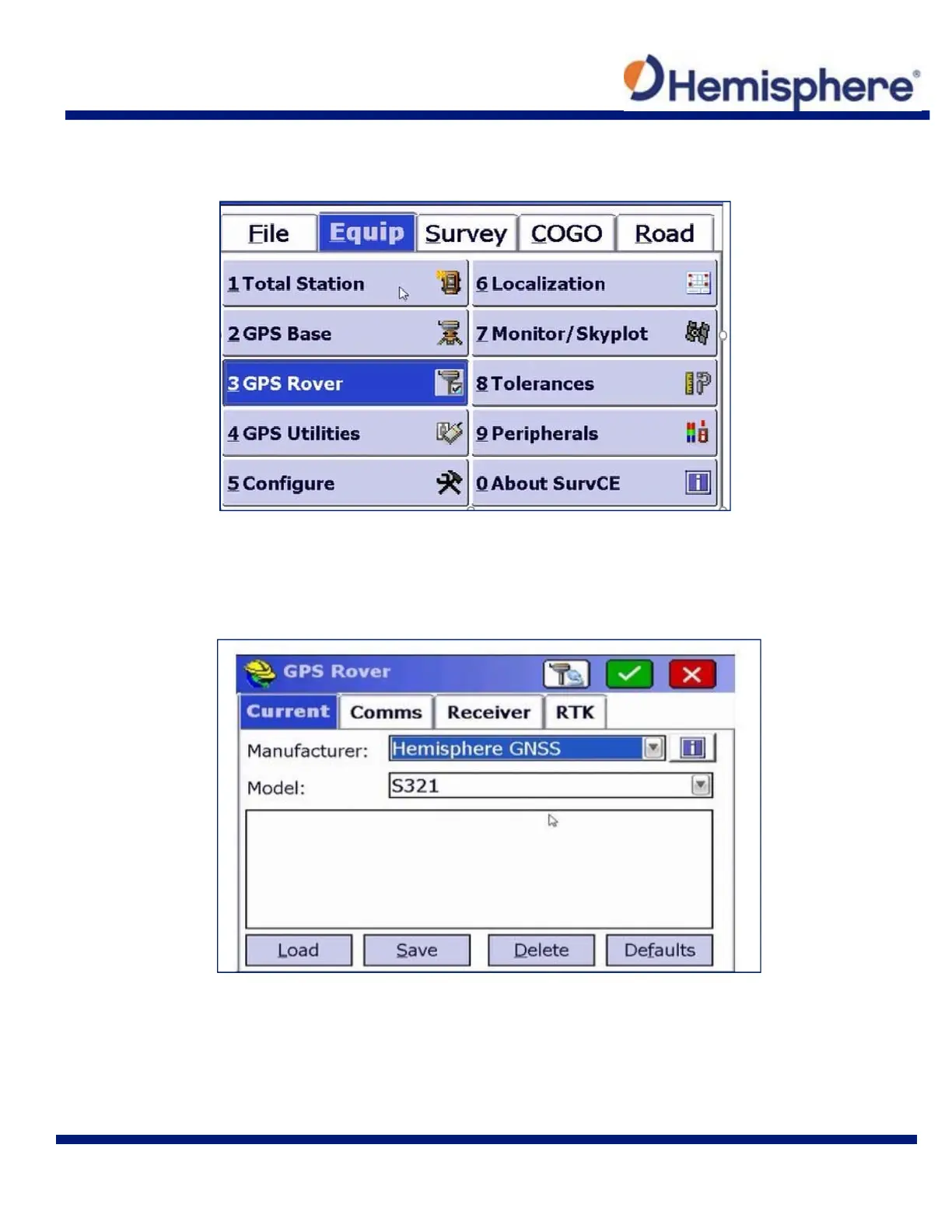
After setting or continuing a job, tap the Equip tab at the top of the screen. On the Equip tab, tap
the 3GPS Rover button.
The GPS Rover menu contains four main tabs. The Current tab indicates the “current” rover
attached to SurvCE.
To calibrate your S321, select “Hemisphere GNSS” from the Manufacturer drop‐down list.
Select “S321” from the Model drop‐down list.



 To Next Page