S321 User Guide Chapter 3
Setup and Configuration Page 61 of 65
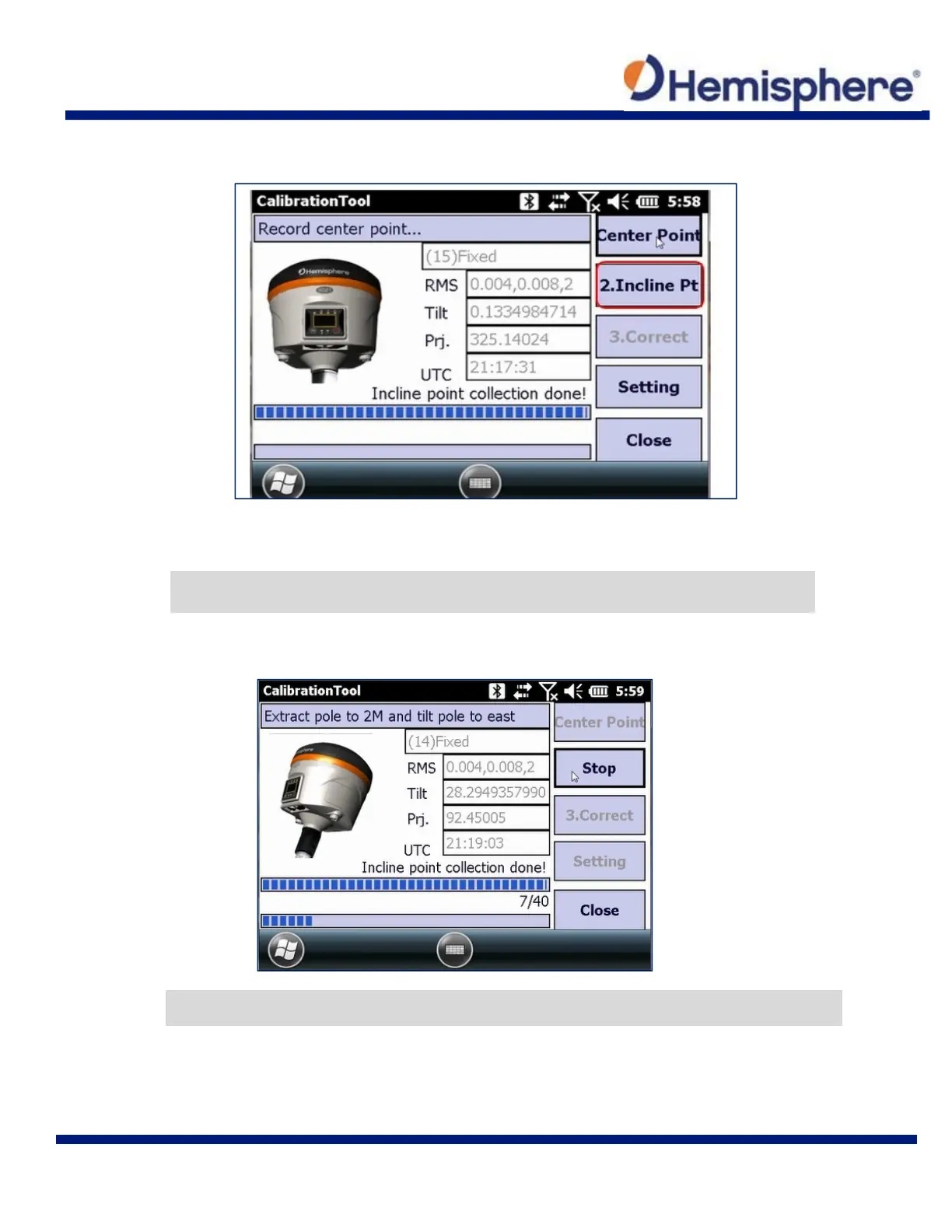
Tap the 2. Incline Pt button and hold the survey pole and S321 at the required angle.
The calibration tool requires you to tilt the S321 and survey pole to the EAST at approximately
25° to 35° angle.
Below you will see “Tilt” is the angle of the unit, and the “Prj” is the direction in which the device
is facing.
Note: Each direction (East, South, West, and North) will log 10 points. Keep the device in place
until all 10 points are logged.
Note: The tilt should be between 25° and 35° to collect points, and the device tilted in the
correct direction to within +/‐10° (e.g., between 80°‐100° for east,170°‐190° for south,…).



 To Next Page