V-Switch quad II - Installation and Operation Manual
ON SCREEN DISPLAY
43
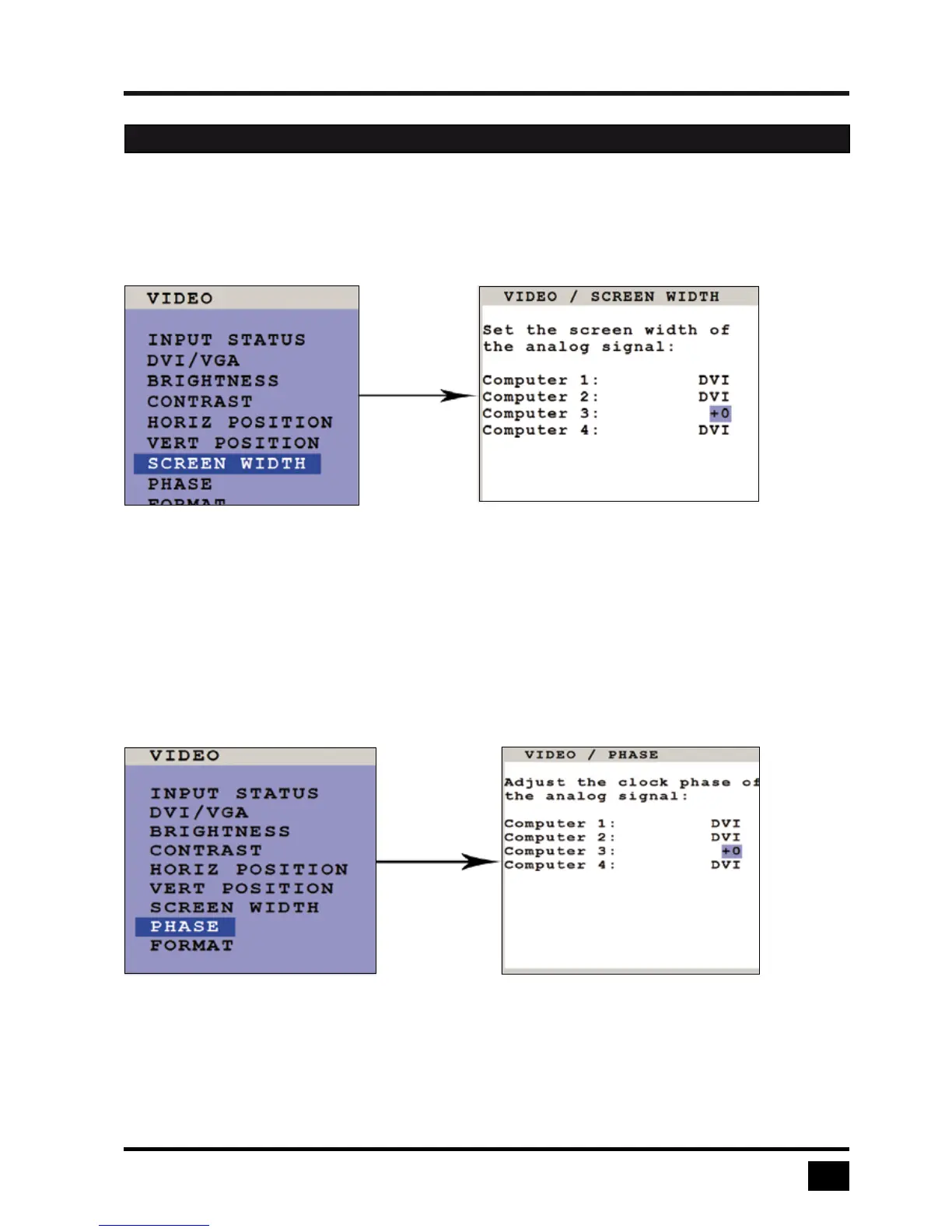
SCREEN WIDTH (with analog input only)
Use arrow keys to navigate in the VIDEO menu to the entry SCREEN WIDTH and press ENTER/SELECT to
open the SCREEN WIDTH window.
Normally, screen width (number of horizontal pixels) is defined by the VESA standard. If the screen appears
blurred, change this setting to improve screen quality.
PHASE (with analog input only)
Use arrow keys to navigate in VIDEO menu to the PHASE line and press ENTER/SELECT to open the
PHASE window.
Incorrect phase (sampling time of pixel color value) may result in blurring, bad contrast, or poor legibility. Use
this setting to adjust phase.
OSD - VIDEO - SCREEN WIDTH / PHASE


 To Next Page