V-Switch quad II - Installation and Operation Manual
ON SCREEN DISPLAY
21
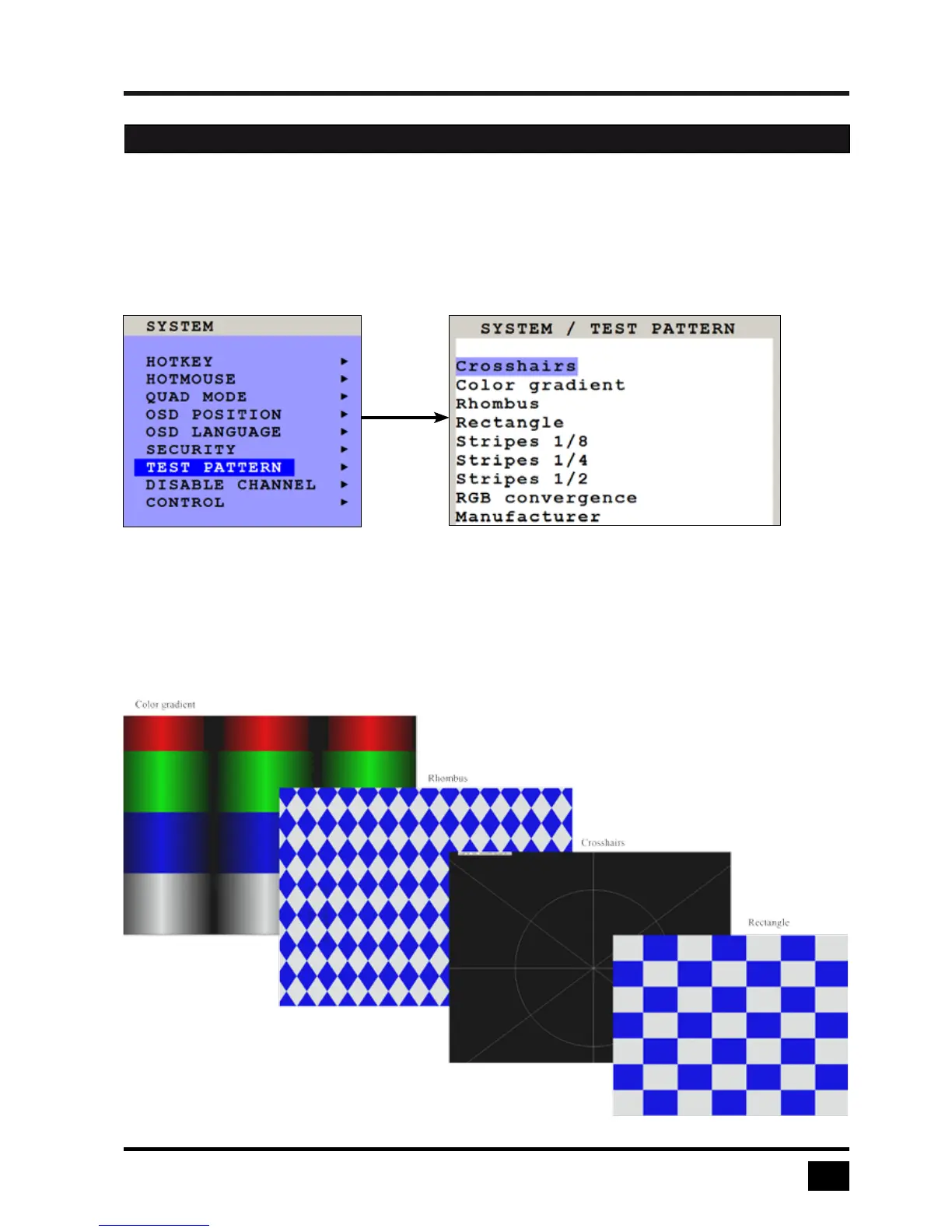
TEST PATTERN
Use arrow keys to navigate in the SYSTEM menu to the entry TEST PATTERN and press ENTER/SELECT to
open the TEST PATTERN window.
Use the Test Pattern feature to check monitor quality (pixel errors, contrast, etc) or the functionality of the
V-Switch quad II’s video output.
It is recommended to use all available test patterns for the test procedure.
To exit TEST PATTERN mode, use the front panel buttons „Quad” „Full” or „PiP” or hotkey commands
accordingly.
OSD - SYSTEM - TEST PATTERN


 To Next Page