Chapter 6 Quick Operaon
6.1 Set Applicaon Mode
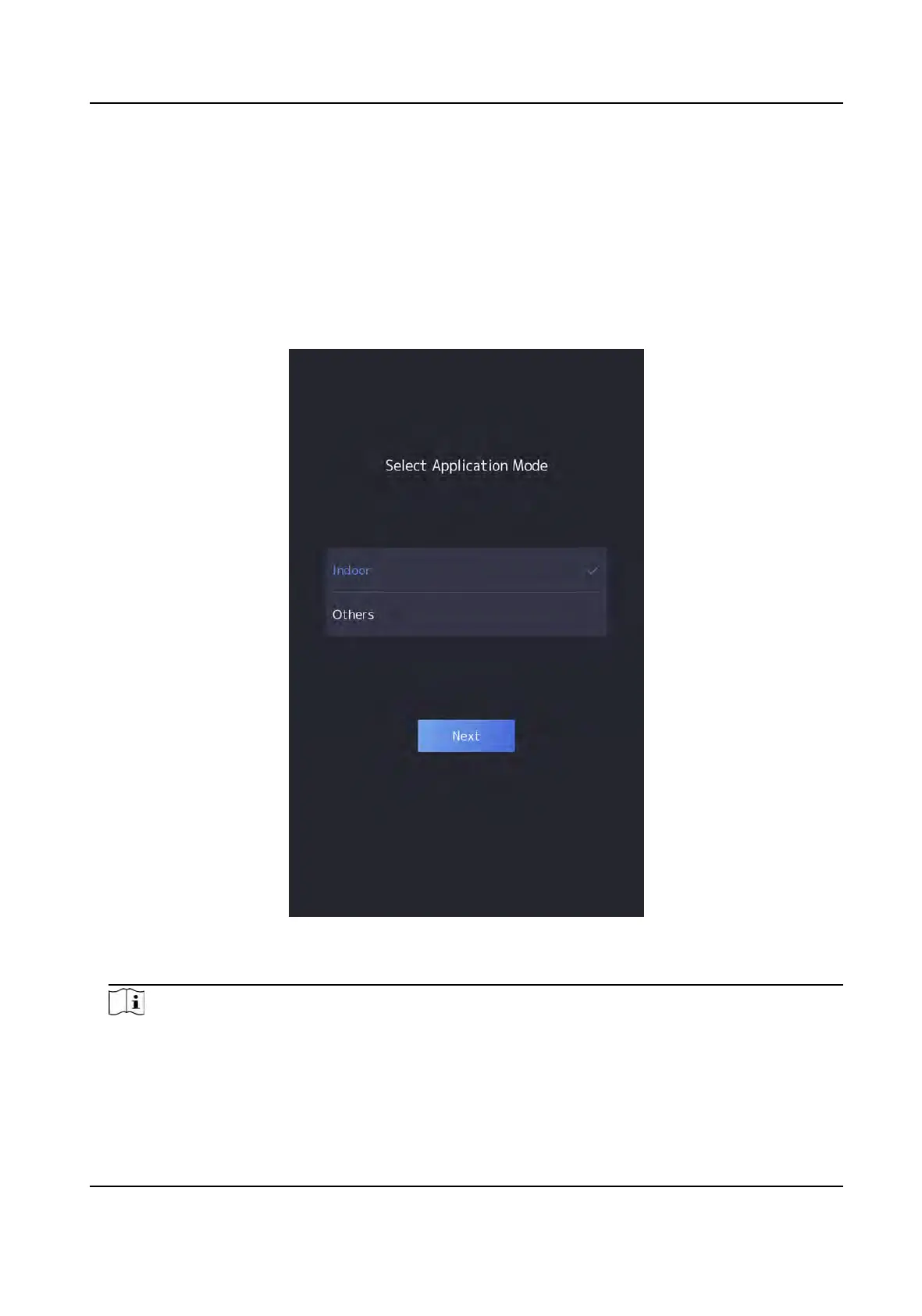
Aer acvang the device, you should select an applicaon mode for beer device applicaon.
Steps
1. On the Welcome page, select Indoor or Others from the drop-down list.
Figure 6-1 Welcome Page
2. T
ap OK to save.
Note
●
Y
ou can also change the sengs in System Sengs.
●
If you install the device indoors near the window or the face recognion funcon is not
working well, select Others.
DS-K1T981 Series Access Control Terminal User Manual
30


 To Next Page
 Loading...