4. Click Save.
2.2.4 Set Construcon Parameters
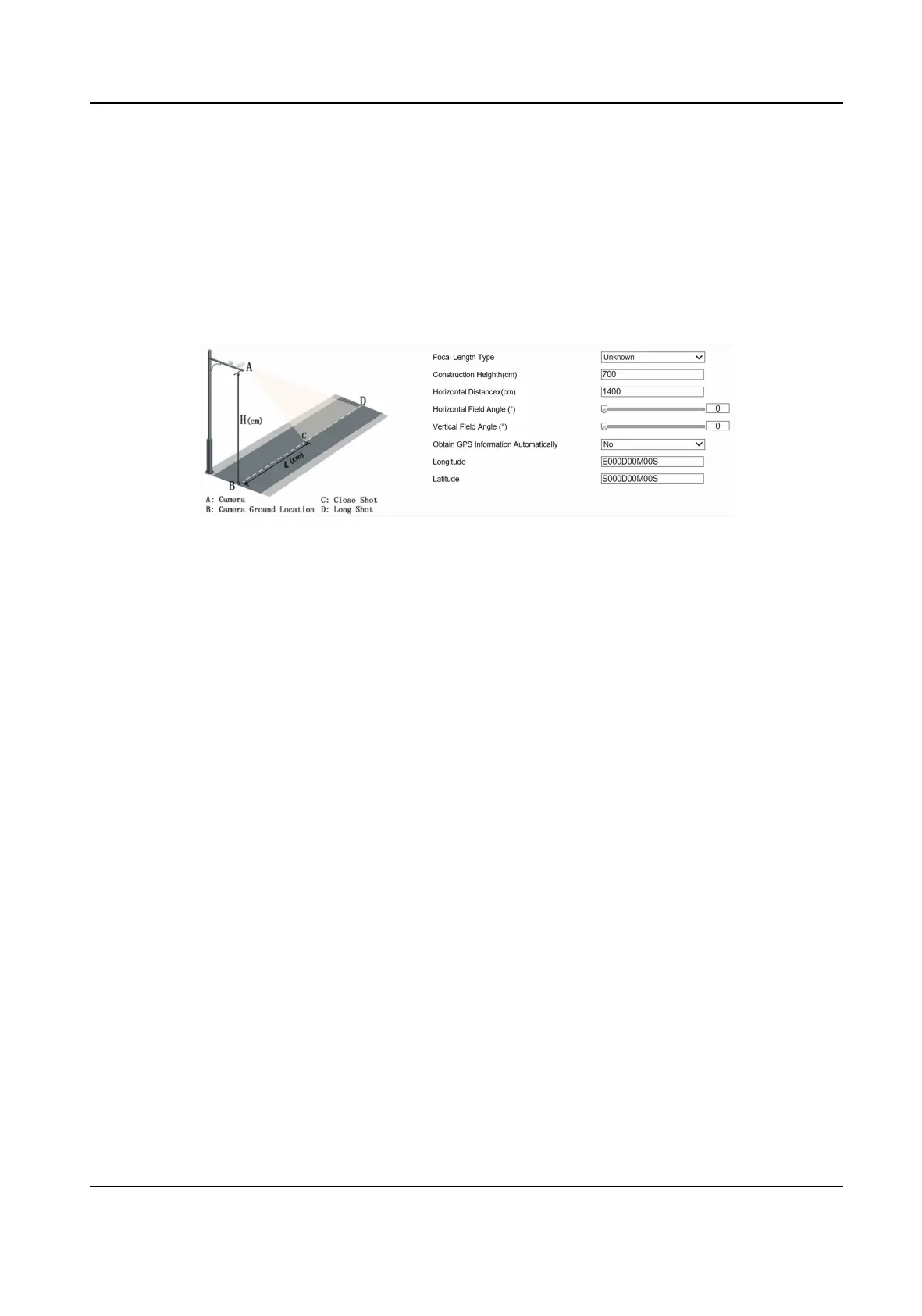
Set construcon parameters according to the actual installaon when applying the video speed
detecon.
Steps
1. Go to
Conguraon → Device Conguraon → System → Construcon Parameters .
Figure 2-6 Set Construcon Parameters
2. Set construcon parameters according to the actual scene.
3. Click Save.
2.3 Search
Trac Flow Stascs Data
You can search the trac ow stascs data and export the data you need.
Before You Start
Install the storage card, and ensure the storage status is normal.
Steps
1. Click Trac Flow Stascs Data.
2. Set Start Time and End Time.
3. Click Search.
The searched data will be displayed in the list.
4.
Oponal: Export the stascs data.
-
Select an item or several items and click Export Selected Data.
-
Click Export All Data to export all the data.
2.4 Search Picture
You can search the captured pictures stored in the storage card and export the pictures you need.
Before You Start
Install the storage card, and ensure the storage status is normal.
Network Trac Camera (for Trac Flow Camera) User Manual
9



 To Next Page
 Loading...









