Manual Switch Select Day/Night Mode to switch to the day or night manually.
Scheduled Mode Set day/night mode, start me, and end me to switch to ICR mode only
during the set me period.
No Switch Disable the ICR mode.
3.
Click Save.
5.4 Set ROI
ROI (Region of Interest) encoding helps to assign more encoding resources to the region of
interest, thus to increase the quality of the ROI whereas the background
informaon is less
focused.
Before You Start
Please check the video encoding type. ROI is supported when the video encoding type is H.264 or
H.265.
Steps
1. Go to
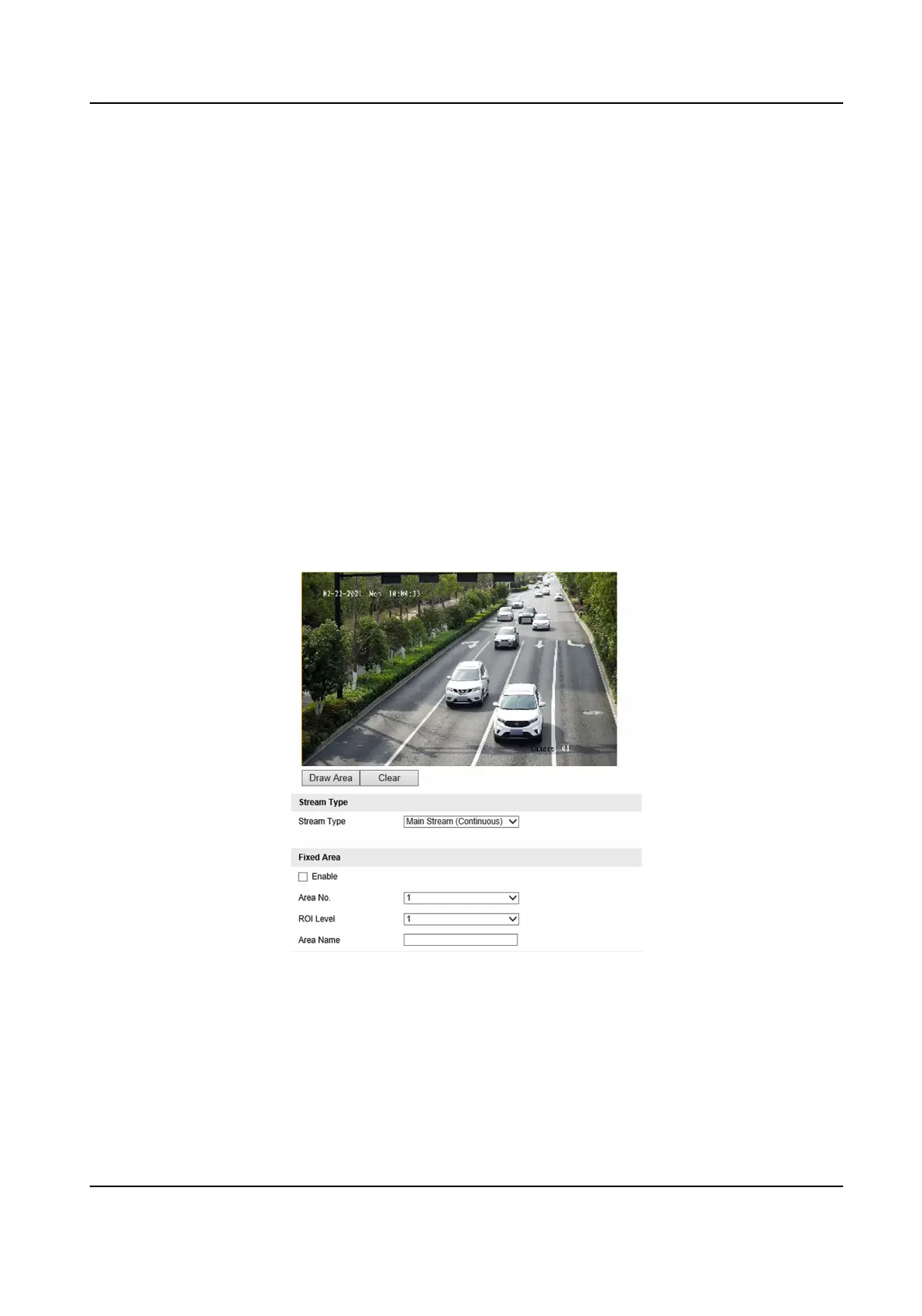
Conguraon → Device Conguraon → Encoding and Storage → ROI .
Figure 5-3 Set ROI
2. Select Stream Type.
3. Set ROI region.
1) Check Enable.
2) Select Area No.
3) Click Draw Area.
4) Drag the mouse on the live view image to draw a
xed area.
Network Trac Camera (for Trac Flow Camera) User Manual
24



 To Next Page
 Loading...









