3.1.10 Enable Regional Exposure
Enable regional exposure to expose paral area of the live view image.
Steps
1. Click
.
2. Drag the cursor downwards and rightwards to select an area in the live view image.
The selected area can be exposed.
3. Click
to disable regional exposure.
3.1.11 Enable Wiper
is a reserved funcon.
3.2 Local
Conguraon
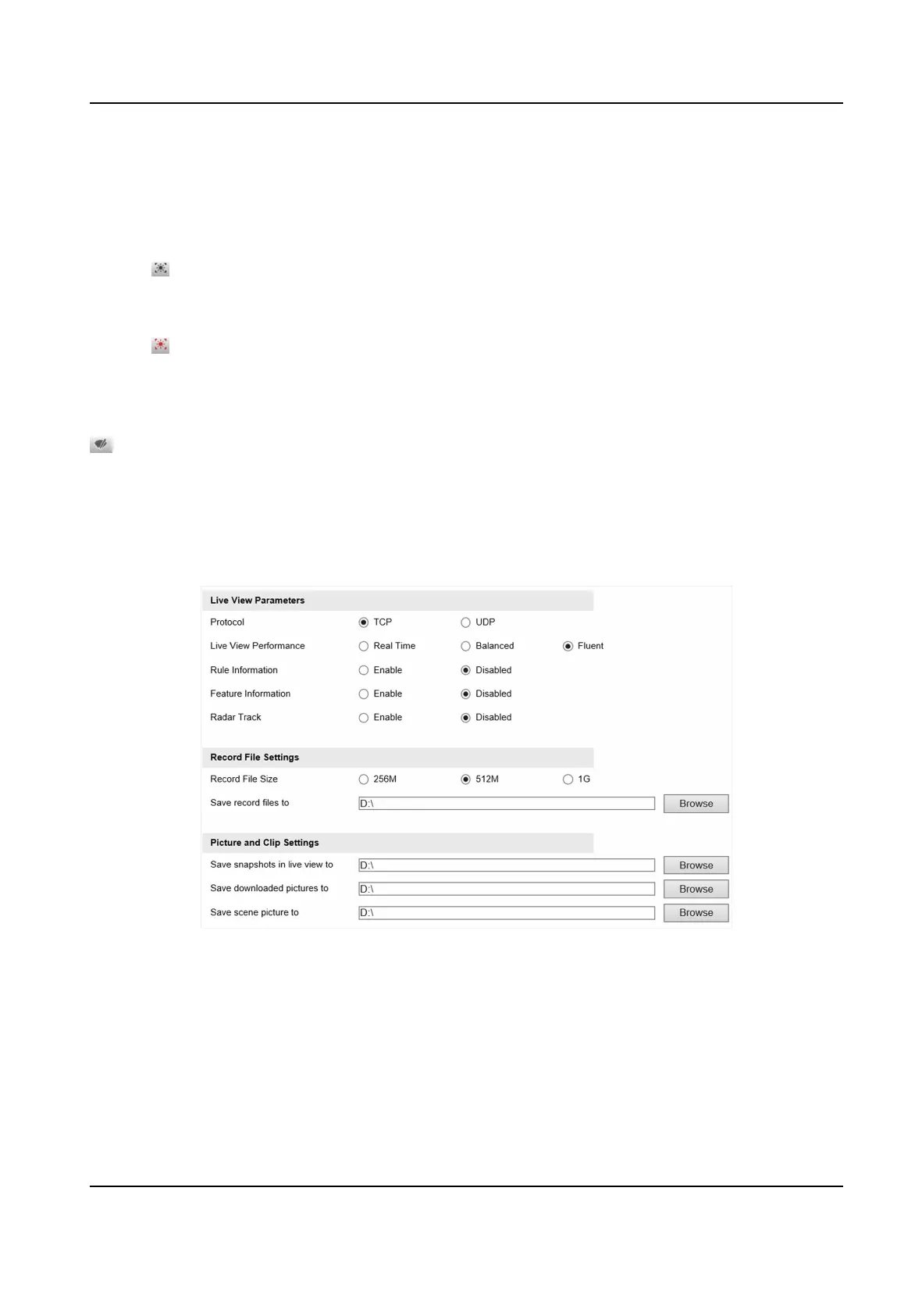
Go to Conguraon → Local Conguraon to set the live view parameters and change the saving
paths of videos, captured pictures, scene pictures, etc.
Figure 3-1 Local Conguraon
Protocol
Select the network transmission protocol according to the actual needs.
TCP
Ensures complete delivery of streaming data and beer video quality, yet the real-me
transmission will be aected.
Network Trac Camera (for Trac Flow Camera) User Manual
13



 To Next Page
 Loading...









