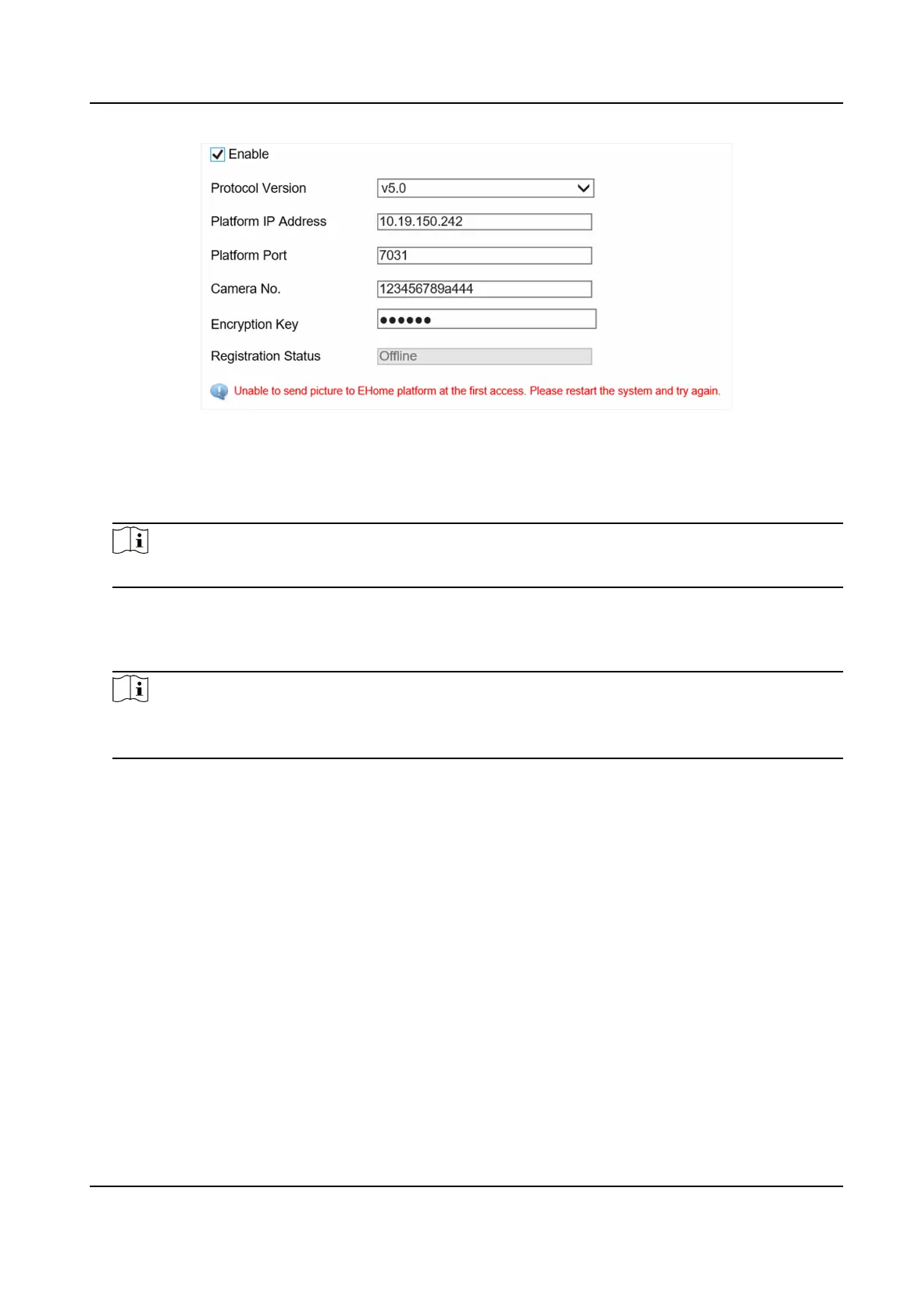
Figure 6-2 Connect to ISUP Plaorm
2. Check Enable.
3. Select Protocol Version.
4. Enter Plaorm IP Address, Plaorm Port, and Camera No.
Note
The camera No. should be the same with the added one on the ISUP plaorm.
5. Oponal: Enter Encrypon Key if you select v5.0.
6. Click Save.
7. Oponal: View Registraon Status.
Note
When the registraon status shows online, you can add or manage the device via the plaorm
soware. Refer to its corresponding manual for details.
6.3 Set DDNS
You can use the Dynamic DNS (DDNS) for network access. The dynamic IP address of the device can
be mapped to a domain name resoluon server to realize the network access via domain name.
Before You Start
• Register the domain name on the DDNS server.
• Set the LAN IP address, subnet mask, gateway, and DNS server parameters. Refer to "Set IP
Address" for details.
• Complete port mapping. The default port is 80, 8000, and 554.
Steps
1. Go to
Conguraon → Device Conguraon → System → DDNS .
Network Trac Camera (for Trac Flow Camera) User Manual
29


 To Next Page
 Loading...










