30
Hills – ComNav User Manual V1.3 www.das.com.au
Note: User PIN, creating, deleting
Your control panel determines the number of available user PIN codes, contact your service
provider to confirm available user PIN codes on your system.
If you attempt to enter a user PIN code in your security system that is being used by another user,
your ComNav will announce PIN code has failed, simply select another PIN code.
Keep user PIN information in a safe place and do not disclose your PIN to others
Note: User area configuration
The system must be disarmed before accessing user configuration.
Do not remove all areas from a users area control. Use extreme caution when modifying a user
with master code authority.
The system must be disarmed before accessing user configuration.
Do not remove all areas from a users area control. Use extreme caution when modifying a user
with master code authority
User Authority – configuration
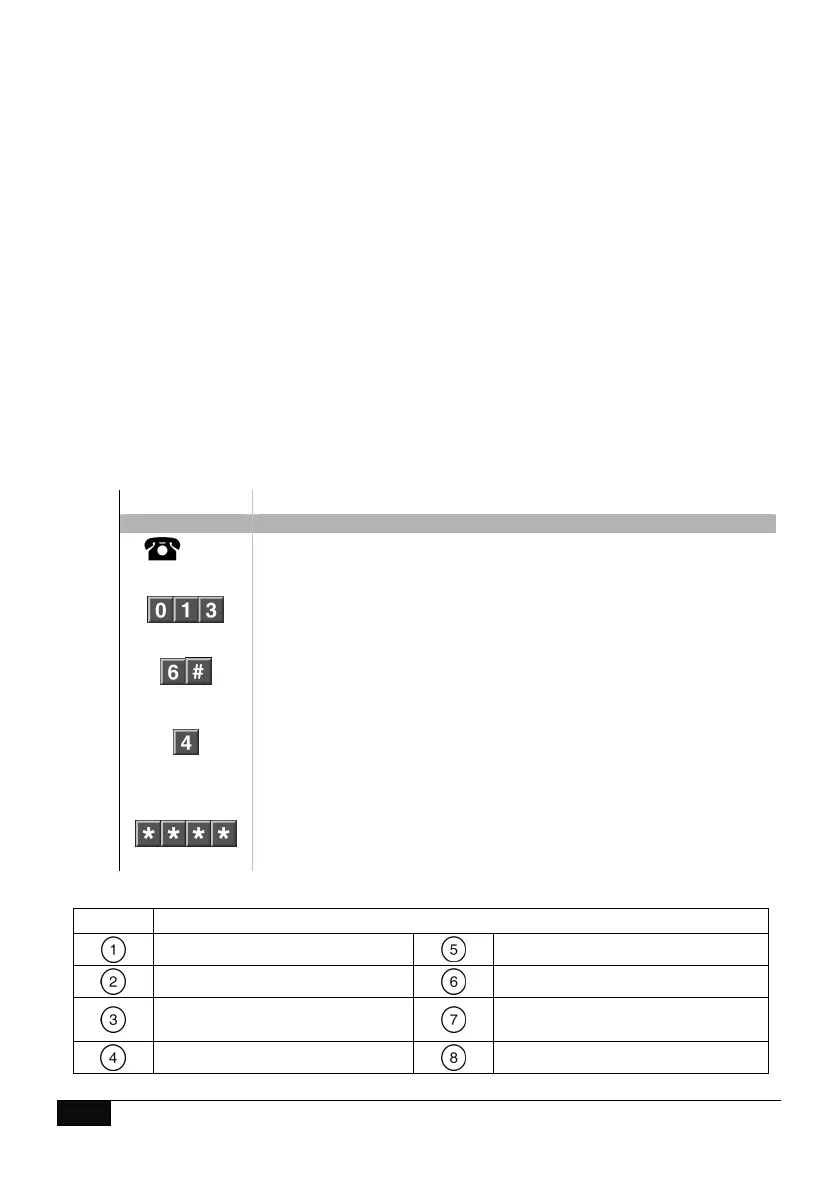
How to: Configure User Authority
Step Example Change user 6 to a master code.
1.
[PIN]
Call the ComNav via an offsite touch-tone phone to begin the session.
2.
Press [0] for system configuration menu
Press [1] for user configuration menu
Press [3] for user authority configuration
3.
Select a user number followed by #. (EG User 6)
4.
Press the option number (from 1 ~ 8) to change selection.
(EG: option 4 = Master code)
Refer to table 1 below for complete list of selectable user authority
options
5.
1
st
star, moves back to user configuration menu
2
nd
star, moves back to system configuration menu
3
rd
star, moves back to main menu.
4
th
star, disconnects session
Table 1. User Authority Options Selection Table
Reserved
Arm / disarm code
Arm Only
Allowed to bypass zones
Arm only after close window
User code will send open, close
reports
Master code authority
Must not be be selected.



 To Next Page