51
Hills – ComNav User Manual V1.3 www.das.com.au
SMS Reporting
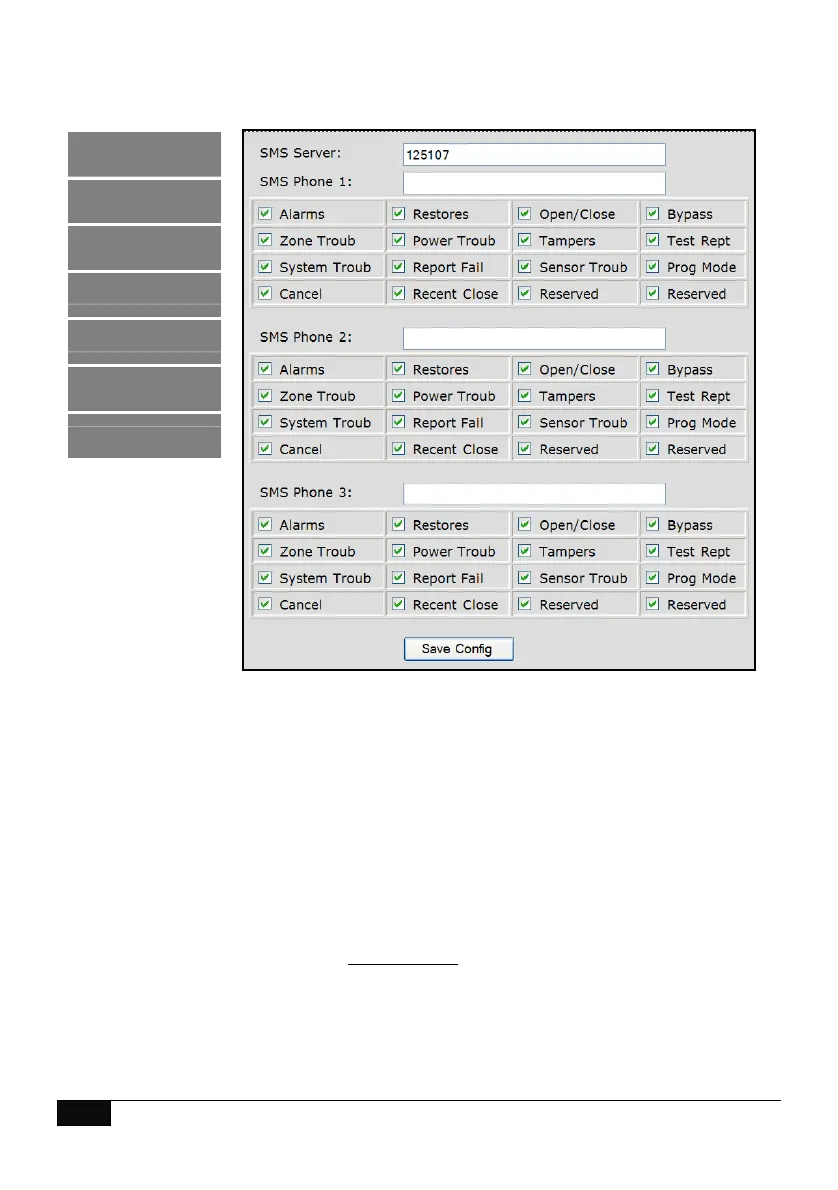
SMS phone numbers 1, 2 and 3 will receive a SMS message upon the selected event in the
associated SMS event window being enabled and activated. Enter the SMS server phone number
and the mobile numbers that are to receive SMS messages. Individual user names can be
reported if entered under the “Users” tab of this web interface.
Use Telstra's SMS Service for sending SMS to mobile phones via phone line Modem. This option is
charged to your originating line as a timed mobile call. Other companies may provide a similar
service, Please consult the relevant company for details of their charges and to confirm
connection details.
Phone Number: 125107
SMS Examples
9Feb 2010 16:14:48
User Arming: Account XXXX – Turn On
Area 1 –Fred
9Feb 2010 16:14:48
Panic Button on code pad: Account XXXX – Code pad panic
Area 1
Logout
Status and Control
Voice Reporting
Users
SMS Reporting
Call Divert
Email Reporting



 To Next Page