49
Hills – ComNav User Manual V1.3 www.das.com.au
Prev – (Previous) will display the previous consecutive event from the internal event log to what is
currently displayed.
Next – Will display the next consecutive event from the internal event log to what is currently
displayed.
Most Recent – Will display the current (latest) existing event from the internal event log.
Current System faults will be displayed in the System Status window and the systems past 185
event log can be accessed via the “prev” (previous) button in the event history window.
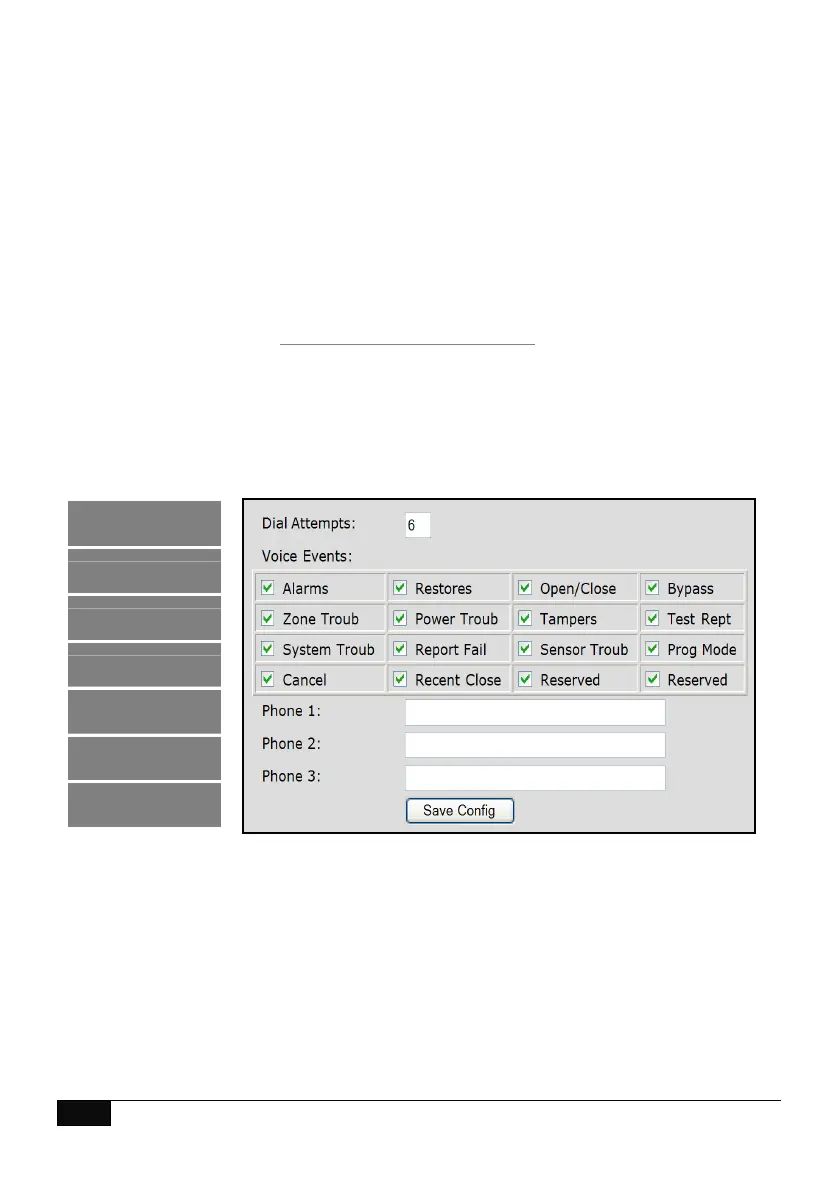
Voice Reporting
Alarm phone numbers 1, 2 and 3 will receive a voice message upon the selected event in the Voice
event window being enabled and activated. The voice events are global for all three alarm phone
numbers.
Logout
Status and Control
Voice Reporting
Users
SMS Reporting
Call Divert
Email Reporting



 To Next Page