31
___________________________________________________________________
Chapter 5 Advanced Measurement Functions
___________________________________________________________________
NOTE
5.1.5 Chan
in
the Com
arator Number
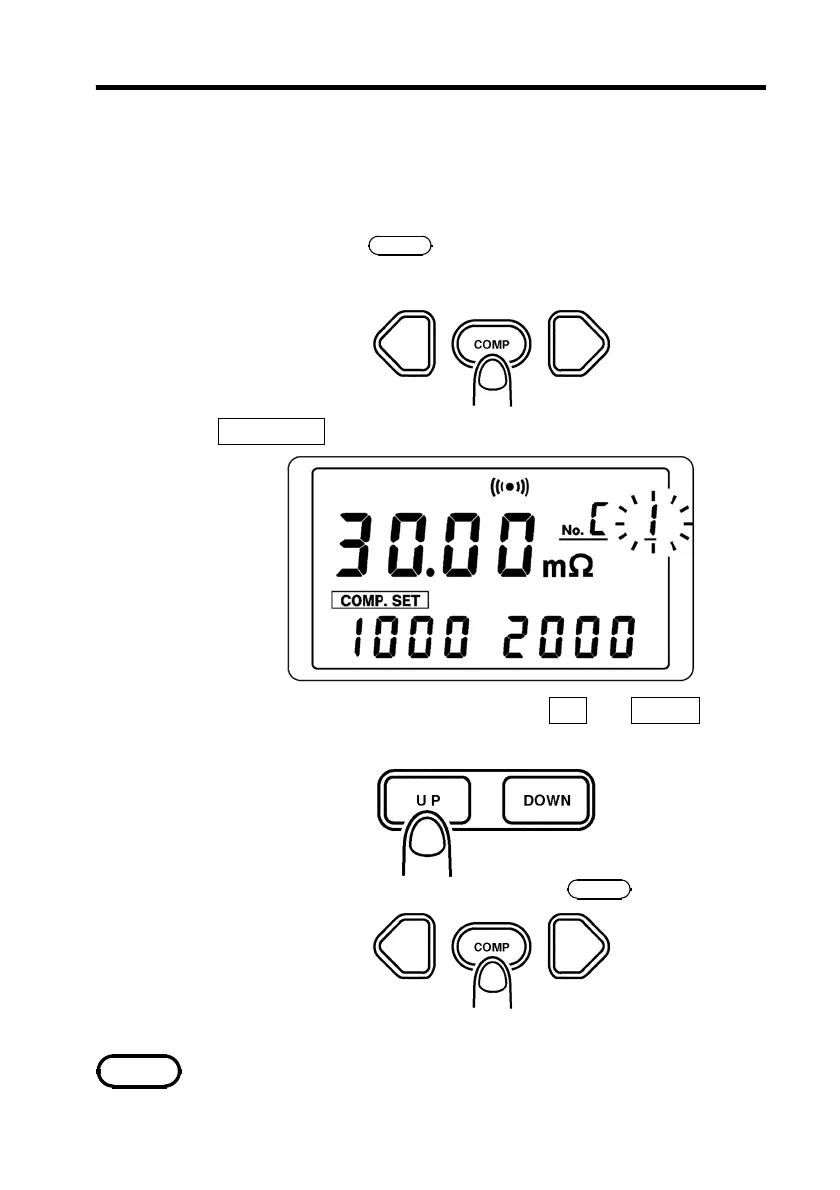
To change the comparator number, do the following
procedure.
1. Press and hold the
COMP
key for at least 3 seconds. The
resistance comparator setting screen appears.
"
COMP.SET
" appears at lower left of the screen.
2. Select the comparator number with the
UP
and
DOWN
keys.
You can select any number up to 10.
3. When the setting is completed, press the
COMP
key.
The selected comparator number remains in memory even when
the power is turned off.



 To Next Page