EasyManua.ls Logo

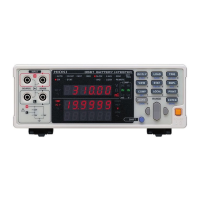
Hioki 3550 - User Manual

Hioki 3550
68 pages
Print Icon
To Next Page IconTo Next Page
Loading...
INSTRUCTION MANUAL
For...は専用機種。複数の場合は「/」で区切る。
不要の場合はとる。
形名を入力。 複数の場合は「/」で区切る。
3550
品名を入力。
BAT TERY HiTESTER

Other manuals for Hioki 3550

Questions and Answers

  • M
    Monica ColeAug 1, 2025
    Why is printing not possible with my Hioki 3550 Test Equipment?
    • D
      Debbie BenjaminAug 1, 2025
      Printing problems with Hioki Test Equipment typically arise due to a few reasons. First, ensure data is stored in memory; if not, store the necessary data. Second, if the comparator setting screen is active, exit it to return to the measurement screen. Third, verify the connecting cable is properly connected. Finally, confirm that the printer is powered on and correctly set up.
  • C
    Christopher RobertsAug 15, 2025
    What to do if my Hioki 3550 shows 'FAIL'?
    • Z
      zamorakaylaAug 15, 2025
      If your Hioki Test Equipment displays 'FAIL', ensure the lead is correctly connected and perform a zero adjustment as described in Section 5.6, "Zero Adjust Function."

Summary

Safety Information

Measurement Categories and Safety

Operational Precautions

Critical Danger Precautions

Highlights hazards like high voltage, electric shock, and flammable gases during battery measurement.

Important Warning Precautions

Warns against wet conditions, corrosive/combustible gases, and potential explosions.

Electrical and Environmental Precautions

Storage and Usage Precautions

Chapter 2 Names and Functions of Parts

Front and Side Panel Identification

Keys and Terminals Description

LCD Display Elements

Measurement Range Details

Maximum Input Voltage Limits

Floating Voltage Specifications

Dielectric Strength Rating

Battery Handling and Storage

Battery Handling Warnings

Warns against short-circuiting, disassembling, incinerating batteries, and proper disposal.

Performing Measurements

Measurement Safety Precautions

Emphasizes fitting dust covers and avoiding measurements exceeding 50V.

Measurement Connection and Operation

Measurement Range Selection and Completion

Chapter 5 Advanced Measurement Functions

Understanding the Comparator Function

Explains how the comparator function works with preset limits and LEDs/beeper.

Setting the Comparator Function

Comparator Settings: Number and Range

Setting Resistance Limits

Setting Voltage Comparison Values

Finalizing Comparator Settings

Comparator Decision Results

Enabling;Disabling Comparator Function

Measurement Value Memory Function

Reading Stored Data

Printing Stored Measurement Data

Zero Adjust Function

Battery Low Warning Indicator

AC Four-Terminal Measurement Method

Synchronized Wave Detection System

Chapter 6 Maintenance

Troubleshooting Common Issues

Lists common symptoms, their causes, and follow-up actions for the HiTESTER.

Troubleshooting Data and Printing Issues

Message Reference Guide

Hioki 3550 Specifications

General IconGeneral
BrandHioki
Model3550
CategoryTest Equipment
LanguageEnglish

Related product manuals