10
Trial Record and Play Back
Power the DVD camera/recorder from AC outlet, make a trial recording and play it
back. For actual take, thoroughly read “Setups” and “Recording” to ensure correct
use of the DVD camera/recorder.
Caution
• Before beginning this manual, refer to “Checking Provided Accessories” on
page 24 and make sure that all accessories are provided in package.
○○○○○○○○○○○○○○○○○○○○○○○○○○○○○○○○○○○○○○○○○○
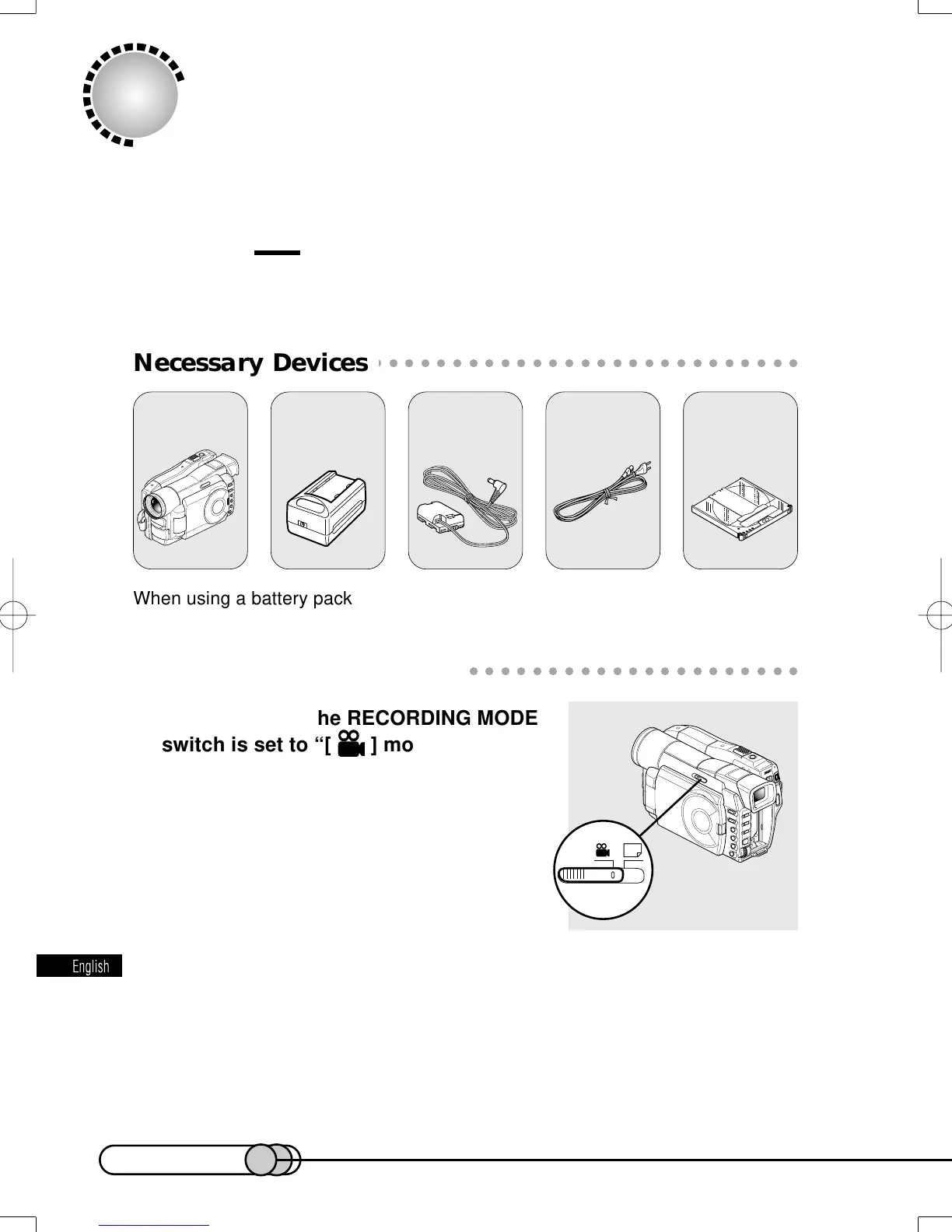
Necessary Devices
When using a battery pack, charge it or refferring to page 38.
○○○○○○○○○○○○○○○○○○○○○○○○○○○○○○○○○○○○○○○○○○
Making a Trial Recording
1. Make sure that the RECORDING MODE
switch is set to “[ ] movie”.
2. Connect the AC adapter/charger to the DVD camera/recorder.
2-1 Attach the terminal device of provided DC power cable to the battery at-
tachment platform on DVD camera/recorder.
Align the top of terminal device with the top of battery attachment plat-
form, and, while fitting it onto the DVD camera/recorder, slide it downward
until a click is heard.
DVD
camera/recorder
8 cm DVD-RAM
disc
Power cable
AC adapter/
charger DZ-ACP1
DC power cable
E-P10-13 01.1.29, 1:42 PMPage 10 AdobePageMaker6.5J/PPC















 To Next Page