45
Setting Up the DVD Camera/recorder
Setting Up the DVD Camera/recorder
○○○○○○○○○○○○○○○○○○○○○○○○○○○○○○○○○○○○○○○○○○
Inserting DVD-RAM disc
With this DVD camera/recorder the recorded video and audio are stored on the
DVD-RAM disc.
The 8 cm DVD-RAM disc for AV (provided) is already formatted: When using an
uninitialized DVD-RAM disc, it must be formatted (see p. 134).
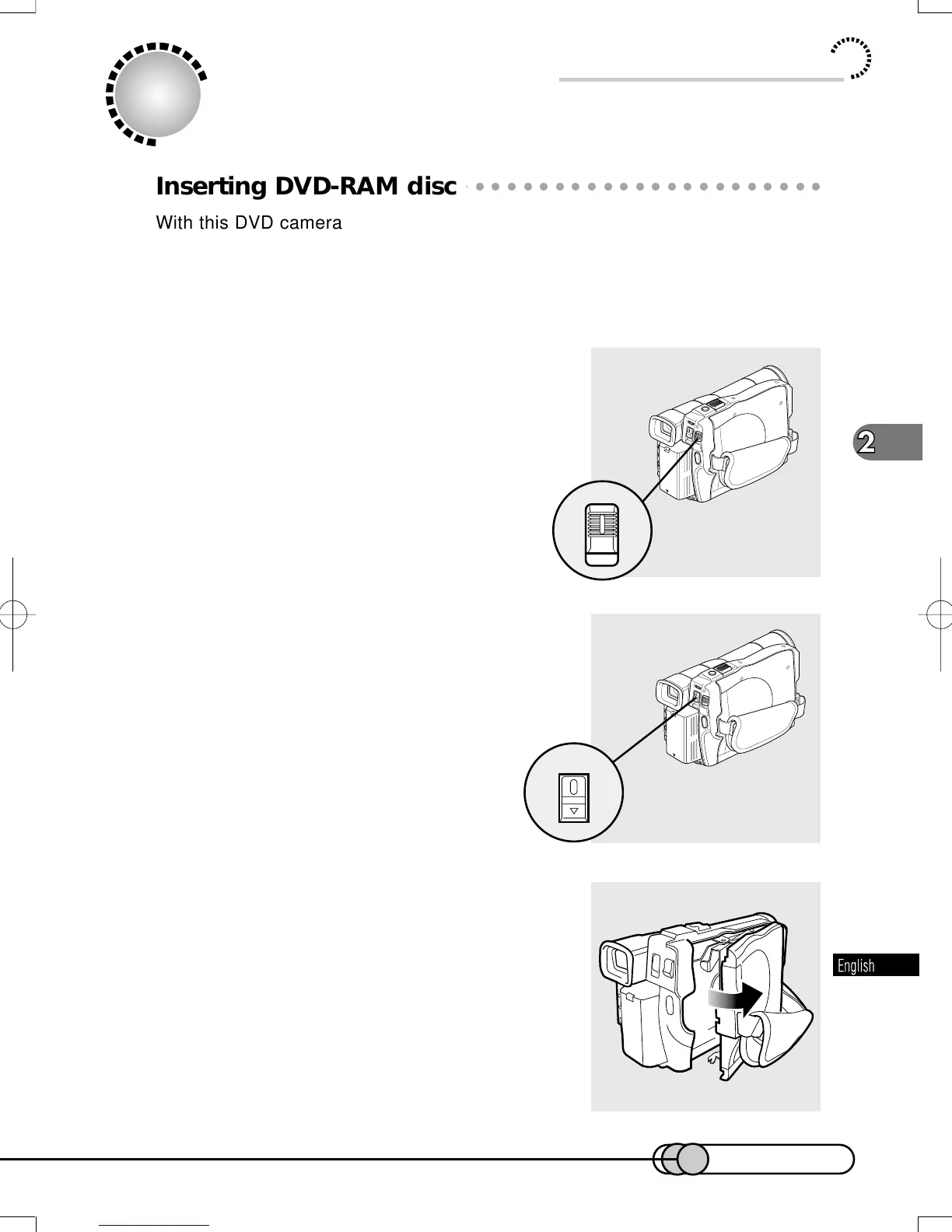
1. Make sure that the DVD camera/re-
corder is turned off.
The red indicator at the center of POWER switch
is off.
2. Press down the EJECT button: The
cover of disc insertion block (hand
strap) will slightly open.
3. Gently open the cover by hand until it
stops.
E-P37-53 01.1.29, 1:50 PMPage 45 AdobePageMaker6.5J/PPC















 To Next Page