25
Checking Provided Accessories
Caution:
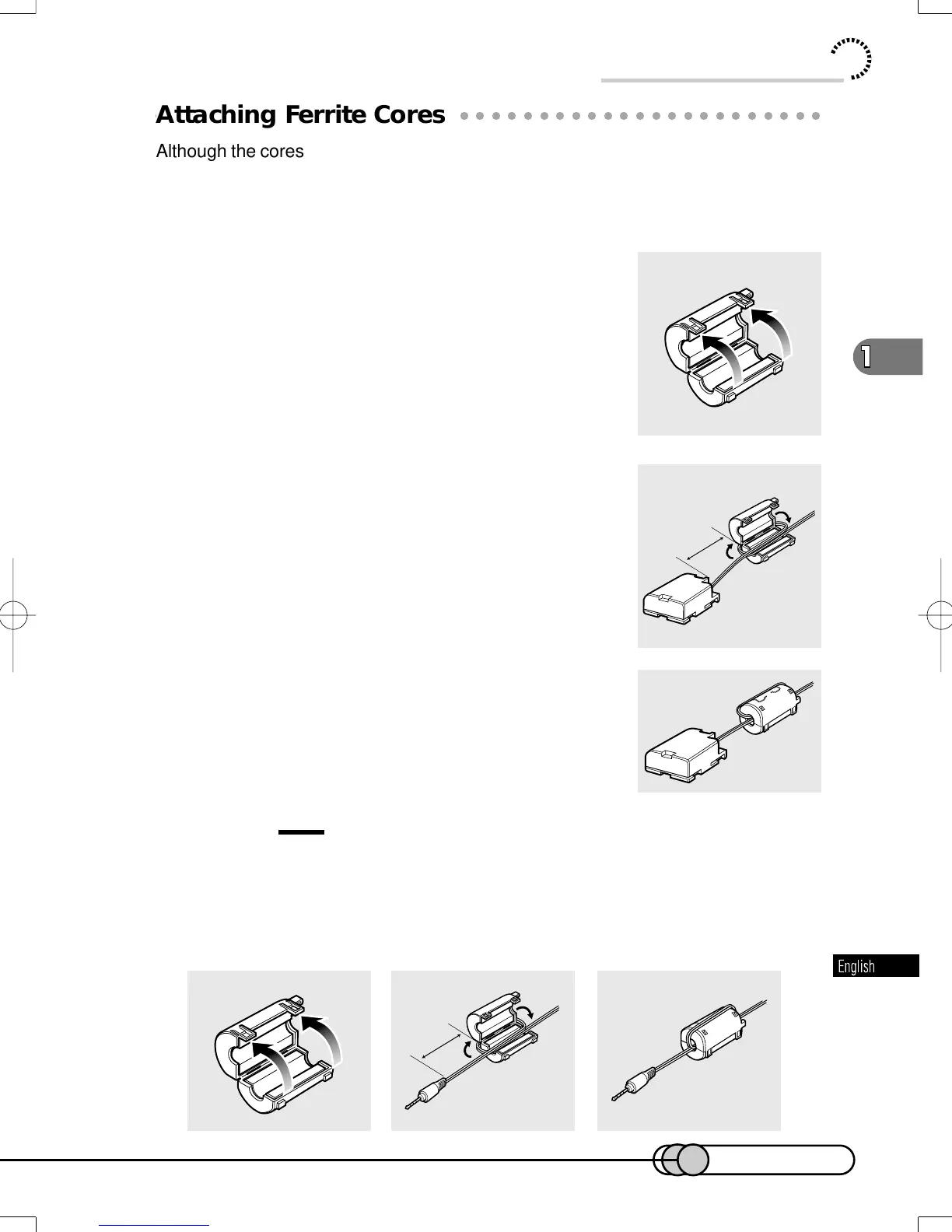
If you use an external microphone when recording, attach the ferrite core (provided) to
the cable at a position approximately 5 cm from its end: Wind the microphone cable
round the core once in the same way as for the DC power cable. Using external
microphone in modes other than camera recording is not recommended.
5cm
○○○○○○○○○○○○○○○○○○○○○○○○○○○○○○○○○○○○○○○○○○
Attaching Ferrite Cores
Although the cores are not attached in the illustrations of the cables in text, be sure to
attach the ferrite core (provided) to the provided DC power cable using the following
procedure (the ferrite core was attached to the AV output cable at the factory):
(Ferrite cores reduce radio interference with your radio and TV.)
1. Open the cover of ferrite core.
2.
Attach the core to the DC power cable at a
position approximately 5 cm from its end.
Wind the DC power cable round the core once.
3. Close the cover of core, taking care that it
does not catch the DC power cable.
5cm
E-P14-36 01.1.29, 1:45 PMPage 25 AdobePageMaker6.5J/PPC















 To Next Page