61
Switching the information display mode
You can switch the display mode of on-screen information:
• Full display mode: All types of information will appear.
• Minimum display mode: Only the recording mode, status display and warning will
appear.
1. Press the DISPLAY button.
The full and minimum display modes will alternate.
Tip:
•
The DVD camera/recorder does not record
the recording date/time as a part of image.
However, the information when recording
will be recorded with image as data, which
can be checked during playback. (See
"Information during playback", p. 95).
○○○○○○○○○○○○○○○○○○○○○○○○○○○○○○○○○○○○○○○○○○
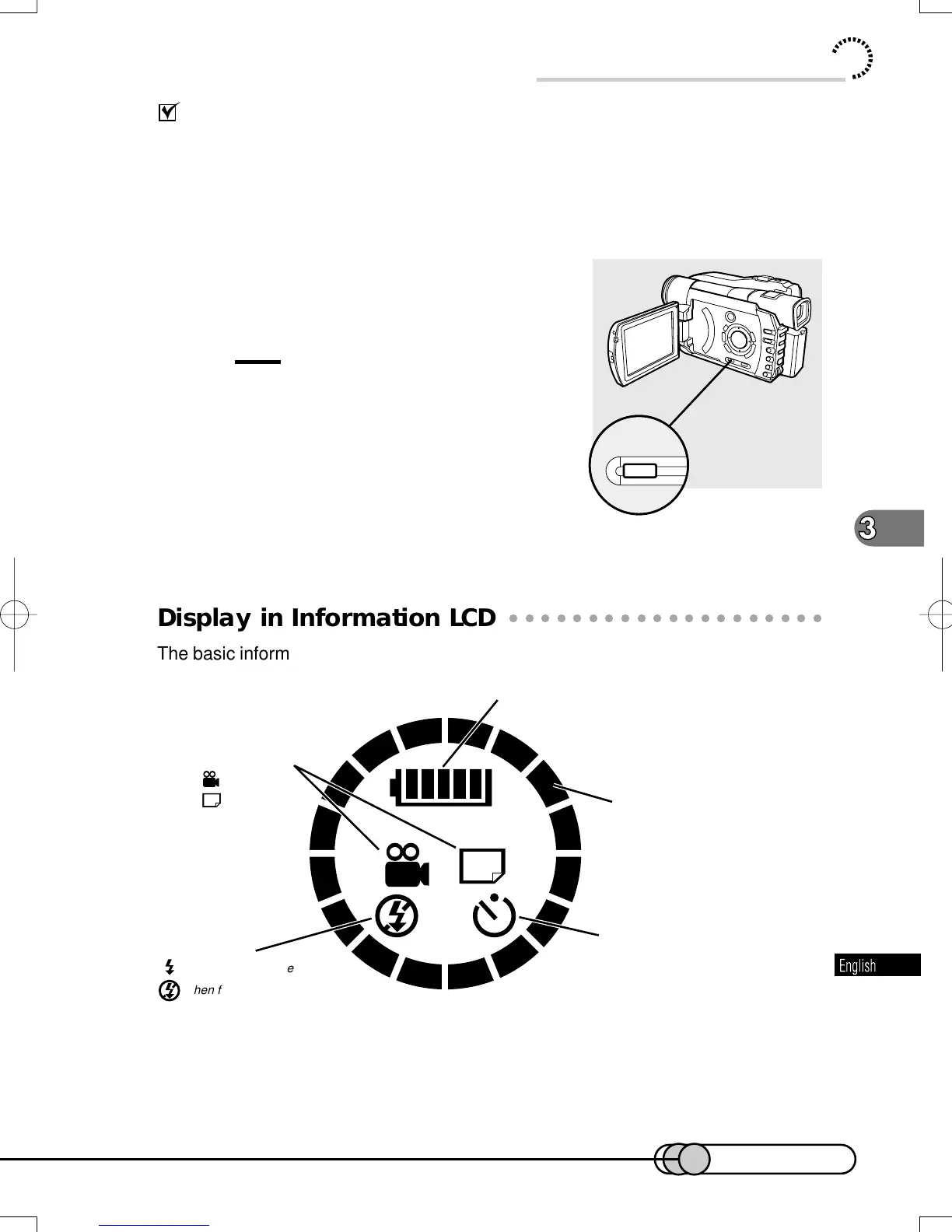
Display in Information LCD
The basic information is always displayed in the information LCD monitor even if the
LCD monitor is closed: You can check it any time.
Basic Handling of DVD Camera/recorder
Battery remaining level
RECORDING MODE
Remaining free space on disc appear
during recording.
When self-timer is being set
Recording mode
Movie
Still
When flash always emits light
When flash does not emit light at all
E-P54-88 01.1.29, 2:49 PMPage 61 AdobePageMaker6.5J/PPC















 To Next Page