99
○○○○○○○○○○○○○○○○○○○○○○○○○○○○○○○○○○○○○○○○○○
Buttons used for operating Disc Navigation
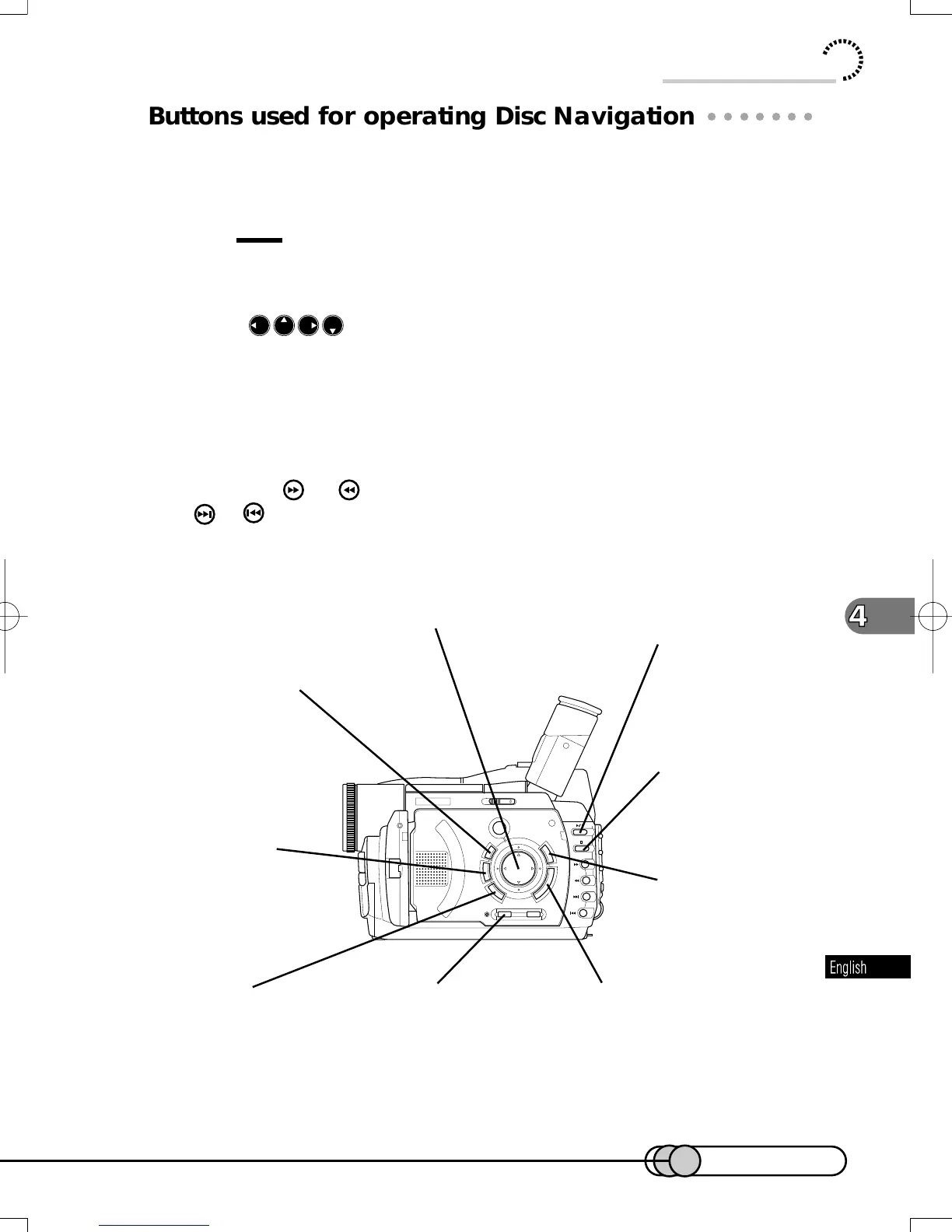
Disc Navigation can be operated using either the buttons or select dial on either
the DVD camera/recorder or remote control: Here is the explanation for using the
buttons on the DVD camera/recorder.
Tips:
• For full-scale editing, connect the DVD camera/recorder to TV (see p. 138)
and use the remote control
• When
are shown in explanation of Disc Navigation, use cursor
buttons. Operation is also possible using remote control.
• The Select dial can also be used to operate Disc Navigation: Slowly
operate the Select dial after checking the display.
• The same buttons available for playback can be used for playback using
Disc Navigation (see p. 90).
• Using the
or
button will change pages in 12-scene units; using the
or button will locate the last scene or first scene respectively.
Using Disc Navigation
Cursor buttons:
To select scenes or menu items
SHIFT button:
To allow multiple scenes
to be selected
ENTER button:
To play back selected scenes, or
enter selected menu item
DELETE button:
To delete selected scenes, and
release setting of skip.
DISPLAY button:
To display information on
selected scene.
MENU button:
To select menu screen
CANCEL button:
To terminate menu operation
SHIFT
RECORDING
MODE
ENTER
MENU
DISCNAVIGATION
DELETE
CANCEL
RESET
DISPLAY LCDBRIGHT
Stop button:
To terminate playback
and restore thumbnail
display
Playback/pause button:
To play back selected scenes.
Pressing again will temporarily stop
playback.
E-P89-126 01.1.29, 1:53 PMPage 99 AdobePageMaker6.5J/PPC















 To Next Page