41
PUSH
Setting Up the Battery
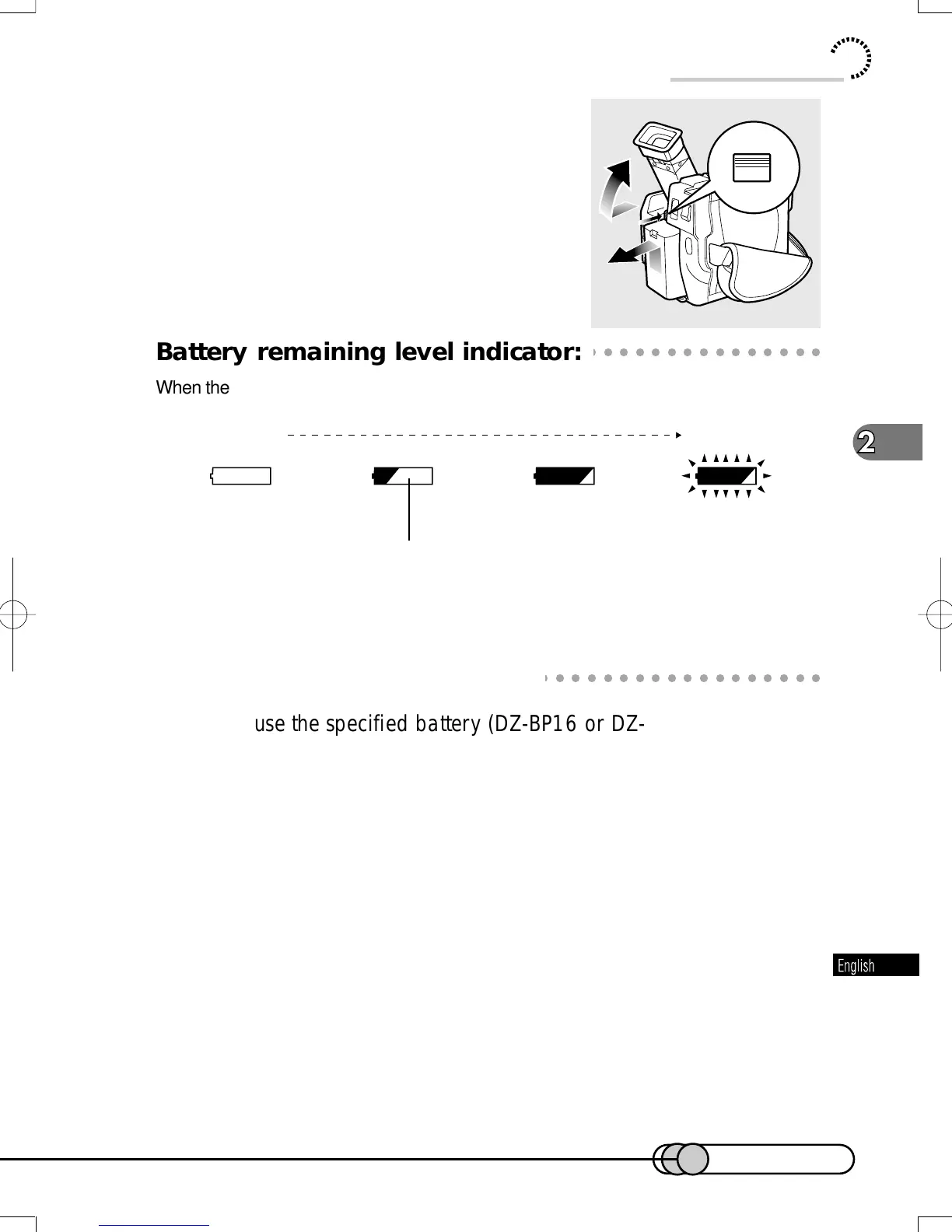
1. Turn the DVD camera/recorder off.
2. Fully pull out the viewfinder and raise it.
3. While holding the Battery eject button
above the battery attachment platform,
slide the battery upward to remove it.
○○○○○○○○○○○○○○○○○○○○○○○○○○○○○○○○○○○○○○○○○○
Battery remaining level indicator:
When the battery is used to power the DVD camera/recorder, the battery remaining level
appears in the viewfinder or on the LCD screen, and in the information LCD as follows:
The battery remaining level display in the information LCD is different from the above
(see p. 61).
○○○○○○○○○○○○○○○○○○○○○○○○○○○○○○○○○○○○○○○○○○
Tips for Skillful Use of Battery
Be sure to use the specified battery (DZ-BP16 or DZ-BP28):
Using other batteries could cause faulty DVD camera/recorder operation, or possi-
bly a fire.
Charge the battery immediately before using the DVD camera/recorder:
If a charged battery is stored, it will discharge on its own; therefore, it is recom-
mended that you charge the battery shortly before using the DVD camera/recorder,
such as on the day before you plan to use it. In cases other than the following
(when the battery is not used for a prolonged period of time), it is not necessary to
completely discharge the battery before charging it.
When you do not use DVD camera/recorder for a prolonged period of time:
It is recommended that you fully charge the battery once a year, attach it to the DVD
camera/recorder and use it up; then remove the battery and store it in a cool place again.
Fully charged Nearly empty
(Blinks)
White portion shows
remaining level.
2
3
3
E-P37-53 01.1.29, 1:50 PMPage 41 AdobePageMaker6.5J/PPC















 To Next Page