142
chapter 6_Connecting DVD Camcorder to Other Devices
○○○○○○○○○○○○○○○○○○○○○○○○○○○○○○○○○○○○○○○○○○
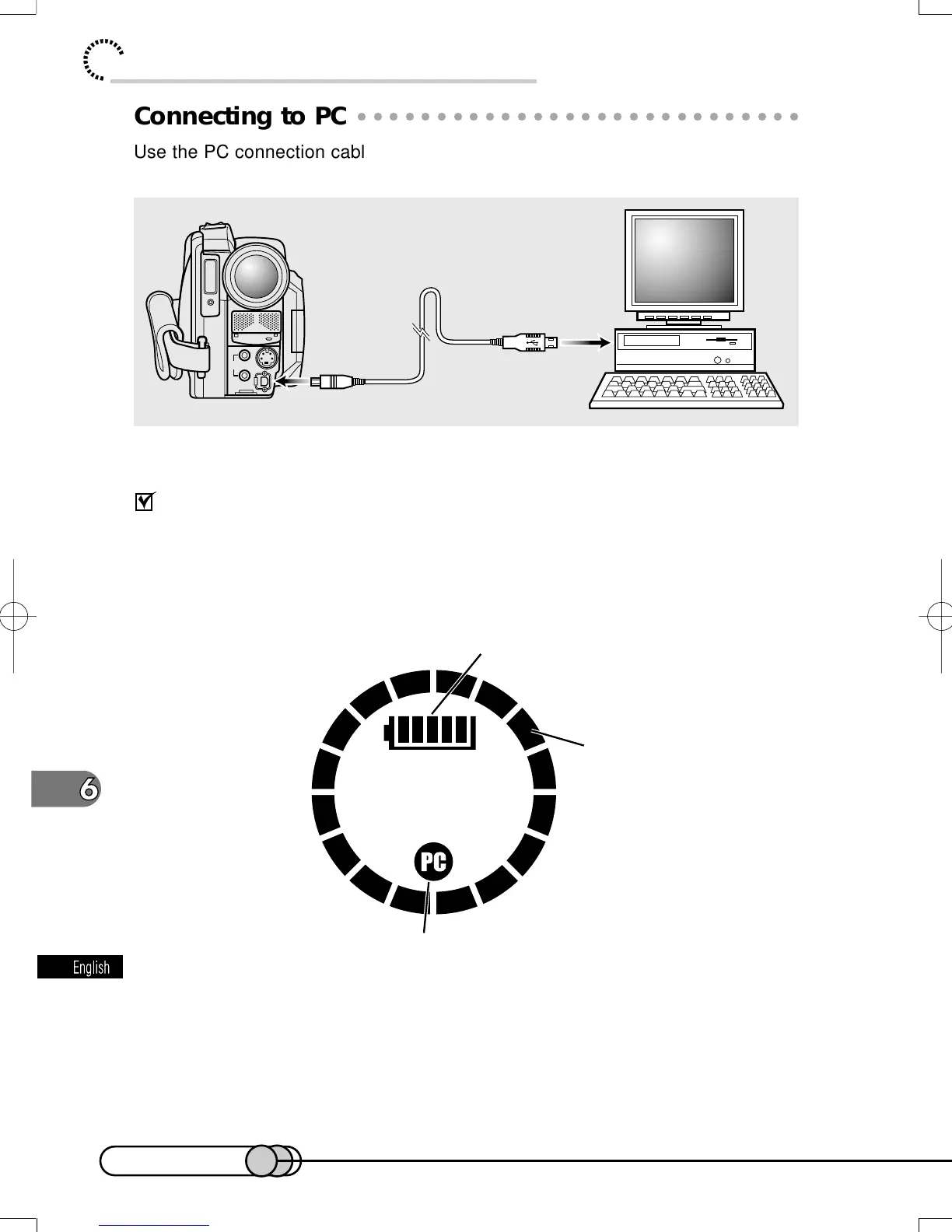
Connecting to PC
Use the PC connection cable to connect this DVD camera/recorder to PC as fol-
lows:
Display in information LCD monitor
When the DVD camera/recorder is connected to PC, the 3.5" LCD monitor and
viewfinder will be off: Close the LCD monitor and check with "PC connection dis-
play" in the information LCD monitor on the DVD camera/recorder.
AUDIO/VIDEO
EXT.MIC
DIGITAL
S
V
I
D
E
O
Battery remaining level
Cursor display
PC connection display
E-P137-142 01.1.29, 1:44 PMPage 142 AdobePageMaker6.5J/PPC















 To Next Page