60
chapter 3_Recording
○○○○○○○○○○○○○○○○○○○○○○○○○○○○○○○○○○○○○○○○○○
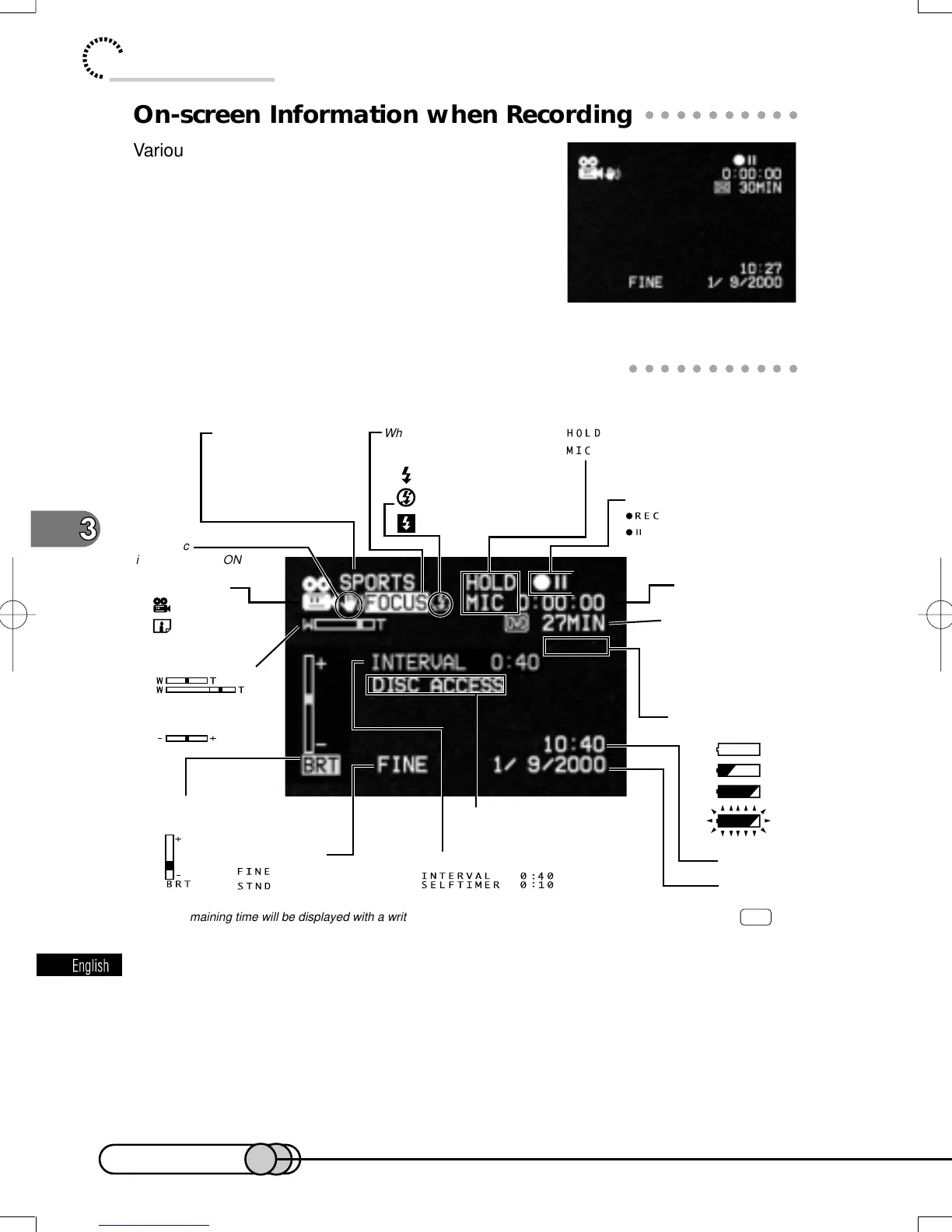
On-screen Information when Recording
Various types of information on recording will appear
superimposed on the image you view in the viewfinder
or on the LCD screen.
This information is only for checking the conditions
of recording: It will not be superimposed on the re-
corded image.
○○○○○○○○○○○○○○○○○○○○○○○○○○○○○○○○○○○○○○○○○○
Information Display During Recording
*
No remaining time will be displayed with a write-protected disc. If no disc is in the DVD camera/recorder, the DVD
mark and remaining time will not appear.
**
The displayed number of stills is for reference: The decreasing number may not be correct, depending on recording
conditions.
***
When no disc is in the DVD camera/recorder, or disc has not yet been initialized, write-protected disc or disc with no
remaining time is inserted.
**** The DVD camera/recorder status and remaining battery level indicators do not have color with images from AV output
jack.
Recording mode
: Movie
: Still
When operating zoom
When adjusting exposure
Electronic
image stabilizer ON
When focusing manuallyProgram AE mode
SPORTS
PORTRAIT
SPOTLIGHT
SURF & SNOW
(When digital zoom is on)
Current date
Current time
Movie quality mode
Message
Status of camcorder
****
: During recording
: During recording pause
Remaining recordable
minutes (when
recording movies)
Remaining number of
recordable stills
(When recording stills)
Recording time
Battery remaining level
****
When adjusting
LCD brightness
Interval/Self-timer
: When white balance is held
: When microphone filter is on
: High video quality
: Standard quality
*
:
When flash always emits light
: When flash does not emit
light at all
: While flash is being charged
(No display)
***
**
E-P54-88 01.1.29, 2:49 PMPage 60 AdobePageMaker6.5J/PPC















 To Next Page